12 minutes
UChat
Posted by
UChat vs Kustomer: Service CRM or Visual Journey Automation?
12 minutes
Posted by
UChat

Quick verdict: Kustomer is a service CRM built around one thing — a single customer record with a unified chat, email, voice, and social timeline, plus AI agents and guided workflows for teams that live inside a support queue [S1]. UChat is a visual automation platform with its own multi-channel reach — including web, social, messaging, Voice, and SMS — built around transparent tiered pricing instead of a sales quote [S2][S5][S6]. Pick Kustomer if your priority is agent context and case history; pick UChat if your priority is building and shipping automated journeys fast, at a known starting cost.
Table Of Contents
Quick Verdict And Scorecard
Recommendation By Use Case
Feature Comparison
AI Agent Design And Control
Channels And Entry Points
Workflow Integrations And APIs
Human Handoff And Operations
When Kustomer May Be A Better Fit
Pricing And Total Cost
Agency And Multi-Client Delivery
Run A Fair Proof Of Concept
Decision Checklist
FAQ
Final Verdict And CTA
Quick Verdict And Scorecard
Category | Kustomer | UChat | Notes |
|---|---|---|---|
Pricing model | Tailored quote pricing; Voice/SMS/transcription and WhatsApp are pay-as-you-go [S1] | Published entry pricing: Free ($0), Business (from $15), Partner (from $199) — verify billing period, limits, and add-ons before comparing [S2] | UChat publishes starting numbers; Kustomer requires a sales conversation |
Customer data model | Complete customer record with a unified chat/email/voice/social timeline [S1] | Not documented in the sources reviewed as a unified cross-channel case history | Kustomer's core differentiator is this single-record view |
AI capabilities | AI agents, agent suggestions, guided automation [S1] | AI Agents with knowledge base, functions, and model choice [S4] | Both offer AI, but for different jobs — case handling vs. conversation building |
Automation building | Workflows for case routing and guided resolution [S1] | Visual Flow Builder for designing conversation journeys [S6] | Different automation philosophies: routing logic vs. flow design |
Channel coverage | Chat, email, voice, social unified in one timeline [S1] | Web, social, and messaging channels, plus Voice and SMS [S5] | Kustomer unifies these into one record; UChat spans them as flow entry points |
Live support tooling | Agent workspace with suggestions and guided automation [S1] | Live Chat [S7] | Kustomer's agent workspace is more built out per available facts |
Case/ticket management | Not separately documented beyond the unified timeline [S1] | Boards and Tickets [S8] | UChat's ticketing structure is explicitly named |
Extensibility & agency features | Integrations and webhooks [S1] | Integrations, APIs, webhooks, and Mini Apps; white label, custom domain, client plans, and billing [S3][S9] | UChat adds partner/agency infrastructure not documented on Kustomer's side |
Recommendation By Use Case
Mature CX operations with high ticket volume. If your team already runs a support queue and needs agents to see one customer's full chat, email, voice, and social history in a single record, Kustomer's unified timeline and guided workflows are purpose-built for that job [S1]. Its AI agent suggestions sit inside that same case context, which matters most once ticket volume is high enough that context-switching between systems costs real time.
Voice- and SMS-heavy support. Kustomer explicitly supports Voice, SMS, transcription, and WhatsApp, billed pay-as-you-go on top of its quoted plan [S1]. UChat also lists Voice and SMS among its channels [S5], so teams with meaningful call or text volume should compare the two on transcription depth and provider setup.
Budget-conscious teams that want pricing clarity upfront. UChat's published entry tiers — Free, Business from $15, Partner from $199 — let a team start estimating cost before committing, versus Kustomer's tailored-quote model [S1][S2]. Confirm billing terms, usage limits, and add-on costs before finalizing a budget (see Pricing And Total Cost below).
Teams building automated customer journeys across messaging channels. If the core need is designing conversation flows — welcome sequences, lead qualification, FAQ deflection — across web, social, messaging, and now Voice and SMS entry points, UChat's visual Flow Builder and channel breadth are the more direct fit [S5][S6]. Its AI Agents, configurable with knowledge base, functions, and model choice, let you embed AI directly inside those flows [S4].
Agencies and resellers. UChat's white-label, custom domain, and client plan/billing structure serve agencies managing multiple end clients (see Agency And Multi-Client Delivery below) [S3]. Kustomer's material doesn't describe comparable reseller tooling — worth confirming directly with Kustomer rather than assuming it's absent.
Feature Comparison
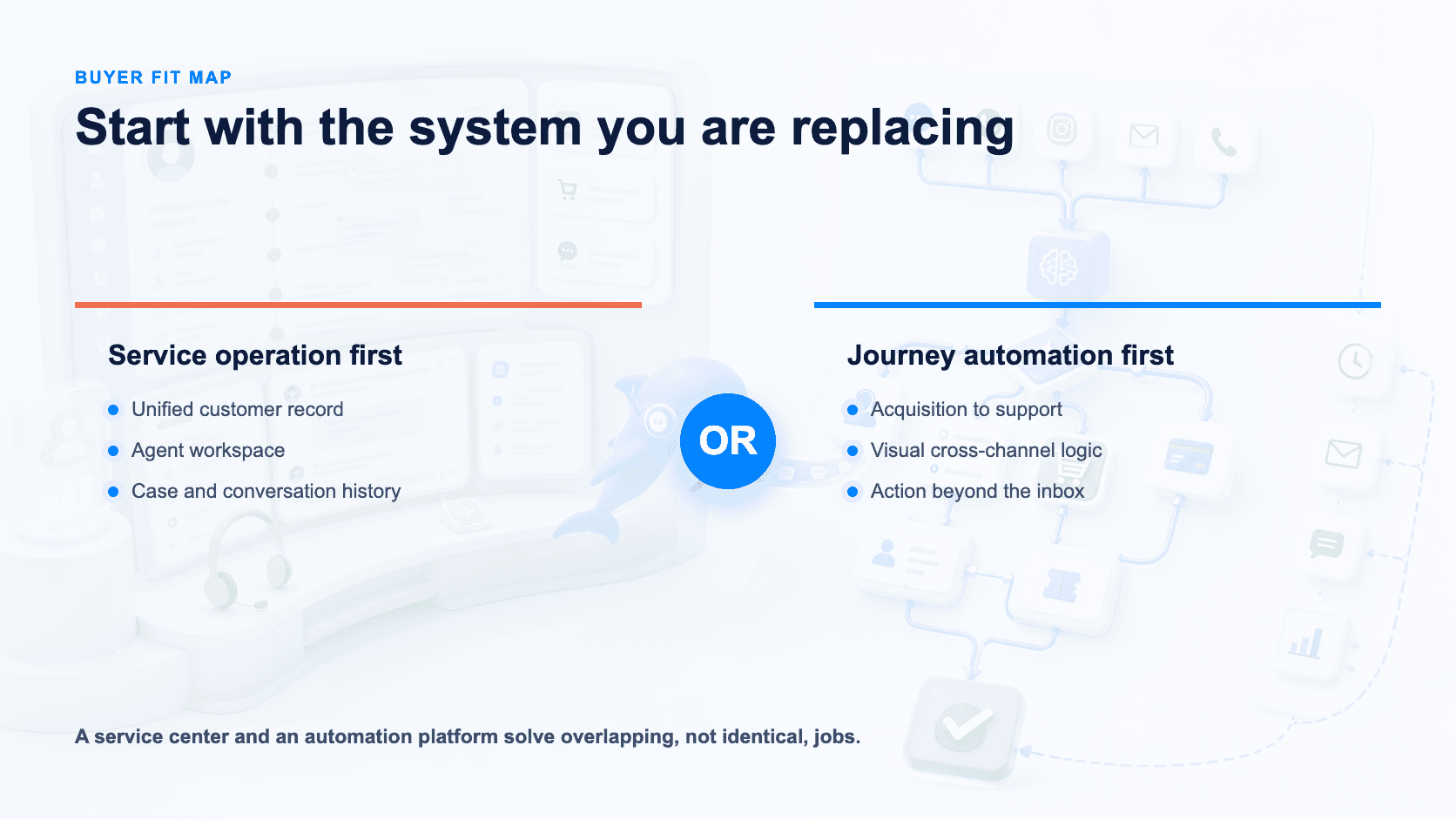
Kustomer and UChat solve different problems. Kustomer is built as an AI customer-service CRM: every conversation lands in one customer record, layered with AI agents, agent suggestions, guided automation, and workflows, all quote-priced with Voice, SMS, transcription, and WhatsApp billed pay-as-you-go [S1].
UChat instead centers the product on building automated conversations — a visual Flow Builder, Live Chat, and Boards/Tickets for tracking work, reachable through web, social, messaging, Voice, and SMS [S5][S6][S7][S8] — priced with published entry tiers and white-label options at the Partner level [S2][S3]. Both platforms offer AI agents and integrations/APIs, but Kustomer's AI sits on top of accumulated customer history while UChat's AI agents are configured directly inside the flows they help build [S1][S4].
Bottom line: teams that need a mature agent workspace anchored in customer history should look at Kustomer; teams that want to design and launch automated conversational journeys with clear entry pricing should look at UChat.
AI Agent Design And Control
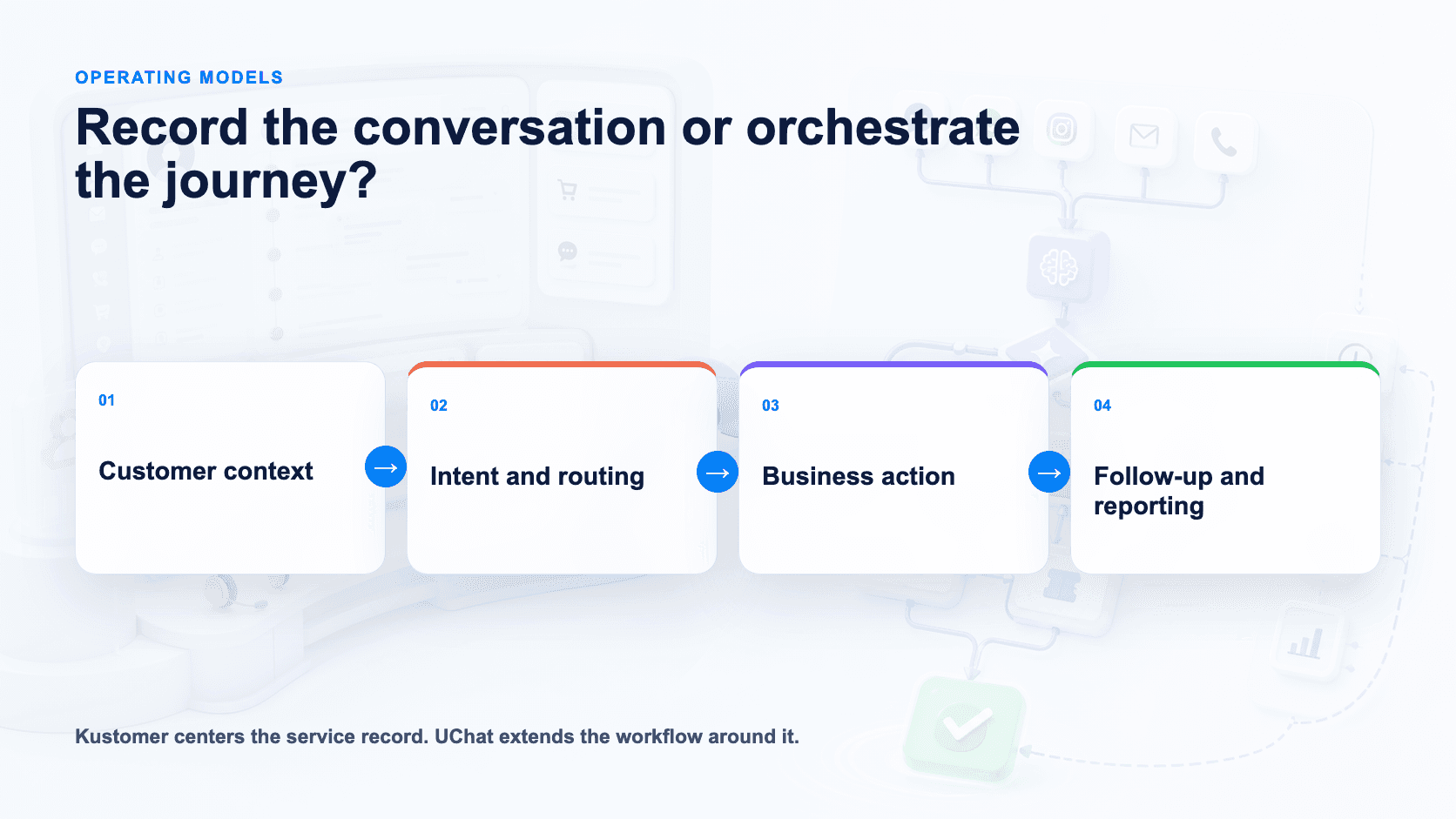
Kustomer's AI operates as an assistant embedded in the existing case record: AI agents can act on conversations, agent suggestions surface next-best-actions to human reps, and guided automation walks agents through workflows using the customer's full history as context [S1].
UChat's AI Agents are configured with a knowledge base, functions, and a choice of underlying models [S4]. That gives builders direct control over what the agent knows, what actions it can take, and which model powers it. Kustomer's public materials don't specify model choice or a functions layer, so that level of configurability on its side is unclear; UChat's materials likewise don't describe a "suggestions for human agents" mode comparable to Kustomer's. In short: Kustomer's AI is history-aware and agent-assistive by design; UChat's AI is configurable and model-flexible by design.
Channels And Entry Points
Kustomer unifies chat, email, voice, and social channels into one timeline, with Voice, SMS, transcription, and WhatsApp available on a pay-as-you-go basis [S1].
UChat supports Web Chat, WhatsApp, Messenger, Instagram, Telegram, Voice and SMS as entry points into its flows [S5], paired with Live Chat for real-time conversation [S7]. Because UChat's channels feed into a visual Flow Builder [S6], the same automated journey can be triggered from different entry points rather than being handled as separate case types. Neither source breaks down every individual channel on either side (for example, WhatsApp-specific support on UChat isn't confirmed here), so a full channel-by-channel match should be verified directly with each vendor before finalizing a decision.
Workflow Integrations And APIs
Combined with Boards/Tickets for internal tracking [S8], UChat's integration layer supports teams building custom automation on top of Flow Builder logic. Kustomer's integrations, by contrast, are positioned to extend an already-centralized service record. Pricing for either platform's integration or API access isn't broken out separately in the sources reviewed, so cost impact at scale should be confirmed directly with both vendors before a purchase decision.
Human Handoff And Operations
Kustomer is built for teams whose day-to-day already runs through a service desk: agent-suggestion features draft replies and recommend next steps, while guided workflows and automation route work and enforce process across the unified timeline [S1].
UChat starts from a different center of gravity — the conversation flow. Live Chat sits alongside Flow Builder automation for direct human conversations [S7], and Boards/Tickets provide a lightweight way to track requests and hand off items that need follow-up [S8]. AI Agents are configured per bot with their own knowledge base, functions, and model, so automated responses can be tailored rather than applied as one account-wide assistant [S4]. What UChat's materials don't describe is a persistent, cross-channel customer record with full interaction history the way Kustomer's unified timeline provides [S1] — that comparison point is undocumented rather than confirmed absent.
When Kustomer May Be A Better Fit
Kustomer suits teams where support is the primary operation and automation is secondary — agents need one workspace showing full chat, email, voice, and social history before responding, with AI drafting suggestions and guiding workflows rather than running standalone journeys [S1].
Pricing And Total Cost
UChat publishes entry-tier pricing: Free at $0, Business from $15, and Partner from $199 [S2]. This gives buyers a transparent, self-serve starting point for estimating cost as usage or feature needs grow, and the Partner tier includes white-label branding, custom domain, client plan management, and client billing — features aimed at agencies reselling the platform [S3].
These are listed entry prices, not confirmed flat totals. Before budgeting, verify the billing period (monthly vs. annual), usage limits per tier, add-on costs, third-party provider fees (for channels like Voice/SMS), and applicable taxes directly with UChat.
Kustomer's pricing is tailored and quote-based rather than published in tiers [S1], so a direct dollar-for-dollar comparison isn't possible from available information. What is documented is that Voice, SMS, transcription, and WhatsApp are billed pay-as-you-go on top of the core platform [S1], meaning total cost for a service-heavy deployment depends on usage volume rather than a flat plan price. Treat UChat's published tiers as a starting reference point and request a Kustomer quote to compare against your actual expected usage, particularly voice and messaging volume.
Agency And Multi-Client Delivery
UChat's Partner plan is explicitly structured for agencies and resellers: white-label branding, a custom domain, client-specific plans, and client billing are all included at that tier [S3]. Combined with a visual Flow Builder that lets an agency template and reuse automated journeys across client bots [S6], and Mini Apps for extending functionality per client [S9], UChat's structure supports running many distinct branded deployments from one back end.
Kustomer's available material doesn't describe a comparable white-label or multi-client reseller layer — its feature set centers on the single-organization customer-service record and agent workspace [S1]. That's a documentation gap, not a confirmed absence: agencies evaluating Kustomer for multi-client delivery should raise it directly in a sales conversation rather than assume the capability doesn't exist.
Run A Fair Proof Of Concept
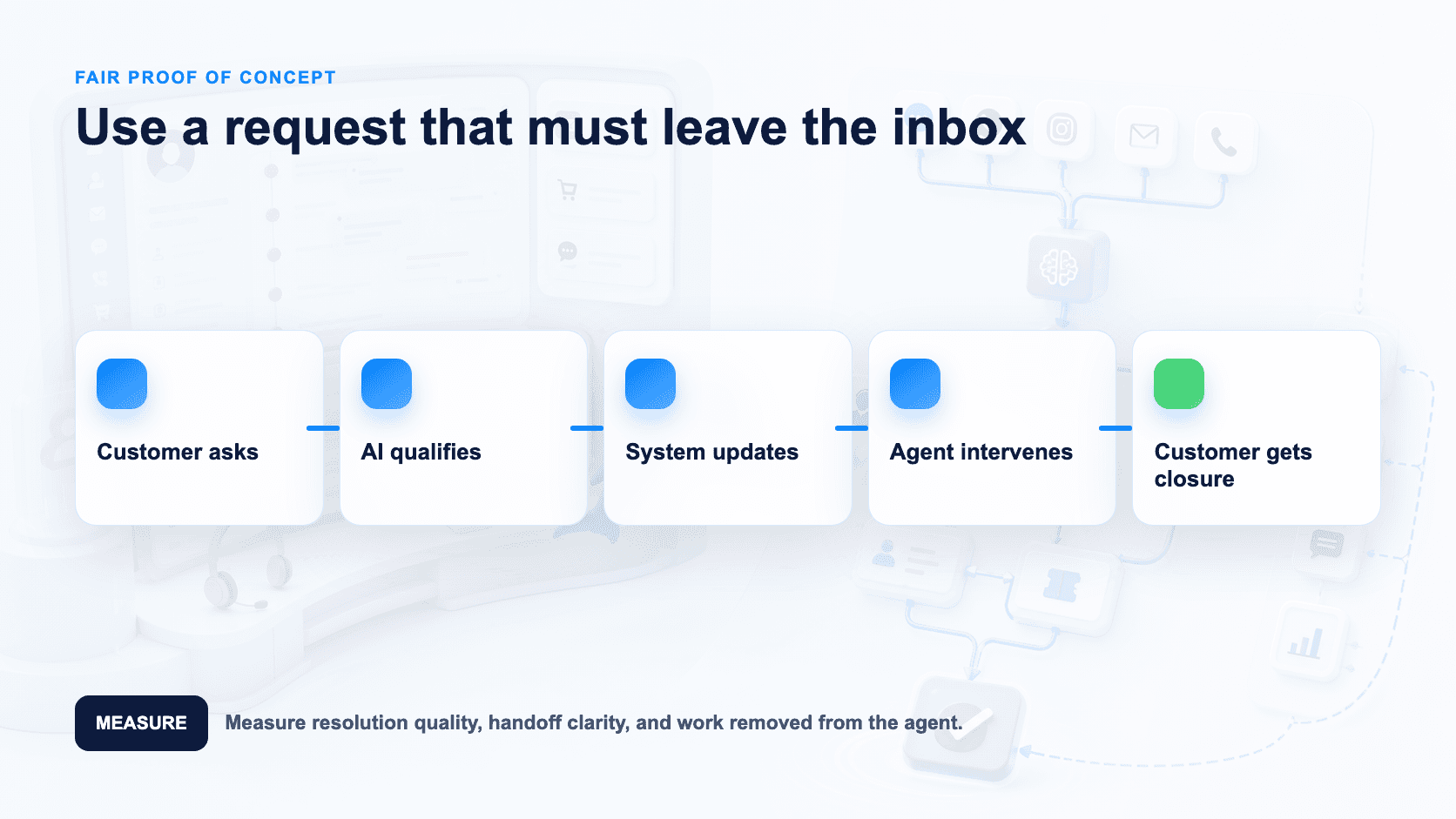
Don't compare these two platforms on paper alone — they solve different problems, and a two-week trial will show that faster than any spec sheet.
Start by picking one real scenario: a customer who contacts you across two channels about the same issue. In UChat, build the journey with the visual Flow Builder [S6], connect it to Live Chat [S7], and route the conversation into Boards/Tickets [S8] so a human agent can pick it up. Turn on an AI Agent, feed it your knowledge base and functions, and test how it hands off to a live agent [S4]. Then repeat the same scenario across two or three of UChat's supported channels — including Voice or SMS if your use case needs them — to see how consistently the automation holds up [S5].
For Kustomer, request a demo (pricing is quote-based, so you'll need a sales conversation regardless [S1]) and focus on the single-customer-record experience: have that same customer reach out by chat, then email, then voice, and watch whether the agent workspace surfaces one unified timeline or three disconnected threads [S1]. Test the agent suggestions and guided workflows on a ticket with some history behind it, since that's where a mature CRM should outperform a flow-first tool [S1].
Score both trials against your actual bottleneck: if it's building automated journeys across many channels affordably, UChat's transparent entry pricing makes that cheap to test — just confirm final costs before committing [S2]. If it's giving agents full context on repeat customers, Kustomer's unified record is the thing to stress-test [S1].
Decision Checklist
Do you need one unified customer timeline across chat, email, voice, and social, or is chat/messaging automation your primary use case?
Is pricing transparency important, or are you comfortable with a custom quote process?
Do you need visual, no-code flow building for customer journeys?
Do agents need AI-generated suggestions and guided workflows inside a case view, or an AI agent that can act autonomously via functions and model choice?
Which channels do you need — UChat lists web, social, messaging, Voice, and SMS [S5]; confirm Kustomer's specific channel list against your must-haves [S1].
Do you need Voice/SMS with transcription on both sides, and are you comfortable with pay-as-you-go usage pricing where it applies [S1]?
Will you resell or white-label the platform under your own brand, requiring custom domains and client billing [S3]?
Do you need built-in ticketing/board-style case management, or will you rely on the CRM's native workspace [S8]?
Do you need programmatic extensibility — APIs, webhooks, and Mini Apps for custom logic [S9]?
What's your budget ceiling, and does UChat's published entry-tier structure fit better than an enterprise quote-based contract — after confirming billing terms [S2]?
FAQ
Is UChat a CRM like Kustomer?
UChat is a visual automation and channel platform with AI Agents, Live Chat, and Boards/Tickets [S4][S7][S8]; Kustomer is purpose-built as a customer-service CRM with a unified customer record [S1]. They overlap on automation but start from different foundations.
Does UChat unify chat, email, voice, and social into one timeline?
Not documented in the UChat materials reviewed here — a unified cross-channel case history appears to be a Kustomer-specific capability [S1]. This is undocumented for UChat rather than confirmed absent.
Which platform is cheaper to start with?
UChat publishes entry-tier pricing from Free to Partner (from $199) [S2] — confirm billing period and limits before comparing. Kustomer uses tailored quotes, so cost depends on your negotiated contract [S1].
Can I white-label either platform?
UChat offers white label, custom domain, and client plan/billing options [S3]. Kustomer's materials reviewed here don't describe a comparable white-label option — this is a documentation gap worth confirming with Kustomer directly.
Does either platform support Voice and SMS?
Yes, both do. Kustomer offers Voice/SMS with transcription on a pay-as-you-go basis [S1]. UChat's listed channels include web, social, and messaging, plus Voice and SMS [S5] — compare provider setup and pricing structure between the two before deciding.
Final Verdict And CTA
Choose Kustomer for a mature CX operation built around agent workspaces and one customer history across every channel [S1]. Choose UChat for visual, no-code journey automation, directly configurable AI Agents, multi-channel reach including Voice and SMS, and transparent entry pricing scaling from free to partner-tier reselling — after confirming billing details [S2][S3][S4][S5][S6].
Ready to see it yourself? Start a free UChat trial or book a partner demo to walk through white-label and reseller options.
Compare more options: UChat vs ManyChat, UChat vs Chatfuel, UChat vs Landbot.
Sources reviewed 12 August 2026.
Quick verdict: Kustomer is a service CRM built around one thing — a single customer record with a unified chat, email, voice, and social timeline, plus AI agents and guided workflows for teams that live inside a support queue [S1]. UChat is a visual automation platform with its own multi-channel reach — including web, social, messaging, Voice, and SMS — built around transparent tiered pricing instead of a sales quote [S2][S5][S6]. Pick Kustomer if your priority is agent context and case history; pick UChat if your priority is building and shipping automated journeys fast, at a known starting cost.
Table Of Contents
Quick Verdict And Scorecard
Recommendation By Use Case
Feature Comparison
AI Agent Design And Control
Channels And Entry Points
Workflow Integrations And APIs
Human Handoff And Operations
When Kustomer May Be A Better Fit
Pricing And Total Cost
Agency And Multi-Client Delivery
Run A Fair Proof Of Concept
Decision Checklist
FAQ
Final Verdict And CTA
Quick Verdict And Scorecard
Category | Kustomer | UChat | Notes |
|---|---|---|---|
Pricing model | Tailored quote pricing; Voice/SMS/transcription and WhatsApp are pay-as-you-go [S1] | Published entry pricing: Free ($0), Business (from $15), Partner (from $199) — verify billing period, limits, and add-ons before comparing [S2] | UChat publishes starting numbers; Kustomer requires a sales conversation |
Customer data model | Complete customer record with a unified chat/email/voice/social timeline [S1] | Not documented in the sources reviewed as a unified cross-channel case history | Kustomer's core differentiator is this single-record view |
AI capabilities | AI agents, agent suggestions, guided automation [S1] | AI Agents with knowledge base, functions, and model choice [S4] | Both offer AI, but for different jobs — case handling vs. conversation building |
Automation building | Workflows for case routing and guided resolution [S1] | Visual Flow Builder for designing conversation journeys [S6] | Different automation philosophies: routing logic vs. flow design |
Channel coverage | Chat, email, voice, social unified in one timeline [S1] | Web, social, and messaging channels, plus Voice and SMS [S5] | Kustomer unifies these into one record; UChat spans them as flow entry points |
Live support tooling | Agent workspace with suggestions and guided automation [S1] | Live Chat [S7] | Kustomer's agent workspace is more built out per available facts |
Case/ticket management | Not separately documented beyond the unified timeline [S1] | Boards and Tickets [S8] | UChat's ticketing structure is explicitly named |
Extensibility & agency features | Integrations and webhooks [S1] | Integrations, APIs, webhooks, and Mini Apps; white label, custom domain, client plans, and billing [S3][S9] | UChat adds partner/agency infrastructure not documented on Kustomer's side |
Recommendation By Use Case
Mature CX operations with high ticket volume. If your team already runs a support queue and needs agents to see one customer's full chat, email, voice, and social history in a single record, Kustomer's unified timeline and guided workflows are purpose-built for that job [S1]. Its AI agent suggestions sit inside that same case context, which matters most once ticket volume is high enough that context-switching between systems costs real time.
Voice- and SMS-heavy support. Kustomer explicitly supports Voice, SMS, transcription, and WhatsApp, billed pay-as-you-go on top of its quoted plan [S1]. UChat also lists Voice and SMS among its channels [S5], so teams with meaningful call or text volume should compare the two on transcription depth and provider setup.
Budget-conscious teams that want pricing clarity upfront. UChat's published entry tiers — Free, Business from $15, Partner from $199 — let a team start estimating cost before committing, versus Kustomer's tailored-quote model [S1][S2]. Confirm billing terms, usage limits, and add-on costs before finalizing a budget (see Pricing And Total Cost below).
Teams building automated customer journeys across messaging channels. If the core need is designing conversation flows — welcome sequences, lead qualification, FAQ deflection — across web, social, messaging, and now Voice and SMS entry points, UChat's visual Flow Builder and channel breadth are the more direct fit [S5][S6]. Its AI Agents, configurable with knowledge base, functions, and model choice, let you embed AI directly inside those flows [S4].
Agencies and resellers. UChat's white-label, custom domain, and client plan/billing structure serve agencies managing multiple end clients (see Agency And Multi-Client Delivery below) [S3]. Kustomer's material doesn't describe comparable reseller tooling — worth confirming directly with Kustomer rather than assuming it's absent.
Feature Comparison
Kustomer and UChat solve different problems. Kustomer is built as an AI customer-service CRM: every conversation lands in one customer record, layered with AI agents, agent suggestions, guided automation, and workflows, all quote-priced with Voice, SMS, transcription, and WhatsApp billed pay-as-you-go [S1].
UChat instead centers the product on building automated conversations — a visual Flow Builder, Live Chat, and Boards/Tickets for tracking work, reachable through web, social, messaging, Voice, and SMS [S5][S6][S7][S8] — priced with published entry tiers and white-label options at the Partner level [S2][S3]. Both platforms offer AI agents and integrations/APIs, but Kustomer's AI sits on top of accumulated customer history while UChat's AI agents are configured directly inside the flows they help build [S1][S4].
Bottom line: teams that need a mature agent workspace anchored in customer history should look at Kustomer; teams that want to design and launch automated conversational journeys with clear entry pricing should look at UChat.
AI Agent Design And Control
Kustomer's AI operates as an assistant embedded in the existing case record: AI agents can act on conversations, agent suggestions surface next-best-actions to human reps, and guided automation walks agents through workflows using the customer's full history as context [S1].
UChat's AI Agents are configured with a knowledge base, functions, and a choice of underlying models [S4]. That gives builders direct control over what the agent knows, what actions it can take, and which model powers it. Kustomer's public materials don't specify model choice or a functions layer, so that level of configurability on its side is unclear; UChat's materials likewise don't describe a "suggestions for human agents" mode comparable to Kustomer's. In short: Kustomer's AI is history-aware and agent-assistive by design; UChat's AI is configurable and model-flexible by design.
Channels And Entry Points
Kustomer unifies chat, email, voice, and social channels into one timeline, with Voice, SMS, transcription, and WhatsApp available on a pay-as-you-go basis [S1].
UChat supports Web Chat, WhatsApp, Messenger, Instagram, Telegram, Voice and SMS as entry points into its flows [S5], paired with Live Chat for real-time conversation [S7]. Because UChat's channels feed into a visual Flow Builder [S6], the same automated journey can be triggered from different entry points rather than being handled as separate case types. Neither source breaks down every individual channel on either side (for example, WhatsApp-specific support on UChat isn't confirmed here), so a full channel-by-channel match should be verified directly with each vendor before finalizing a decision.
Workflow Integrations And APIs
Combined with Boards/Tickets for internal tracking [S8], UChat's integration layer supports teams building custom automation on top of Flow Builder logic. Kustomer's integrations, by contrast, are positioned to extend an already-centralized service record. Pricing for either platform's integration or API access isn't broken out separately in the sources reviewed, so cost impact at scale should be confirmed directly with both vendors before a purchase decision.
Human Handoff And Operations
Kustomer is built for teams whose day-to-day already runs through a service desk: agent-suggestion features draft replies and recommend next steps, while guided workflows and automation route work and enforce process across the unified timeline [S1].
UChat starts from a different center of gravity — the conversation flow. Live Chat sits alongside Flow Builder automation for direct human conversations [S7], and Boards/Tickets provide a lightweight way to track requests and hand off items that need follow-up [S8]. AI Agents are configured per bot with their own knowledge base, functions, and model, so automated responses can be tailored rather than applied as one account-wide assistant [S4]. What UChat's materials don't describe is a persistent, cross-channel customer record with full interaction history the way Kustomer's unified timeline provides [S1] — that comparison point is undocumented rather than confirmed absent.
When Kustomer May Be A Better Fit
Kustomer suits teams where support is the primary operation and automation is secondary — agents need one workspace showing full chat, email, voice, and social history before responding, with AI drafting suggestions and guiding workflows rather than running standalone journeys [S1].
Pricing And Total Cost
UChat publishes entry-tier pricing: Free at $0, Business from $15, and Partner from $199 [S2]. This gives buyers a transparent, self-serve starting point for estimating cost as usage or feature needs grow, and the Partner tier includes white-label branding, custom domain, client plan management, and client billing — features aimed at agencies reselling the platform [S3].
These are listed entry prices, not confirmed flat totals. Before budgeting, verify the billing period (monthly vs. annual), usage limits per tier, add-on costs, third-party provider fees (for channels like Voice/SMS), and applicable taxes directly with UChat.
Kustomer's pricing is tailored and quote-based rather than published in tiers [S1], so a direct dollar-for-dollar comparison isn't possible from available information. What is documented is that Voice, SMS, transcription, and WhatsApp are billed pay-as-you-go on top of the core platform [S1], meaning total cost for a service-heavy deployment depends on usage volume rather than a flat plan price. Treat UChat's published tiers as a starting reference point and request a Kustomer quote to compare against your actual expected usage, particularly voice and messaging volume.
Agency And Multi-Client Delivery
UChat's Partner plan is explicitly structured for agencies and resellers: white-label branding, a custom domain, client-specific plans, and client billing are all included at that tier [S3]. Combined with a visual Flow Builder that lets an agency template and reuse automated journeys across client bots [S6], and Mini Apps for extending functionality per client [S9], UChat's structure supports running many distinct branded deployments from one back end.
Kustomer's available material doesn't describe a comparable white-label or multi-client reseller layer — its feature set centers on the single-organization customer-service record and agent workspace [S1]. That's a documentation gap, not a confirmed absence: agencies evaluating Kustomer for multi-client delivery should raise it directly in a sales conversation rather than assume the capability doesn't exist.
Run A Fair Proof Of Concept
Don't compare these two platforms on paper alone — they solve different problems, and a two-week trial will show that faster than any spec sheet.
Start by picking one real scenario: a customer who contacts you across two channels about the same issue. In UChat, build the journey with the visual Flow Builder [S6], connect it to Live Chat [S7], and route the conversation into Boards/Tickets [S8] so a human agent can pick it up. Turn on an AI Agent, feed it your knowledge base and functions, and test how it hands off to a live agent [S4]. Then repeat the same scenario across two or three of UChat's supported channels — including Voice or SMS if your use case needs them — to see how consistently the automation holds up [S5].
For Kustomer, request a demo (pricing is quote-based, so you'll need a sales conversation regardless [S1]) and focus on the single-customer-record experience: have that same customer reach out by chat, then email, then voice, and watch whether the agent workspace surfaces one unified timeline or three disconnected threads [S1]. Test the agent suggestions and guided workflows on a ticket with some history behind it, since that's where a mature CRM should outperform a flow-first tool [S1].
Score both trials against your actual bottleneck: if it's building automated journeys across many channels affordably, UChat's transparent entry pricing makes that cheap to test — just confirm final costs before committing [S2]. If it's giving agents full context on repeat customers, Kustomer's unified record is the thing to stress-test [S1].
Decision Checklist
Do you need one unified customer timeline across chat, email, voice, and social, or is chat/messaging automation your primary use case?
Is pricing transparency important, or are you comfortable with a custom quote process?
Do you need visual, no-code flow building for customer journeys?
Do agents need AI-generated suggestions and guided workflows inside a case view, or an AI agent that can act autonomously via functions and model choice?
Which channels do you need — UChat lists web, social, messaging, Voice, and SMS [S5]; confirm Kustomer's specific channel list against your must-haves [S1].
Do you need Voice/SMS with transcription on both sides, and are you comfortable with pay-as-you-go usage pricing where it applies [S1]?
Will you resell or white-label the platform under your own brand, requiring custom domains and client billing [S3]?
Do you need built-in ticketing/board-style case management, or will you rely on the CRM's native workspace [S8]?
Do you need programmatic extensibility — APIs, webhooks, and Mini Apps for custom logic [S9]?
What's your budget ceiling, and does UChat's published entry-tier structure fit better than an enterprise quote-based contract — after confirming billing terms [S2]?
FAQ
Is UChat a CRM like Kustomer?
UChat is a visual automation and channel platform with AI Agents, Live Chat, and Boards/Tickets [S4][S7][S8]; Kustomer is purpose-built as a customer-service CRM with a unified customer record [S1]. They overlap on automation but start from different foundations.
Does UChat unify chat, email, voice, and social into one timeline?
Not documented in the UChat materials reviewed here — a unified cross-channel case history appears to be a Kustomer-specific capability [S1]. This is undocumented for UChat rather than confirmed absent.
Which platform is cheaper to start with?
UChat publishes entry-tier pricing from Free to Partner (from $199) [S2] — confirm billing period and limits before comparing. Kustomer uses tailored quotes, so cost depends on your negotiated contract [S1].
Can I white-label either platform?
UChat offers white label, custom domain, and client plan/billing options [S3]. Kustomer's materials reviewed here don't describe a comparable white-label option — this is a documentation gap worth confirming with Kustomer directly.
Does either platform support Voice and SMS?
Yes, both do. Kustomer offers Voice/SMS with transcription on a pay-as-you-go basis [S1]. UChat's listed channels include web, social, and messaging, plus Voice and SMS [S5] — compare provider setup and pricing structure between the two before deciding.
Final Verdict And CTA
Choose Kustomer for a mature CX operation built around agent workspaces and one customer history across every channel [S1]. Choose UChat for visual, no-code journey automation, directly configurable AI Agents, multi-channel reach including Voice and SMS, and transparent entry pricing scaling from free to partner-tier reselling — after confirming billing details [S2][S3][S4][S5][S6].
Ready to see it yourself? Start a free UChat trial or book a partner demo to walk through white-label and reseller options.
Compare more options: UChat vs ManyChat, UChat vs Chatfuel, UChat vs Landbot.
Sources reviewed 12 August 2026.