12 minutes
UChat
Posted by
UChat vs Rasa: Developer AI Framework or Visual Automation?
12 minutes
Posted by
UChat

Quick verdict: Rasa is the code-first choice for teams that need to own their AI agent's logic, hosting, and compliance posture. UChat is the faster path to a live, multichannel bot for teams that want visual building, live chat, and agency features without writing code. Neither replaces the other — they're built for different builders.
Table Of Contents
Quick Verdict And Scorecard
Recommendation By Use Case
Feature Comparison
AI Agent Design And Control
Channels And Entry Points
Workflow Integrations And APIs
Human Handoff And Operations
When Rasa May Be A Better Fit
Pricing And Total Cost
Agency And Multi-Client Delivery
Run A Fair Proof Of Concept
Decision Checklist
FAQ
Final Verdict And CTA
Quick Verdict And Scorecard
Dimension | Rasa | UChat | Edge |
|---|---|---|---|
Entry pricing | Developer Edition free — 1 bot, up to 1,000 external or 100 internal conversations/month; Enterprise is quote-based [S1] | Free at $0, Business at $15, Partner at $199 — listed entry prices [S2] | UChat — clearer starting numbers, though both need a closer look at what's included |
Deployment control | Self-managed or private cloud deployment [S1] | Not publicly detailed in the sources reviewed — confirm hosting options directly | Rasa — explicit self-hosting option stated for regulated environments |
Build approach | Developer platform with access to code, prompts, and policies; CALM and business-logic Flows for structured dialogue [S1] | Visual Flow Builder for building automations without code [S6] | Depends — code control vs. visual speed |
AI agent depth | CALM, multi-agent support, voice, business-logic Flows, code/prompt/policy access [S1] | AI Agents with knowledge sources, functions, and model choice [S4] | Rasa — deeper programmatic control over agent behavior |
Channel coverage | Verify current package directly | Web, social, messaging, voice, and SMS channels [S5] | UChat — stated multichannel breadth, including voice and SMS |
Customer support tooling | Verify current package directly | Live Chat plus Boards/Tickets for support workflows [S7][S8] | UChat — built-in support/ticketing layer |
Agency/white-label features | Verify current package directly | White label, custom domain, client plans, and billing [S3] | UChat — explicit agency tooling |
Extensibility & observability | Observability tooling; Rasa Studio no-code UI layered on the developer platform [S1] | Integrations, APIs, webhooks, and Mini Apps [S9] | Rasa — observability named directly for enterprise monitoring |
Rasa's stated strengths cluster around code-centric, self-managed, regulated deployments with direct access to prompts, policies, and business logic. UChat's stated strengths cluster around visual automation, multichannel reach, and agency/support features that don't require a developer team to operate day to day. Where a fact isn't stated by either source, treat it as unconfirmed rather than absent.
Recommendation By Use Case
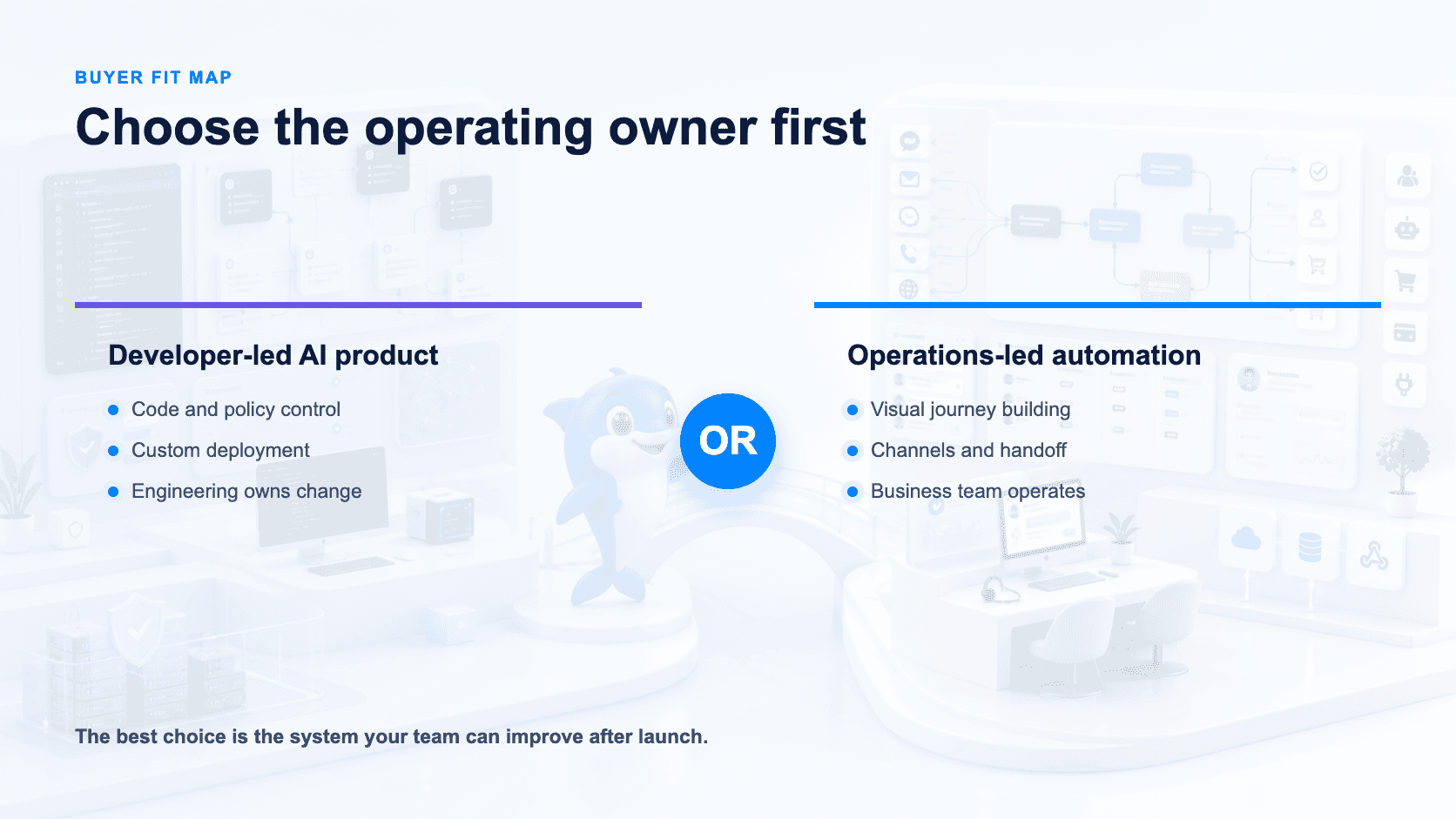
Regulated or compliance-heavy enterprise (finance, healthcare, government): Rasa. Self-managed/private cloud deployment and code/prompt/policy access give a developer team the control needed to satisfy audit and data-residency requirements [S1].
In-house engineering team building a custom conversational AI product: Rasa. CALM, business-logic Flows, multi-agent support, and voice are built for teams that want to write and version their own dialogue logic rather than configure a visual builder [S1].
Agency or reseller managing bots for multiple clients: UChat. White label, custom domain, client plans, and billing are purpose-built for running client-facing automation under your own brand [S3].
Marketing, support, or ops teams without dedicated developers: UChat. The visual Flow Builder lets non-technical teams launch and iterate on automations directly [S6].
Businesses running support across many channels: UChat. Coverage across web, social, messaging, voice, and SMS channels, plus Live Chat and Boards/Tickets, gives one place to build, chat, and track requests [S5][S7][S8].
Teams evaluating AI agents with model/knowledge flexibility but no code requirement: UChat. AI Agents support knowledge sources, functions, and model choice without requiring engineering resources [S4].
Startups or small teams testing an AI agent before committing budget: Either free tier works, with different ceilings — Rasa's Developer Edition caps at 1,000 external or 100 internal conversations/month on one bot [S1], while UChat's Free plan starts at $0 with limits worth confirming before you commit [S2].
Teams that need both code control and multichannel reach: Neither platform is fully confirmed to cover both; verify Rasa's channel list and UChat's self-hosting options directly before deciding.
Feature Comparison
Capability | Rasa | UChat |
|---|---|---|
Core model | Developer platform: code, prompts, and policies you own [S1] | Visual, no-code automation builder [S6] |
AI configuration | CALM architecture, business-logic Flows, multi-agent support, voice [S1] | AI Agents with knowledge sources, functions, model choice [S4] |
Deployment | Self-managed / private cloud [S1] | Not detailed in sources reviewed — confirm directly |
No-code layer | Rasa Studio (no-code UI on top of the code platform) [S1] | Visual Flow Builder is the primary interface [S6] |
Channels | Not detailed in sources reviewed | Web, social, messaging, voice, and SMS channels [S5] |
Live support | Not detailed in sources reviewed | Live Chat [S7] |
Ticketing/CRM-lite | Not detailed in sources reviewed | Boards/Tickets [S8] |
Agency features | Not detailed in sources reviewed | White label, custom domain, client plans, billing [S3] |
Integrations | Not detailed in sources reviewed | Integrations, APIs, webhooks, Mini Apps [S9] |
Pricing | Developer Edition free (1 bot, up to 1,000 external or 100 internal conversations/month); Enterprise is quote-based [S1] | Free $0, Business $15, Partner $199 — listed entry prices; confirm billing period, usage limits, and add-ons [S2] |
AI Agent Design And Control
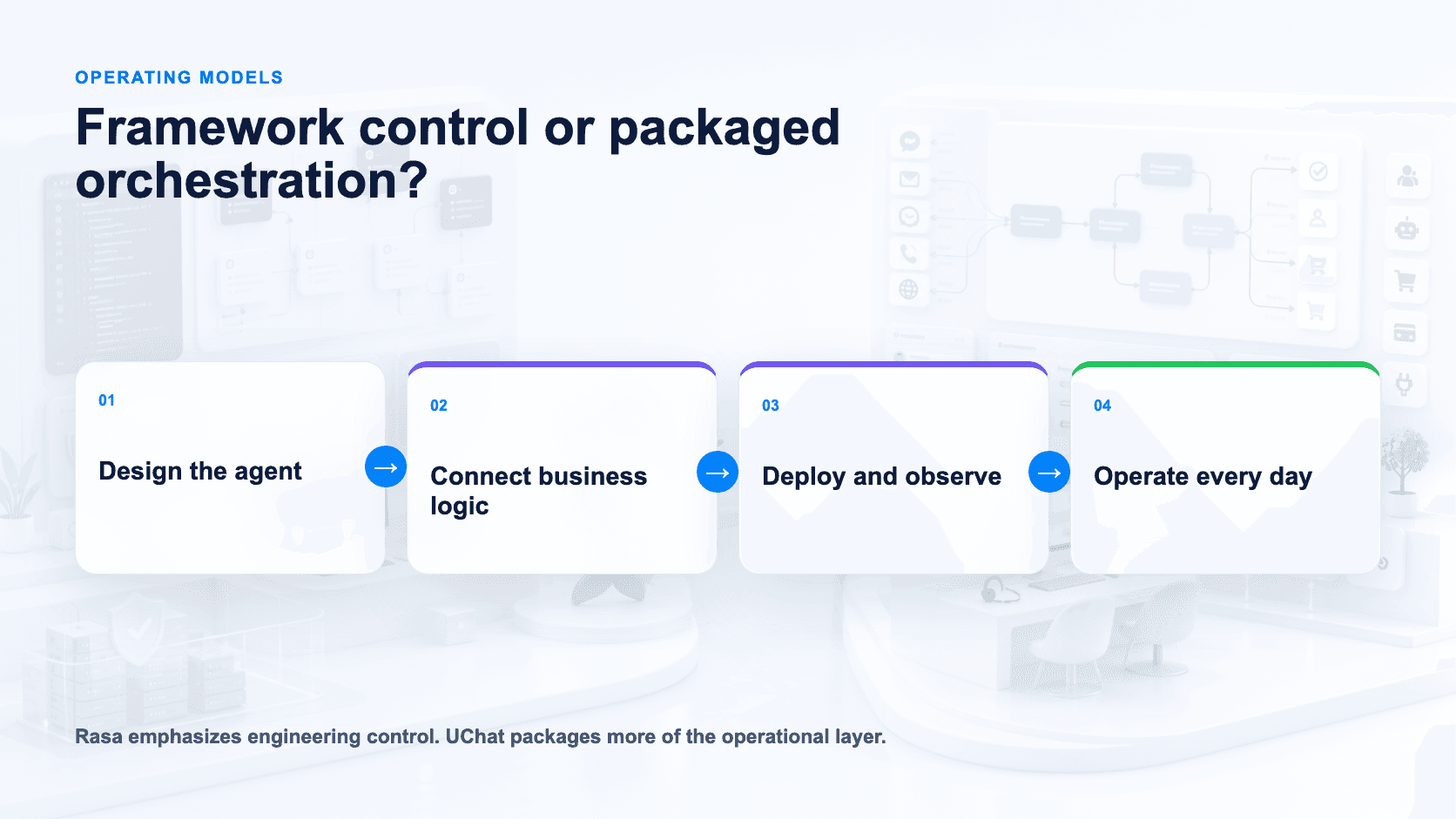
The two platforms start from different assumptions about who is doing the building. Rasa is a developer platform: teams write and version business-logic Flows, work directly with the underlying code, prompts, and policies, and can run multiple agents within a single deployment, including voice agents [S1]. Rasa Studio adds a no-code layer on top of that same codebase, so non-developers can contribute without the underlying system losing its code-level precision [S1]. Observability is built in [S1], which matters for teams that need to trace why an agent took a given action — a common requirement in regulated environments.
UChat's AI Agents are configured rather than coded: teams attach knowledge sources, define functions, and choose the underlying model [S4]. That's a materially different control surface — you're shaping agent behavior through structured configuration, not through Flows or direct code and prompt edits. For teams that want an AI agent up and answering questions quickly without engineering involvement, that's an advantage.
The real split: Rasa suits engineering teams who need auditable, code-level control [S1]; UChat suits teams that want to configure and launch an AI agent visually [S4][S6].
Channels And Entry Points
UChat's public feature set lists web, social, messaging, voice, and SMS channels [S5], all built through a visual Flow Builder [S6] rather than code. That combination — broad channel coverage plus a no-code builder — is UChat's core positioning: get a multichannel automation live, including voice and SMS touchpoints, without a development team.
Rasa's available sources describe voice as a supported modality within the CALM architecture [S1], reflecting its developer-controlled approach to conversational entry points. What the reviewed sources don't detail is Rasa's specific pre-built channel list, so a side-by-side count against UChat's stated channels isn't possible from what's disclosed here.
Workflow Integrations And APIs
UChat extends beyond the conversation itself with Live Chat for human handoff [S7], Boards/Tickets for tracking and managing conversations or requests [S8], and a set of integrations, APIs, webhooks, and Mini Apps for connecting to external systems and building custom functionality on top of the platform [S9]. For agencies and multi-client operators, UChat also supports white labeling, custom domains, client-specific plans, and billing [S3] — infrastructure aimed at teams reselling or managing chat automation for others.
Rasa's disclosed integration story is different in kind: its Flows and business-logic layer are the mechanism by which developers wire the agent into an organization's systems, backed by observability for monitoring [S1]. Rasa's official story here is programmatic control over backend logic. Ask the vendor to map every required connector, operator surface and support-system handoff into the proposed architecture.
Human Handoff And Operations
Both platforms assume a bot won't handle everything, but they route the "what happens next" question differently. UChat is built for teams that need a shared operational workspace: Live Chat [S7] gives support staff a queue to pick up conversations the bot escalates, and Boards/Tickets [S8] turn those conversations into trackable work items — assign an agent, move a ticket through stages, keep a record after the chat ends. It's the kind of setup a small support or sales team can run day-to-day without an engineer on call.
Rasa's operational story is different in shape. Business-logic Flows [S1] give developers explicit, auditable conversation paths — useful for handoff logic in regulated settings where "why did the bot say that" needs a clear answer. Multi-agent support and observability tooling [S1] point toward larger deployments with multiple bots or specialists needing monitoring, closer to an internal platform than a single shared inbox. The official material reviewed focuses on orchestration and observability. Buyers should ask Rasa to demonstrate the exact human queue, transcript transfer and ticketing stack proposed for their deployment.
When Rasa May Be A Better Fit
Rasa is the stronger choice when the deployment is code-centric, regulated, or needs self-managed or private cloud deployment [S1] for data-residency or compliance reasons that rule out a purely hosted SaaS tool. Direct access to code, prompts, and policies [S1] lets engineering teams version-control conversation logic and integrate it into existing CI/CD pipelines — not something a visual flow builder is designed for.
CALM's Flows [S1] give auditable control suited to industries like finance or healthcare, where "the bot must never say X" is a hard requirement. Multi-agent architecture and voice support [S1] extend Rasa into orchestrating specialist or voice bots, while observability tooling [S1] lets engineering and compliance teams monitor behavior once a bot is core infrastructure.
Pricing And Total Cost
The pricing models reflect the different audiences each platform targets. UChat publishes entry tiers: Free at $0, Business at $15, and Partner at $199 [S2] — straightforward starting points for a business owner or agency to budget against. These are listed entry prices, not confirmed flat totals or billing periods — always verify the billing cycle (monthly vs. annual), conversation/contact limits, add-on costs, any third-party provider fees (e.g., messaging or voice carriers), and applicable taxes before committing.
Treat any published starting price — from either vendor — as a floor, not a ceiling. Confirm limits and add-ons before you budget, not after.
Rasa's Developer Edition is free but scoped by usage: one bot, up to 1,000 external or 100 internal conversations per month [S1]. That's enough for prototyping or a small internal tool, but not a production deployment at scale. Beyond that ceiling, Rasa Enterprise pricing is quote-based [S1] — pricing depends on volume, deployment model, and support needs, which typically means a sales conversation and a cost structure suited to organizations with dedicated budget for AI infrastructure rather than a self-serve monthly fee.
Agency And Multi-Client Delivery
UChat's Partner plan [S2] is built explicitly for this use case: white-label branding, custom domains, and client plan/billing management [S3] let an agency resell bots under its own name and manage multiple client accounts from one place. Combined with the Flow Builder [S6] and Mini Apps/webhook integrations [S9], a non-technical team can customize client bots without writing code, with AI Agents' knowledge sources and model choice [S4] tuning each one.
Run A Fair Proof Of Concept
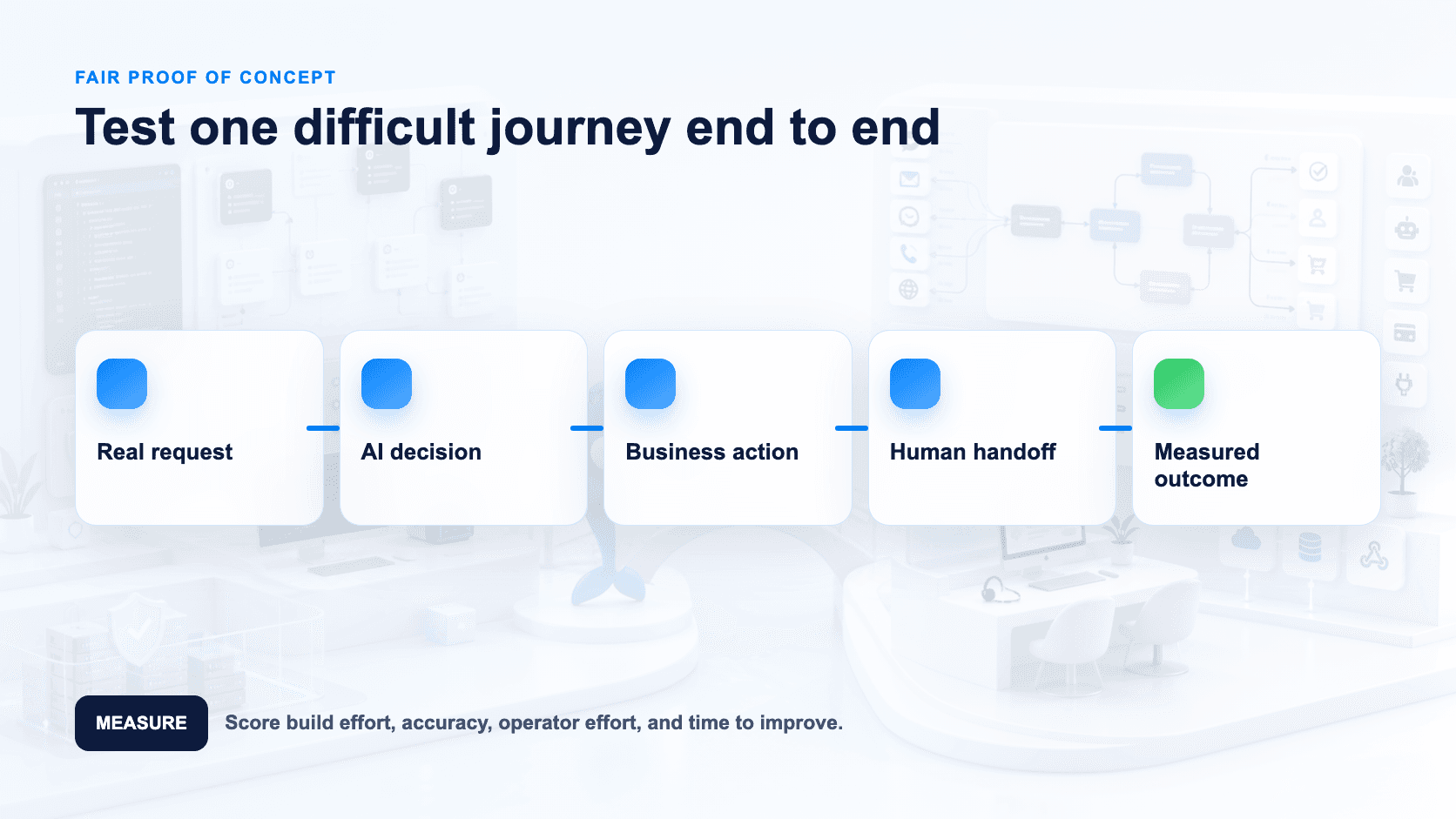
Don't decide from marketing pages — run both platforms against the same use case for two weeks. On Rasa, use the free Developer Edition (one bot, up to 1,000 external or 100 internal conversations/month) [S1] to build a business-logic Flow with direct code, prompt, and policy access [S1]. On UChat, start on the Free plan [S2] and build the same journey in the visual Flow Builder [S6] with an AI Agent [S4].
Decision Checklist
Do you need engineers to own conversation logic in code, or should marketers/ops own it visually? Rasa is code-centric [S1]; UChat is visual-first [S6].
Is self-managed or private cloud deployment a hard requirement? Rasa supports this [S1]; confirm UChat's hosting model directly.
Do you need multi-agent orchestration or voice channels? Rasa offers both [S1]; UChat also lists voice among its channels [S5] — confirm the depth of orchestration you need.
Do you need a no-code UI layered on top of a code platform? Rasa Studio provides this [S1].
Do you need web, social, messaging, voice, and SMS coverage out of the box? UChat covers all five natively [S5]; confirm Rasa's specific channel list directly.
Do you need live chat handoff and ticketing built in? UChat has Live Chat [S7] and Boards/Tickets [S8].
Will you resell or white-label this under your own brand? UChat has white label, custom domain, and client plans/billing [S3].
What's your monthly budget? UChat lists Free $0, Business $15, Partner $199 as entry prices [S2] — confirm billing period, limits, and add-ons; Rasa offers a free Developer Edition with volume caps, with Enterprise quote-based [S1].
Do you need APIs, webhooks, or a Mini Apps extension layer? UChat provides these [S9]; confirm Rasa's equivalents directly.
Are you in a regulated industry needing code-level auditability and self-hosting? That favors Rasa [S1].
FAQ
Is UChat or Rasa cheaper to start with? Both have free entry points — UChat's Free plan and Rasa's Developer Edition (capped at 1,000 external or 100 internal conversations/month) [S1][S2]. Beyond that, UChat lists entry prices of $15 and $199 [S2] — confirm the billing period and what's included — while Rasa Enterprise pricing is quote-based [S1].
Does UChat support self-managed or private cloud hosting like Rasa? That's not detailed in the material reviewed here — confirm directly with UChat if self-hosting is a requirement.
Does UChat offer voice or SMS, or just web and social channels? UChat's stated channel coverage includes web, social, messaging, voice, and SMS [S5] — voice and SMS are part of its official channel list, not an omission.
Can Rasa match UChat's channel coverage? UChat's sourced material lists web, social, messaging, voice, and SMS channels [S5]; Rasa's specific pre-built channel list isn't detailed in the facts reviewed here.
Which platform fits regulated, code-audited environments? Rasa, given its code/prompt/policy access and self-managed deployment [S1].
Can I white-label and resell on UChat? Yes — UChat has white label, custom domain, and client plans/billing built for this [S3]. No equivalent is detailed for Rasa in the sources reviewed.
Final Verdict And CTA
Rasa wins when the requirement is code-centric, regulated, self-managed AI agents with full developer control [S1]. UChat wins when the requirement is fast, visual, multichannel automation — including voice and SMS — with live chat, ticketing, and agency-ready white-labeling built in [S2][S3][S5][S6][S7][S8][S9]. Test both against your actual workflow, and confirm exact pricing terms with each vendor, before deciding.
Start a free UChat trial: https://www.uchat.com.au/login
Book a partner demo: https://link.uchat.au/partner-meeting
Related comparisons: UChat vs Chatfuel · UChat vs ManyChat · UChat vs Landbot
Sources reviewed 12 August 2026.
Quick verdict: Rasa is the code-first choice for teams that need to own their AI agent's logic, hosting, and compliance posture. UChat is the faster path to a live, multichannel bot for teams that want visual building, live chat, and agency features without writing code. Neither replaces the other — they're built for different builders.
Table Of Contents
Quick Verdict And Scorecard
Recommendation By Use Case
Feature Comparison
AI Agent Design And Control
Channels And Entry Points
Workflow Integrations And APIs
Human Handoff And Operations
When Rasa May Be A Better Fit
Pricing And Total Cost
Agency And Multi-Client Delivery
Run A Fair Proof Of Concept
Decision Checklist
FAQ
Final Verdict And CTA
Quick Verdict And Scorecard
Dimension | Rasa | UChat | Edge |
|---|---|---|---|
Entry pricing | Developer Edition free — 1 bot, up to 1,000 external or 100 internal conversations/month; Enterprise is quote-based [S1] | Free at $0, Business at $15, Partner at $199 — listed entry prices [S2] | UChat — clearer starting numbers, though both need a closer look at what's included |
Deployment control | Self-managed or private cloud deployment [S1] | Not publicly detailed in the sources reviewed — confirm hosting options directly | Rasa — explicit self-hosting option stated for regulated environments |
Build approach | Developer platform with access to code, prompts, and policies; CALM and business-logic Flows for structured dialogue [S1] | Visual Flow Builder for building automations without code [S6] | Depends — code control vs. visual speed |
AI agent depth | CALM, multi-agent support, voice, business-logic Flows, code/prompt/policy access [S1] | AI Agents with knowledge sources, functions, and model choice [S4] | Rasa — deeper programmatic control over agent behavior |
Channel coverage | Verify current package directly | Web, social, messaging, voice, and SMS channels [S5] | UChat — stated multichannel breadth, including voice and SMS |
Customer support tooling | Verify current package directly | Live Chat plus Boards/Tickets for support workflows [S7][S8] | UChat — built-in support/ticketing layer |
Agency/white-label features | Verify current package directly | White label, custom domain, client plans, and billing [S3] | UChat — explicit agency tooling |
Extensibility & observability | Observability tooling; Rasa Studio no-code UI layered on the developer platform [S1] | Integrations, APIs, webhooks, and Mini Apps [S9] | Rasa — observability named directly for enterprise monitoring |
Rasa's stated strengths cluster around code-centric, self-managed, regulated deployments with direct access to prompts, policies, and business logic. UChat's stated strengths cluster around visual automation, multichannel reach, and agency/support features that don't require a developer team to operate day to day. Where a fact isn't stated by either source, treat it as unconfirmed rather than absent.
Recommendation By Use Case
Regulated or compliance-heavy enterprise (finance, healthcare, government): Rasa. Self-managed/private cloud deployment and code/prompt/policy access give a developer team the control needed to satisfy audit and data-residency requirements [S1].
In-house engineering team building a custom conversational AI product: Rasa. CALM, business-logic Flows, multi-agent support, and voice are built for teams that want to write and version their own dialogue logic rather than configure a visual builder [S1].
Agency or reseller managing bots for multiple clients: UChat. White label, custom domain, client plans, and billing are purpose-built for running client-facing automation under your own brand [S3].
Marketing, support, or ops teams without dedicated developers: UChat. The visual Flow Builder lets non-technical teams launch and iterate on automations directly [S6].
Businesses running support across many channels: UChat. Coverage across web, social, messaging, voice, and SMS channels, plus Live Chat and Boards/Tickets, gives one place to build, chat, and track requests [S5][S7][S8].
Teams evaluating AI agents with model/knowledge flexibility but no code requirement: UChat. AI Agents support knowledge sources, functions, and model choice without requiring engineering resources [S4].
Startups or small teams testing an AI agent before committing budget: Either free tier works, with different ceilings — Rasa's Developer Edition caps at 1,000 external or 100 internal conversations/month on one bot [S1], while UChat's Free plan starts at $0 with limits worth confirming before you commit [S2].
Teams that need both code control and multichannel reach: Neither platform is fully confirmed to cover both; verify Rasa's channel list and UChat's self-hosting options directly before deciding.
Feature Comparison
Capability | Rasa | UChat |
|---|---|---|
Core model | Developer platform: code, prompts, and policies you own [S1] | Visual, no-code automation builder [S6] |
AI configuration | CALM architecture, business-logic Flows, multi-agent support, voice [S1] | AI Agents with knowledge sources, functions, model choice [S4] |
Deployment | Self-managed / private cloud [S1] | Not detailed in sources reviewed — confirm directly |
No-code layer | Rasa Studio (no-code UI on top of the code platform) [S1] | Visual Flow Builder is the primary interface [S6] |
Channels | Not detailed in sources reviewed | Web, social, messaging, voice, and SMS channels [S5] |
Live support | Not detailed in sources reviewed | Live Chat [S7] |
Ticketing/CRM-lite | Not detailed in sources reviewed | Boards/Tickets [S8] |
Agency features | Not detailed in sources reviewed | White label, custom domain, client plans, billing [S3] |
Integrations | Not detailed in sources reviewed | Integrations, APIs, webhooks, Mini Apps [S9] |
Pricing | Developer Edition free (1 bot, up to 1,000 external or 100 internal conversations/month); Enterprise is quote-based [S1] | Free $0, Business $15, Partner $199 — listed entry prices; confirm billing period, usage limits, and add-ons [S2] |
AI Agent Design And Control
The two platforms start from different assumptions about who is doing the building. Rasa is a developer platform: teams write and version business-logic Flows, work directly with the underlying code, prompts, and policies, and can run multiple agents within a single deployment, including voice agents [S1]. Rasa Studio adds a no-code layer on top of that same codebase, so non-developers can contribute without the underlying system losing its code-level precision [S1]. Observability is built in [S1], which matters for teams that need to trace why an agent took a given action — a common requirement in regulated environments.
UChat's AI Agents are configured rather than coded: teams attach knowledge sources, define functions, and choose the underlying model [S4]. That's a materially different control surface — you're shaping agent behavior through structured configuration, not through Flows or direct code and prompt edits. For teams that want an AI agent up and answering questions quickly without engineering involvement, that's an advantage.
The real split: Rasa suits engineering teams who need auditable, code-level control [S1]; UChat suits teams that want to configure and launch an AI agent visually [S4][S6].
Channels And Entry Points
UChat's public feature set lists web, social, messaging, voice, and SMS channels [S5], all built through a visual Flow Builder [S6] rather than code. That combination — broad channel coverage plus a no-code builder — is UChat's core positioning: get a multichannel automation live, including voice and SMS touchpoints, without a development team.
Rasa's available sources describe voice as a supported modality within the CALM architecture [S1], reflecting its developer-controlled approach to conversational entry points. What the reviewed sources don't detail is Rasa's specific pre-built channel list, so a side-by-side count against UChat's stated channels isn't possible from what's disclosed here.
Workflow Integrations And APIs
UChat extends beyond the conversation itself with Live Chat for human handoff [S7], Boards/Tickets for tracking and managing conversations or requests [S8], and a set of integrations, APIs, webhooks, and Mini Apps for connecting to external systems and building custom functionality on top of the platform [S9]. For agencies and multi-client operators, UChat also supports white labeling, custom domains, client-specific plans, and billing [S3] — infrastructure aimed at teams reselling or managing chat automation for others.
Rasa's disclosed integration story is different in kind: its Flows and business-logic layer are the mechanism by which developers wire the agent into an organization's systems, backed by observability for monitoring [S1]. Rasa's official story here is programmatic control over backend logic. Ask the vendor to map every required connector, operator surface and support-system handoff into the proposed architecture.
Human Handoff And Operations
Both platforms assume a bot won't handle everything, but they route the "what happens next" question differently. UChat is built for teams that need a shared operational workspace: Live Chat [S7] gives support staff a queue to pick up conversations the bot escalates, and Boards/Tickets [S8] turn those conversations into trackable work items — assign an agent, move a ticket through stages, keep a record after the chat ends. It's the kind of setup a small support or sales team can run day-to-day without an engineer on call.
Rasa's operational story is different in shape. Business-logic Flows [S1] give developers explicit, auditable conversation paths — useful for handoff logic in regulated settings where "why did the bot say that" needs a clear answer. Multi-agent support and observability tooling [S1] point toward larger deployments with multiple bots or specialists needing monitoring, closer to an internal platform than a single shared inbox. The official material reviewed focuses on orchestration and observability. Buyers should ask Rasa to demonstrate the exact human queue, transcript transfer and ticketing stack proposed for their deployment.
When Rasa May Be A Better Fit
Rasa is the stronger choice when the deployment is code-centric, regulated, or needs self-managed or private cloud deployment [S1] for data-residency or compliance reasons that rule out a purely hosted SaaS tool. Direct access to code, prompts, and policies [S1] lets engineering teams version-control conversation logic and integrate it into existing CI/CD pipelines — not something a visual flow builder is designed for.
CALM's Flows [S1] give auditable control suited to industries like finance or healthcare, where "the bot must never say X" is a hard requirement. Multi-agent architecture and voice support [S1] extend Rasa into orchestrating specialist or voice bots, while observability tooling [S1] lets engineering and compliance teams monitor behavior once a bot is core infrastructure.
Pricing And Total Cost
The pricing models reflect the different audiences each platform targets. UChat publishes entry tiers: Free at $0, Business at $15, and Partner at $199 [S2] — straightforward starting points for a business owner or agency to budget against. These are listed entry prices, not confirmed flat totals or billing periods — always verify the billing cycle (monthly vs. annual), conversation/contact limits, add-on costs, any third-party provider fees (e.g., messaging or voice carriers), and applicable taxes before committing.
Treat any published starting price — from either vendor — as a floor, not a ceiling. Confirm limits and add-ons before you budget, not after.
Rasa's Developer Edition is free but scoped by usage: one bot, up to 1,000 external or 100 internal conversations per month [S1]. That's enough for prototyping or a small internal tool, but not a production deployment at scale. Beyond that ceiling, Rasa Enterprise pricing is quote-based [S1] — pricing depends on volume, deployment model, and support needs, which typically means a sales conversation and a cost structure suited to organizations with dedicated budget for AI infrastructure rather than a self-serve monthly fee.
Agency And Multi-Client Delivery
UChat's Partner plan [S2] is built explicitly for this use case: white-label branding, custom domains, and client plan/billing management [S3] let an agency resell bots under its own name and manage multiple client accounts from one place. Combined with the Flow Builder [S6] and Mini Apps/webhook integrations [S9], a non-technical team can customize client bots without writing code, with AI Agents' knowledge sources and model choice [S4] tuning each one.
Run A Fair Proof Of Concept
Don't decide from marketing pages — run both platforms against the same use case for two weeks. On Rasa, use the free Developer Edition (one bot, up to 1,000 external or 100 internal conversations/month) [S1] to build a business-logic Flow with direct code, prompt, and policy access [S1]. On UChat, start on the Free plan [S2] and build the same journey in the visual Flow Builder [S6] with an AI Agent [S4].
Decision Checklist
Do you need engineers to own conversation logic in code, or should marketers/ops own it visually? Rasa is code-centric [S1]; UChat is visual-first [S6].
Is self-managed or private cloud deployment a hard requirement? Rasa supports this [S1]; confirm UChat's hosting model directly.
Do you need multi-agent orchestration or voice channels? Rasa offers both [S1]; UChat also lists voice among its channels [S5] — confirm the depth of orchestration you need.
Do you need a no-code UI layered on top of a code platform? Rasa Studio provides this [S1].
Do you need web, social, messaging, voice, and SMS coverage out of the box? UChat covers all five natively [S5]; confirm Rasa's specific channel list directly.
Do you need live chat handoff and ticketing built in? UChat has Live Chat [S7] and Boards/Tickets [S8].
Will you resell or white-label this under your own brand? UChat has white label, custom domain, and client plans/billing [S3].
What's your monthly budget? UChat lists Free $0, Business $15, Partner $199 as entry prices [S2] — confirm billing period, limits, and add-ons; Rasa offers a free Developer Edition with volume caps, with Enterprise quote-based [S1].
Do you need APIs, webhooks, or a Mini Apps extension layer? UChat provides these [S9]; confirm Rasa's equivalents directly.
Are you in a regulated industry needing code-level auditability and self-hosting? That favors Rasa [S1].
FAQ
Is UChat or Rasa cheaper to start with? Both have free entry points — UChat's Free plan and Rasa's Developer Edition (capped at 1,000 external or 100 internal conversations/month) [S1][S2]. Beyond that, UChat lists entry prices of $15 and $199 [S2] — confirm the billing period and what's included — while Rasa Enterprise pricing is quote-based [S1].
Does UChat support self-managed or private cloud hosting like Rasa? That's not detailed in the material reviewed here — confirm directly with UChat if self-hosting is a requirement.
Does UChat offer voice or SMS, or just web and social channels? UChat's stated channel coverage includes web, social, messaging, voice, and SMS [S5] — voice and SMS are part of its official channel list, not an omission.
Can Rasa match UChat's channel coverage? UChat's sourced material lists web, social, messaging, voice, and SMS channels [S5]; Rasa's specific pre-built channel list isn't detailed in the facts reviewed here.
Which platform fits regulated, code-audited environments? Rasa, given its code/prompt/policy access and self-managed deployment [S1].
Can I white-label and resell on UChat? Yes — UChat has white label, custom domain, and client plans/billing built for this [S3]. No equivalent is detailed for Rasa in the sources reviewed.
Final Verdict And CTA
Rasa wins when the requirement is code-centric, regulated, self-managed AI agents with full developer control [S1]. UChat wins when the requirement is fast, visual, multichannel automation — including voice and SMS — with live chat, ticketing, and agency-ready white-labeling built in [S2][S3][S5][S6][S7][S8][S9]. Test both against your actual workflow, and confirm exact pricing terms with each vendor, before deciding.
Start a free UChat trial: https://www.uchat.com.au/login
Book a partner demo: https://link.uchat.au/partner-meeting
Related comparisons: UChat vs Chatfuel · UChat vs ManyChat · UChat vs Landbot
Sources reviewed 12 August 2026.