12 minutes
UChat
Posted by
UChat vs Trengo: Workflow Platform or AI Omnichannel Inbox?
12 minutes
Posted by
UChat

Quick verdict: Choose Trengo when daily work centers on a shared inbox across WhatsApp, email, social, chat, SMS and voice. Choose UChat when the buying criteria include its visual Flow Builder, lifecycle tools, integrations and white-label client delivery. Both document AI agents, actions, voice and multichannel operation, so compare the complete operating model. [S1][S3]–[S10]
Table Of Contents
Quick Verdict And Scorecard
Recommendation By Use Case
Feature Comparison
AI Agent Design And Control
Channels And Entry Points
Workflow Integrations And APIs
Human Handoff And Operations
When Trengo May Be A Better Fit
Pricing And Total Cost
Agency And Multi-Client Delivery
Run A Fair Proof Of Concept
Decision Checklist
FAQ
Final Verdict And CTA
Quick Verdict And Scorecard
Dimension | Trengo | UChat | Starting edge |
|---|---|---|---|
Core operating model | AI-first omnichannel inbox for WhatsApp, email, chat, social and voice [S1] | Visual multichannel automation platform [S10] | Depends on whether the team operates an inbox or designs visual flows |
Entry pricing | Boost: EUR 299/month billed annually or EUR 349 month-to-month for 10 users; Pro: EUR 499/month billed annually or EUR 599 month-to-month for 20 users [S1] | Free $0, Business $15 and Partner $199 as listed entry prices; billing period and packaging need confirmation [S2] | Different package units; compare equivalent team and workload totals |
Human operations | Shared inbox and customer view across WhatsApp, email, Instagram, Facebook, live chat, SMS and voice [S1] | Live Chat with human handoff; CRM Boards and Tickets support lifecycle work [S7][S8] | Trengo for a shared-inbox-led service operation |
AI agents | Knowledge, tone and escalation settings; system connections for retrieval and actions; channel coverage includes voice [S1] | Instructions, knowledge, functions and model choices [S4] | Depends on the tested action, channel and control requirements |
Workflow building | AI automation, including AI Agents and AI Journeys [S1] | Visual drag-and-drop Flow Builder [S6] | UChat for visual flow design; test reuse requirements directly |
Channels | WhatsApp, email, Instagram, Facebook, live chat, SMS and voice in the documented inbox view [S1] | Web, social, messaging, voice and SMS [S5] | Test the exact channel and provider combination |
Extensibility | AI Agent can connect to systems to retrieve information and take actions [S1] | Integrations, APIs, webhooks and Mini Apps [S9] | Depends on required systems and failure handling |
Agency delivery | Confirm the required multi-client arrangement in a demo | White label, custom domains, client plan controls and billing [S3] | UChat for documented branded client delivery |
How We Compared
We reviewed current official Trengo product, pricing, inbox, AI Agent and billing pages, then compared them with UChat's public pricing, AI Agent, channel, Flow Builder, Live Chat, CRM, integration and Partner pages. We evaluated daily operator work, AI actions, channels, visual design, usage units and agency delivery. Unmentioned capabilities remain proof-of-concept questions. [S1]–[S10]
Recommendation By Use Case
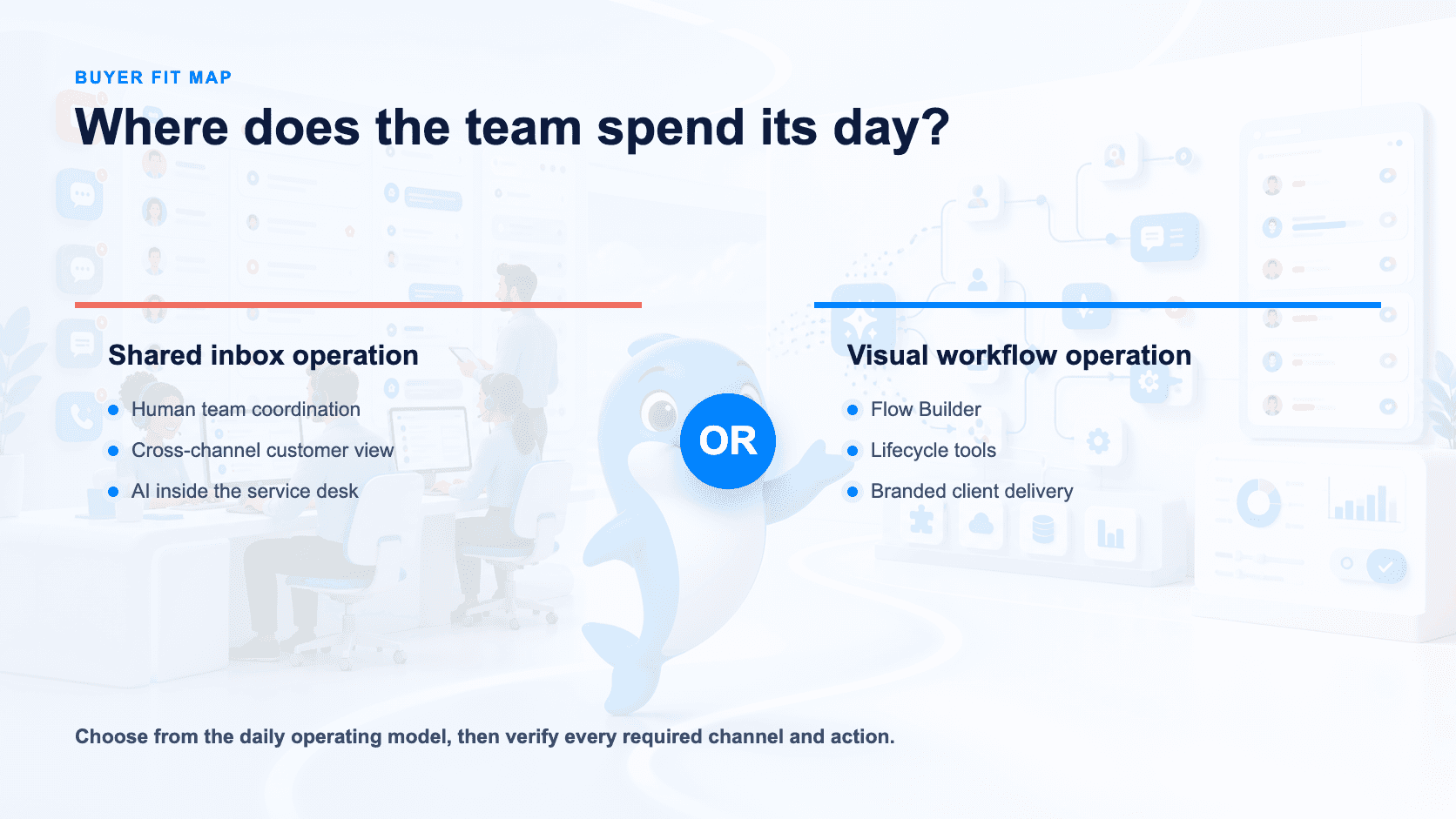
Customer-service teams coordinating many human agents: Start with Trengo. Its shared inbox and customer view cover WhatsApp, email, Instagram, Facebook, live chat, SMS and voice [S1].
Teams that want a drag-and-drop Flow Builder beside APIs, webhooks and Mini Apps: Start with UChat, then validate the complete journey [S6][S9].
Teams that want AI to answer and take actions: Evaluate both. Trengo documents knowledge, tone, escalation, data retrieval and actions, including voice; UChat documents instructions, knowledge, functions and model choices [S1][S4].
Agencies selling automation under their own brand: Start with UChat. Its Partner offering documents white label, custom domains, client plan controls and billing [S3].
Buyers focused on a unified operational inbox: Trengo has the clearer documented fit because it describes the inbox and cross-channel customer view directly [S1].
Feature Comparison
Capability | Trengo | UChat |
|---|---|---|
Product position | AI-first omnichannel inbox [S1] | Visual multichannel automation platform [S10] |
AI setup | Knowledge, tone, escalation and system-connected actions [S1] | Instructions, knowledge, functions and model choice [S4] |
Workflow approach | AI Agents and AI Journeys [S1] | Drag-and-drop Flow Builder [S6] |
Human service | Shared inbox and cross-channel customer view [S1] | Live Chat and human handoff [S7] |
Work tracking | Confirm the proposed setup in the demo | CRM Boards and Tickets [S8] |
Channels | WhatsApp, email, Instagram, Facebook, live chat, SMS and voice in the documented inbox [S1] | Web, social, messaging, voice and SMS [S5] |
External systems | Connected retrieval and actions [S1] | Integrations, APIs, webhooks and Mini Apps [S9] |
Multi-client delivery | Confirm the proposed setup in the demo | White label, custom domains, client plans and billing [S3] |
Published pricing basis | Boost includes 10 users and 6,000 conversations/year; Pro includes 20 users and 18,000/year. Monthly equivalents are 500 and 1,500 [S1] | Free $0, Business $15 and Partner $199 are entry prices; confirm period, limits and add-ons [S2] |
The table uses confirm in the demo where the research does not establish a fact. An unmentioned capability is unknown, not absent.
AI Agent Design And Control
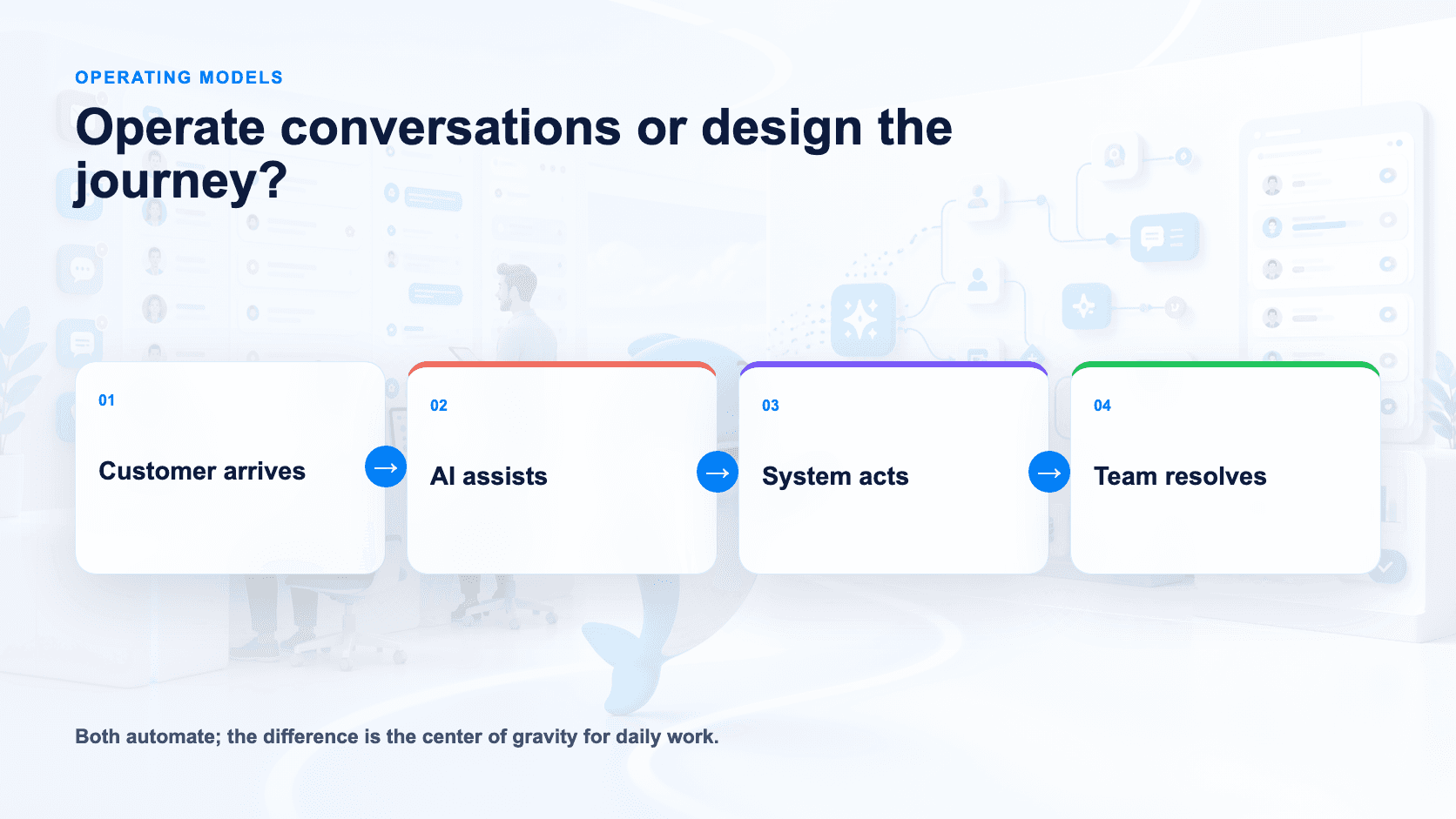
Trengo's AI Agent uses knowledge, tone and escalation settings. It can connect to systems, retrieve data and take actions, and Trengo includes voice among its AI channels [S1]. Test a complete service path: answer from approved knowledge, look up account data, perform an allowed action and escalate with context.
UChat configures AI Agents through instructions, knowledge, functions and model choices [S4]. Teams can combine the agent with the visual Flow Builder [S6], useful when an AI step sits inside a longer workflow involving qualification, data capture, branching and CRM state.
Avoid the “inbox versus AI automation” shortcut. Trengo documents AI Agents, AI Journeys, system-connected retrieval and actions. The useful comparison is how each team designs, supervises and packages the complete journey [S1][S4][S6].
Give both agents the same knowledge and action. Measure accuracy, escalation, action completion, operator logs and recovery after a connected system fails. Check feature and allowance availability in the proposed package [S1][S4].
Channels And Entry Points
Trengo documents a shared customer view across WhatsApp, email, Instagram, Facebook, live chat, SMS and voice [S1]. Test identity matching and context continuity when a customer changes channels.
UChat documents web, social, messaging, voice and SMS coverage [S5]. Teams design automation in its visual Flow Builder [S6], then connect human support through Live Chat [S7].
Ask each vendor to demonstrate the exact provider, region, phone setup and handoff. Confirm how identity and state move when a customer switches channels. Availability can depend on provider and region, while voice, SMS or WhatsApp usage can add costs [S1][S5].
Workflow Integrations And APIs
UChat documents integrations, APIs, webhooks and Mini Apps [S9]. With the Flow Builder [S6], teams can connect workflow steps to external systems. CRM Boards and Tickets are documented as lifecycle tools [S8].
Trengo's AI Agent can connect to systems to retrieve data and take actions [S1]. Test whether it can identify the customer, obtain approved information, complete the operation and transfer the case under defined escalation settings.
Test the same external object and failure cases. Check authentication, field mapping, retries, duplicate prevention, timeouts and what an operator sees after an error [S1][S9].
Human Handoff And Operations
Trengo's shared inbox is its clearest operational distinction. One customer view spans WhatsApp, email, Instagram, Facebook, live chat, SMS and voice [S1], while AI supports responses, actions and escalation.
UChat documents Live Chat and human handoff [S7], plus CRM Boards and Tickets [S8]. The evidence does not establish shared-inbox parity, so test agent queues, assignment, collision handling, transcript context and reporting.
Inbox ergonomics and workflow programmability solve different daily problems. Put frontline agents in each product with realistic traffic. Check handoff context and how a supervisor finds stalled work.
When Trengo May Be A Better Fit
Trengo may fit best when a service team needs one operational inbox across WhatsApp, email, social, live chat, SMS and voice [S1]. The deciding criterion is how the team works, not a team-size threshold.
It also deserves preference when AI must work inside that service operation. Trengo supports knowledge, tone, escalation, connected retrieval and actions [S1]. Voice and AI Journeys broaden its scope beyond written inbox replies.
Boost includes 10 users and 6,000 conversations per year; Pro includes 20 users and 18,000 per year. Month-to-month plans include 500 and 1,500 conversations respectively [S1]. Calculate the full total because additional users, conversations, AI and channel charges can change the result.
Pricing And Total Cost
Trengo lists Boost: EUR 299 annual billing or EUR 349 month-to-month for 10 users and 6,000 annual or 500 monthly conversations. Pro is EUR 499 on annual billing or EUR 599 month-to-month for 20 users and 18,000 annual or 1,500 monthly conversations [S1]. These figures start the calculation.
Trengo defines a conversation within a seven-day window [S1]. Extra conversation bundles are EUR 15 per 100 annually or EUR 18 monthly; the AI surcharge is EUR 0.25 per conversation annually or EUR 0.30 monthly. Additional annual users are EUR 25 on Boost and EUR 40 on Pro, rising to EUR 30 and EUR 50 on monthly billing [S1]. Voice, SMS and some WhatsApp usage can affect the total. Trengo also documents a 10% fee when conversation usage exceeds an uncommitted allowance [S1].
UChat lists Free at $0, Business at $15 and Partner at $199 as entry prices [S2]. The evidence does not confirm their billing period or complete packaging. Verify billing frequency, usage, channels, AI allowances, users, add-ons, provider fees and taxes.
A fair quote uses the same team, channel mix, AI workload and customer volume. For Trengo, include the seven-day conversation model, users, AI surcharge and WhatsApp, voice or SMS usage. For UChat, confirm the period and every allowance behind the listed entry price [S1][S2].
Build scenarios for current demand and a peak month. Include implementation and maintenance time. Compare annual totals rather than EUR 299 with $15 as if the plans contain the same users and allowances.
Agency And Multi-Client Delivery
UChat's Partner offer documents white label, custom domains, client plan controls and billing [S3], giving agencies a commercial and operational layer for branded client delivery.
The Flow Builder supports visual workflow design [S6], while AI Agent configuration can vary by instructions, knowledge, functions and model [S4]. Integrations, webhooks and Mini Apps extend workflows for client systems [S9]. Confirm how cloning, versioning and reuse work for your delivery process rather than assuming them from the visual builder alone.
The research does not establish Trengo's corresponding arrangement. Ask Trengo to demonstrate account structure, permissions, branding, client access and billing. Do not infer absence.
Run A Fair Proof Of Concept
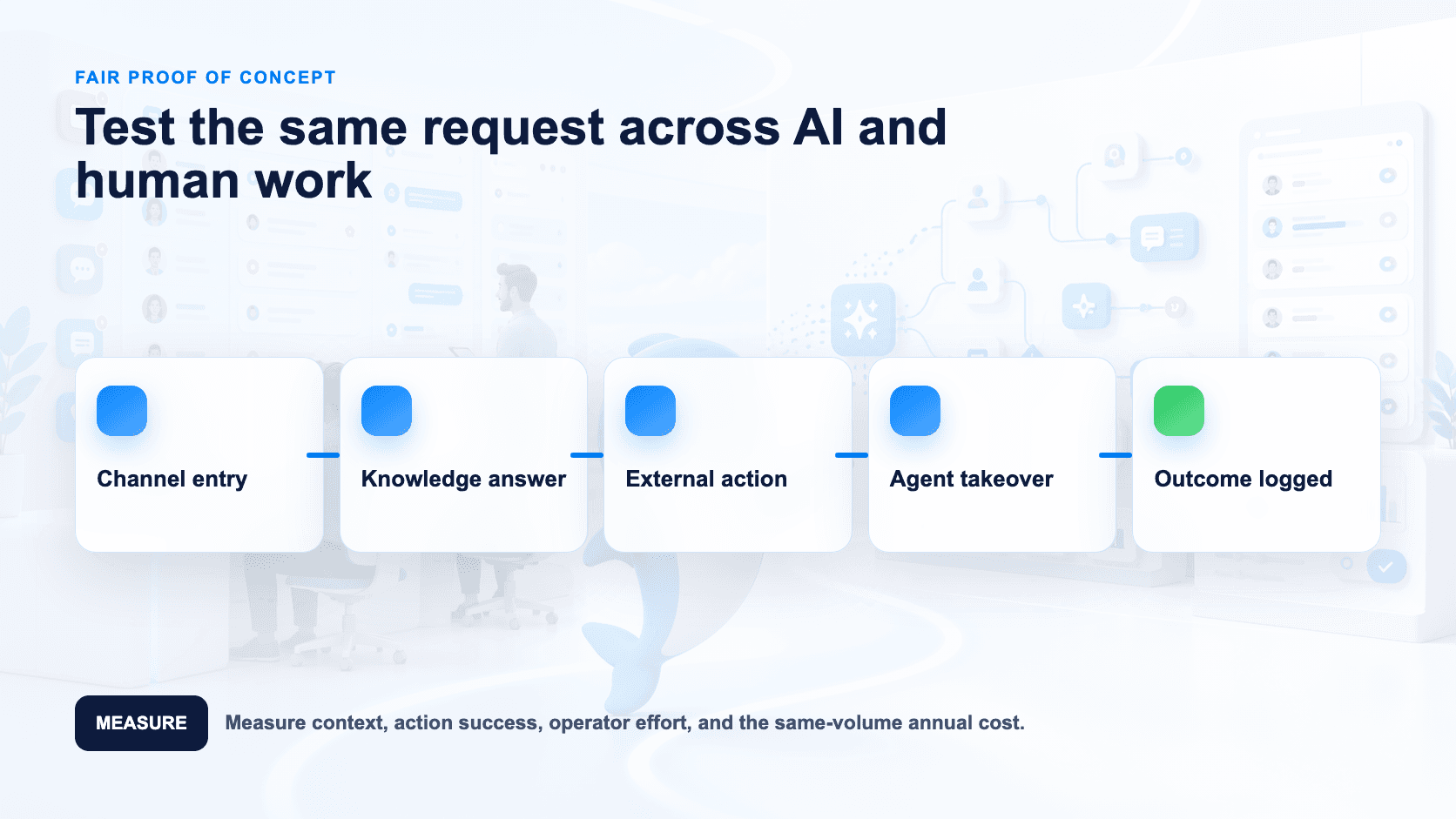
Choose one journey that starts on two channels, answers from controlled knowledge, retrieves data, takes an action and escalates under a defined condition.
Give both platforms the same knowledge and success criteria.
Build the workflow in UChat's Flow Builder and configure its AI Agent with the required knowledge, functions and model choice [S4][S6].
Configure Trengo's AI knowledge, tone, escalation and connected action, then run the work through its inbox [S1].
Test a normal request, missing data, an unavailable system, a repeated message and a channel switch.
Record build time, successful actions, escalation context, operator effort and recovery from failure.
Price the same monthly volume and team using Trengo's seven-day conversations and UChat's confirmed package terms [S1][S2].
A polished response does not prove agents can operate the system at volume, and a comfortable inbox does not prove that a team can maintain a complex workflow.
Decision Checklist
Will your team spend more time operating a shared inbox or designing visual workflows?
Do agents need one customer view across WhatsApp, email, Instagram, Facebook, live chat, SMS and voice? Trengo documents that inbox coverage [S1].
Do non-developers need a drag-and-drop Flow Builder? UChat documents one [S6].
Must the AI retrieve business data and take actions? Both vendors document action-capable approaches; test the exact systems and permissions [S1][S4].
Does voice form part of the customer journey? Both vendors document voice coverage; confirm provider, region and package [S1][S5].
Do you need Live Chat handoff, CRM Boards or Tickets? UChat documents these tools [S7][S8].
Will you use APIs, webhooks or Mini Apps to extend workflows? UChat documents all three [S9].
Will you deliver branded automation to several clients? UChat documents white label, custom domains, client plans and billing [S3].
Have you priced Trengo using users, seven-day conversations, AI surcharge and channel usage [S1]?
Have you confirmed the billing period, limits and add-ons behind UChat's $0, $15 and $199 entry prices [S2]?
FAQ
Is UChat or Trengo cheaper? UChat publishes lower entry figures: Free $0, Business $15 and Partner $199 [S2]. Trengo lists Boost at EUR 299 per month annually or EUR 349 month-to-month for 10 users, and Pro at EUR 499 annually or EUR 599 month-to-month for 20 users [S1]. Compare annual cost for the same users, usage, AI and channels.
How does Trengo count conversations? Trengo defines a conversation within a seven-day window [S1]. Its pricing also identifies additional conversation, user and AI charges, so model real customer behavior before choosing a plan.
Can Trengo AI take actions? Yes. Its AI Agent can connect to systems to retrieve data and take actions. Trengo also documents knowledge, tone, escalation and voice [S1].
Does UChat support human handoff? Yes. UChat documents Live Chat and handoff [S7], plus CRM Boards and Tickets [S8]. Test the queue behavior your team needs.
Do both platforms support voice? Yes [S1][S5]. Confirm the provider, region, package, action flow and usage charges.
Which product is better for an agency? UChat has the clearer documented agency fit because its Partner offer includes white label, custom domains, client plan controls and billing [S3]. Ask Trengo to demonstrate the proposed multi-client model if you want to compare it for the same use case.
Can I compare the headline prices directly? No. Trengo's totals depend on billing frequency, included users, seven-day conversations, AI surcharge and channel usage [S1]. UChat's $0, $15 and $199 figures are entry prices whose billing period, allowances and add-ons need confirmation [S2].
Final Verdict And CTA
Choose Trengo for an AI-enabled omnichannel inbox, including a shared customer view, AI actions, voice and escalation [S1]. Choose UChat when your verified requirements match its Flow Builder, AI Agents, Live Chat, CRM tools or documented Partner features [S3][S4][S6][S7][S8][S9][S10].
Start a 14-day UChat trial [S11]. Agencies can book a Partner Plan demo.
Related comparisons: UChat vs Chatfuel · UChat vs ManyChat · UChat vs Landbot
Explore the official UChat pages for pricing, AI Agents, channels, the Flow Builder, Live Chat, CRM, integrations and the Partner program.
Sources reviewed 12 August 2026.
Quick verdict: Choose Trengo when daily work centers on a shared inbox across WhatsApp, email, social, chat, SMS and voice. Choose UChat when the buying criteria include its visual Flow Builder, lifecycle tools, integrations and white-label client delivery. Both document AI agents, actions, voice and multichannel operation, so compare the complete operating model. [S1][S3]–[S10]
Table Of Contents
Quick Verdict And Scorecard
Recommendation By Use Case
Feature Comparison
AI Agent Design And Control
Channels And Entry Points
Workflow Integrations And APIs
Human Handoff And Operations
When Trengo May Be A Better Fit
Pricing And Total Cost
Agency And Multi-Client Delivery
Run A Fair Proof Of Concept
Decision Checklist
FAQ
Final Verdict And CTA
Quick Verdict And Scorecard
Dimension | Trengo | UChat | Starting edge |
|---|---|---|---|
Core operating model | AI-first omnichannel inbox for WhatsApp, email, chat, social and voice [S1] | Visual multichannel automation platform [S10] | Depends on whether the team operates an inbox or designs visual flows |
Entry pricing | Boost: EUR 299/month billed annually or EUR 349 month-to-month for 10 users; Pro: EUR 499/month billed annually or EUR 599 month-to-month for 20 users [S1] | Free $0, Business $15 and Partner $199 as listed entry prices; billing period and packaging need confirmation [S2] | Different package units; compare equivalent team and workload totals |
Human operations | Shared inbox and customer view across WhatsApp, email, Instagram, Facebook, live chat, SMS and voice [S1] | Live Chat with human handoff; CRM Boards and Tickets support lifecycle work [S7][S8] | Trengo for a shared-inbox-led service operation |
AI agents | Knowledge, tone and escalation settings; system connections for retrieval and actions; channel coverage includes voice [S1] | Instructions, knowledge, functions and model choices [S4] | Depends on the tested action, channel and control requirements |
Workflow building | AI automation, including AI Agents and AI Journeys [S1] | Visual drag-and-drop Flow Builder [S6] | UChat for visual flow design; test reuse requirements directly |
Channels | WhatsApp, email, Instagram, Facebook, live chat, SMS and voice in the documented inbox view [S1] | Web, social, messaging, voice and SMS [S5] | Test the exact channel and provider combination |
Extensibility | AI Agent can connect to systems to retrieve information and take actions [S1] | Integrations, APIs, webhooks and Mini Apps [S9] | Depends on required systems and failure handling |
Agency delivery | Confirm the required multi-client arrangement in a demo | White label, custom domains, client plan controls and billing [S3] | UChat for documented branded client delivery |
How We Compared
We reviewed current official Trengo product, pricing, inbox, AI Agent and billing pages, then compared them with UChat's public pricing, AI Agent, channel, Flow Builder, Live Chat, CRM, integration and Partner pages. We evaluated daily operator work, AI actions, channels, visual design, usage units and agency delivery. Unmentioned capabilities remain proof-of-concept questions. [S1]–[S10]
Recommendation By Use Case
Customer-service teams coordinating many human agents: Start with Trengo. Its shared inbox and customer view cover WhatsApp, email, Instagram, Facebook, live chat, SMS and voice [S1].
Teams that want a drag-and-drop Flow Builder beside APIs, webhooks and Mini Apps: Start with UChat, then validate the complete journey [S6][S9].
Teams that want AI to answer and take actions: Evaluate both. Trengo documents knowledge, tone, escalation, data retrieval and actions, including voice; UChat documents instructions, knowledge, functions and model choices [S1][S4].
Agencies selling automation under their own brand: Start with UChat. Its Partner offering documents white label, custom domains, client plan controls and billing [S3].
Buyers focused on a unified operational inbox: Trengo has the clearer documented fit because it describes the inbox and cross-channel customer view directly [S1].
Feature Comparison
Capability | Trengo | UChat |
|---|---|---|
Product position | AI-first omnichannel inbox [S1] | Visual multichannel automation platform [S10] |
AI setup | Knowledge, tone, escalation and system-connected actions [S1] | Instructions, knowledge, functions and model choice [S4] |
Workflow approach | AI Agents and AI Journeys [S1] | Drag-and-drop Flow Builder [S6] |
Human service | Shared inbox and cross-channel customer view [S1] | Live Chat and human handoff [S7] |
Work tracking | Confirm the proposed setup in the demo | CRM Boards and Tickets [S8] |
Channels | WhatsApp, email, Instagram, Facebook, live chat, SMS and voice in the documented inbox [S1] | Web, social, messaging, voice and SMS [S5] |
External systems | Connected retrieval and actions [S1] | Integrations, APIs, webhooks and Mini Apps [S9] |
Multi-client delivery | Confirm the proposed setup in the demo | White label, custom domains, client plans and billing [S3] |
Published pricing basis | Boost includes 10 users and 6,000 conversations/year; Pro includes 20 users and 18,000/year. Monthly equivalents are 500 and 1,500 [S1] | Free $0, Business $15 and Partner $199 are entry prices; confirm period, limits and add-ons [S2] |
The table uses confirm in the demo where the research does not establish a fact. An unmentioned capability is unknown, not absent.
AI Agent Design And Control
Trengo's AI Agent uses knowledge, tone and escalation settings. It can connect to systems, retrieve data and take actions, and Trengo includes voice among its AI channels [S1]. Test a complete service path: answer from approved knowledge, look up account data, perform an allowed action and escalate with context.
UChat configures AI Agents through instructions, knowledge, functions and model choices [S4]. Teams can combine the agent with the visual Flow Builder [S6], useful when an AI step sits inside a longer workflow involving qualification, data capture, branching and CRM state.
Avoid the “inbox versus AI automation” shortcut. Trengo documents AI Agents, AI Journeys, system-connected retrieval and actions. The useful comparison is how each team designs, supervises and packages the complete journey [S1][S4][S6].
Give both agents the same knowledge and action. Measure accuracy, escalation, action completion, operator logs and recovery after a connected system fails. Check feature and allowance availability in the proposed package [S1][S4].
Channels And Entry Points
Trengo documents a shared customer view across WhatsApp, email, Instagram, Facebook, live chat, SMS and voice [S1]. Test identity matching and context continuity when a customer changes channels.
UChat documents web, social, messaging, voice and SMS coverage [S5]. Teams design automation in its visual Flow Builder [S6], then connect human support through Live Chat [S7].
Ask each vendor to demonstrate the exact provider, region, phone setup and handoff. Confirm how identity and state move when a customer switches channels. Availability can depend on provider and region, while voice, SMS or WhatsApp usage can add costs [S1][S5].
Workflow Integrations And APIs
UChat documents integrations, APIs, webhooks and Mini Apps [S9]. With the Flow Builder [S6], teams can connect workflow steps to external systems. CRM Boards and Tickets are documented as lifecycle tools [S8].
Trengo's AI Agent can connect to systems to retrieve data and take actions [S1]. Test whether it can identify the customer, obtain approved information, complete the operation and transfer the case under defined escalation settings.
Test the same external object and failure cases. Check authentication, field mapping, retries, duplicate prevention, timeouts and what an operator sees after an error [S1][S9].
Human Handoff And Operations
Trengo's shared inbox is its clearest operational distinction. One customer view spans WhatsApp, email, Instagram, Facebook, live chat, SMS and voice [S1], while AI supports responses, actions and escalation.
UChat documents Live Chat and human handoff [S7], plus CRM Boards and Tickets [S8]. The evidence does not establish shared-inbox parity, so test agent queues, assignment, collision handling, transcript context and reporting.
Inbox ergonomics and workflow programmability solve different daily problems. Put frontline agents in each product with realistic traffic. Check handoff context and how a supervisor finds stalled work.
When Trengo May Be A Better Fit
Trengo may fit best when a service team needs one operational inbox across WhatsApp, email, social, live chat, SMS and voice [S1]. The deciding criterion is how the team works, not a team-size threshold.
It also deserves preference when AI must work inside that service operation. Trengo supports knowledge, tone, escalation, connected retrieval and actions [S1]. Voice and AI Journeys broaden its scope beyond written inbox replies.
Boost includes 10 users and 6,000 conversations per year; Pro includes 20 users and 18,000 per year. Month-to-month plans include 500 and 1,500 conversations respectively [S1]. Calculate the full total because additional users, conversations, AI and channel charges can change the result.
Pricing And Total Cost
Trengo lists Boost: EUR 299 annual billing or EUR 349 month-to-month for 10 users and 6,000 annual or 500 monthly conversations. Pro is EUR 499 on annual billing or EUR 599 month-to-month for 20 users and 18,000 annual or 1,500 monthly conversations [S1]. These figures start the calculation.
Trengo defines a conversation within a seven-day window [S1]. Extra conversation bundles are EUR 15 per 100 annually or EUR 18 monthly; the AI surcharge is EUR 0.25 per conversation annually or EUR 0.30 monthly. Additional annual users are EUR 25 on Boost and EUR 40 on Pro, rising to EUR 30 and EUR 50 on monthly billing [S1]. Voice, SMS and some WhatsApp usage can affect the total. Trengo also documents a 10% fee when conversation usage exceeds an uncommitted allowance [S1].
UChat lists Free at $0, Business at $15 and Partner at $199 as entry prices [S2]. The evidence does not confirm their billing period or complete packaging. Verify billing frequency, usage, channels, AI allowances, users, add-ons, provider fees and taxes.
A fair quote uses the same team, channel mix, AI workload and customer volume. For Trengo, include the seven-day conversation model, users, AI surcharge and WhatsApp, voice or SMS usage. For UChat, confirm the period and every allowance behind the listed entry price [S1][S2].
Build scenarios for current demand and a peak month. Include implementation and maintenance time. Compare annual totals rather than EUR 299 with $15 as if the plans contain the same users and allowances.
Agency And Multi-Client Delivery
UChat's Partner offer documents white label, custom domains, client plan controls and billing [S3], giving agencies a commercial and operational layer for branded client delivery.
The Flow Builder supports visual workflow design [S6], while AI Agent configuration can vary by instructions, knowledge, functions and model [S4]. Integrations, webhooks and Mini Apps extend workflows for client systems [S9]. Confirm how cloning, versioning and reuse work for your delivery process rather than assuming them from the visual builder alone.
The research does not establish Trengo's corresponding arrangement. Ask Trengo to demonstrate account structure, permissions, branding, client access and billing. Do not infer absence.
Run A Fair Proof Of Concept
Choose one journey that starts on two channels, answers from controlled knowledge, retrieves data, takes an action and escalates under a defined condition.
Give both platforms the same knowledge and success criteria.
Build the workflow in UChat's Flow Builder and configure its AI Agent with the required knowledge, functions and model choice [S4][S6].
Configure Trengo's AI knowledge, tone, escalation and connected action, then run the work through its inbox [S1].
Test a normal request, missing data, an unavailable system, a repeated message and a channel switch.
Record build time, successful actions, escalation context, operator effort and recovery from failure.
Price the same monthly volume and team using Trengo's seven-day conversations and UChat's confirmed package terms [S1][S2].
A polished response does not prove agents can operate the system at volume, and a comfortable inbox does not prove that a team can maintain a complex workflow.
Decision Checklist
Will your team spend more time operating a shared inbox or designing visual workflows?
Do agents need one customer view across WhatsApp, email, Instagram, Facebook, live chat, SMS and voice? Trengo documents that inbox coverage [S1].
Do non-developers need a drag-and-drop Flow Builder? UChat documents one [S6].
Must the AI retrieve business data and take actions? Both vendors document action-capable approaches; test the exact systems and permissions [S1][S4].
Does voice form part of the customer journey? Both vendors document voice coverage; confirm provider, region and package [S1][S5].
Do you need Live Chat handoff, CRM Boards or Tickets? UChat documents these tools [S7][S8].
Will you use APIs, webhooks or Mini Apps to extend workflows? UChat documents all three [S9].
Will you deliver branded automation to several clients? UChat documents white label, custom domains, client plans and billing [S3].
Have you priced Trengo using users, seven-day conversations, AI surcharge and channel usage [S1]?
Have you confirmed the billing period, limits and add-ons behind UChat's $0, $15 and $199 entry prices [S2]?
FAQ
Is UChat or Trengo cheaper? UChat publishes lower entry figures: Free $0, Business $15 and Partner $199 [S2]. Trengo lists Boost at EUR 299 per month annually or EUR 349 month-to-month for 10 users, and Pro at EUR 499 annually or EUR 599 month-to-month for 20 users [S1]. Compare annual cost for the same users, usage, AI and channels.
How does Trengo count conversations? Trengo defines a conversation within a seven-day window [S1]. Its pricing also identifies additional conversation, user and AI charges, so model real customer behavior before choosing a plan.
Can Trengo AI take actions? Yes. Its AI Agent can connect to systems to retrieve data and take actions. Trengo also documents knowledge, tone, escalation and voice [S1].
Does UChat support human handoff? Yes. UChat documents Live Chat and handoff [S7], plus CRM Boards and Tickets [S8]. Test the queue behavior your team needs.
Do both platforms support voice? Yes [S1][S5]. Confirm the provider, region, package, action flow and usage charges.
Which product is better for an agency? UChat has the clearer documented agency fit because its Partner offer includes white label, custom domains, client plan controls and billing [S3]. Ask Trengo to demonstrate the proposed multi-client model if you want to compare it for the same use case.
Can I compare the headline prices directly? No. Trengo's totals depend on billing frequency, included users, seven-day conversations, AI surcharge and channel usage [S1]. UChat's $0, $15 and $199 figures are entry prices whose billing period, allowances and add-ons need confirmation [S2].
Final Verdict And CTA
Choose Trengo for an AI-enabled omnichannel inbox, including a shared customer view, AI actions, voice and escalation [S1]. Choose UChat when your verified requirements match its Flow Builder, AI Agents, Live Chat, CRM tools or documented Partner features [S3][S4][S6][S7][S8][S9][S10].
Start a 14-day UChat trial [S11]. Agencies can book a Partner Plan demo.
Related comparisons: UChat vs Chatfuel · UChat vs ManyChat · UChat vs Landbot
Explore the official UChat pages for pricing, AI Agents, channels, the Flow Builder, Live Chat, CRM, integrations and the Partner program.
Sources reviewed 12 August 2026.