10 minutes
UChat
Posted by
UChat vs ChatBot.com: Which AI Automation Platform Fits?
10 minutes
Posted by
UChat

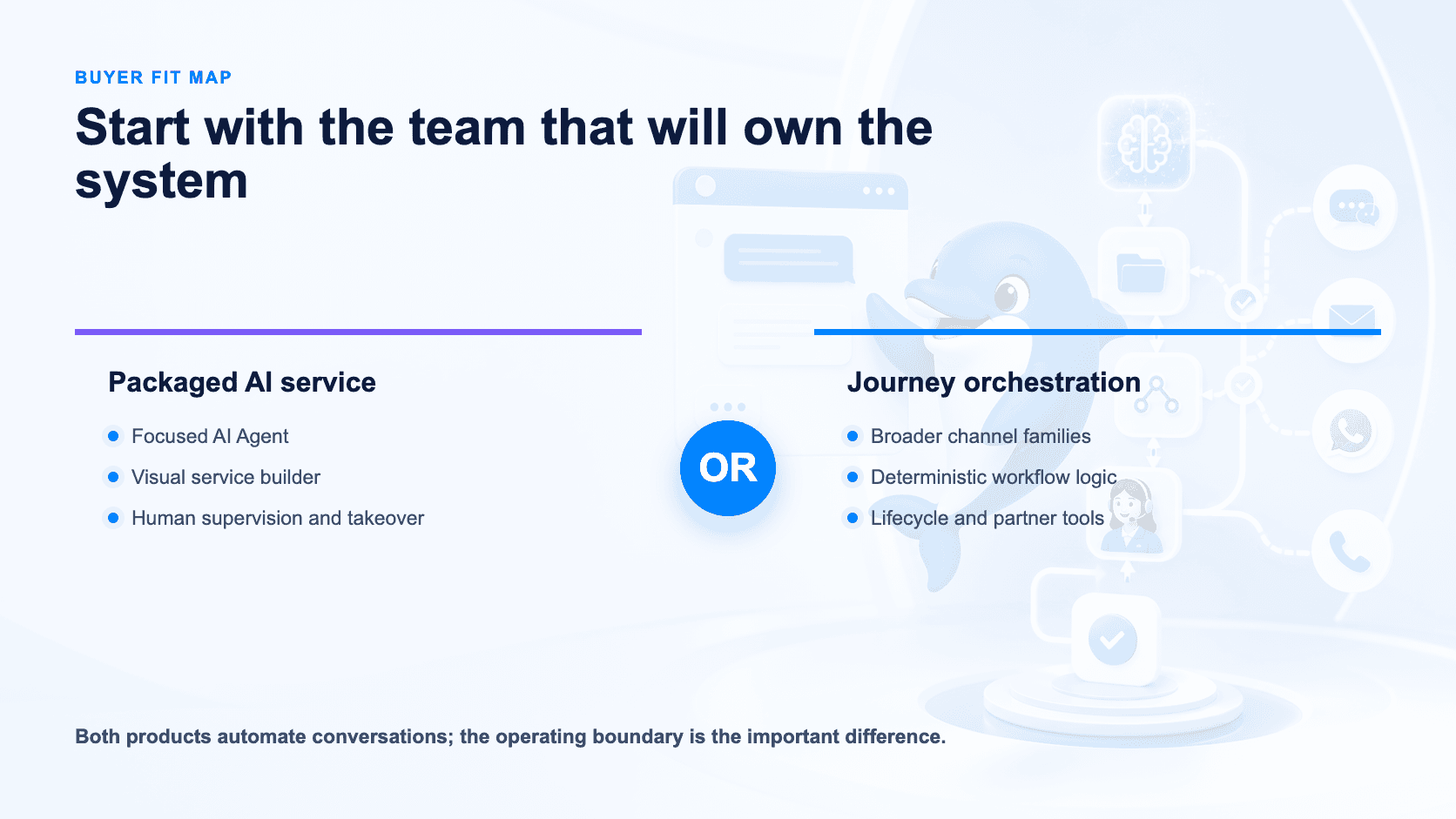
Quick verdict: Choose ChatBot.com when you want a focused AI Agent with a polished visual builder and a direct path into a human service workflow. Choose UChat when the conversation must span more channel families, deterministic flow logic, business actions, CRM or ticket stages, or a white-label client platform [S1][S3]–[S9].
Table Of Contents
Quick Verdict And Scorecard
Recommendation By Use Case
Feature Comparison
AI Agent And Knowledge Design
Visual Workflows And Business Actions
Channels And Human Handoff
Pricing And Total Cost
Agency And Multi-Client Delivery
When ChatBot.com May Be A Better Fit
Run A Fair Proof Of Concept
Decision Checklist
FAQ
Final Verdict And CTA
Quick Verdict And Scorecard
Dimension | ChatBot.com | UChat | Starting edge |
|---|---|---|---|
Core model | Packaged AI Agent and customer-service workflow [S1] | Multichannel visual automation platform [S10] | Depends on whether the owner is a service team or an automation team |
Visual building | Drag-and-drop builder, AI Assist, tests and preview [S1] | Flow Builder with messages, logic, actions and integrations [S6][S9] | Both are credible; test the required journey |
AI | Knowledge, customer data, ticket, offer and handoff capabilities [S1] | Instructions, knowledge, model choice and functions [S4] | ChatBot.com for packaged service; UChat for configurable action paths |
Channels | Website plus documented WhatsApp, Messenger, SMS and mobile paths [S1] | Web, social, messaging, voice and SMS families [S5] | UChat for broader channel architecture |
Human work | Supervision, takeover, inbox and ticketing by plan [S1] | Live Chat, CRM Boards and Tickets [S7][S8] | Test daily operator work in both |
Entry pricing | Essential from $19 per user monthly on annual billing [S1] | Free $0, Business $15 and Partner $199 listed entry prices [S2] | Compare equivalent users, AI usage and channels |
Agency delivery | Verify account and branding model for each client [S1] | White label, custom domains, client plans and billing [S3] | UChat for a documented reseller platform |
How We Compared
We reviewed ChatBot.com's current homepage, pricing, AI and visual builder pages. We compared them with UChat's public pricing, Partner, AI Agent, Channels, Flow Builder, Live Chat, CRM and Integrations pages. The comparison uses product evidence captured on 12 August 2026, not inherited assumptions about either brand [S1]–[S10].
Recommendation By Use Case
Customer-service team wanting a well-contained AI Agent, visual builder and human takeover: Start with ChatBot.com [S1].
Team already evaluating the wider Text customer-service ecosystem: Put ChatBot.com on the shortlist and confirm which adjacent products are included [S1].
Business coordinating Instagram, WhatsApp, Messenger, Web Chat, voice or SMS journeys: Start with UChat [S5][S6].
Automation team that needs deterministic branches, AI functions, APIs, webhooks and lifecycle stages: Start with UChat [S4][S6][S8][S9].
Agency selling a branded platform with its own domain, plans and billing: Start with UChat Partner [S3].
Small team with a narrow website support requirement: ChatBot.com's focused package may be easier to operate.
Feature Comparison
Capability | ChatBot.com | UChat |
|---|---|---|
Builder | Drag-and-drop, AI Assist, preview and A/B tests [S1] | Visual Flow Builder with reusable journey logic [S6] |
Knowledge AI | Website or document knowledge and service responses [S1] | Knowledge, instructions, model choice and AI functions [S4] |
Data and actions | Data collection, tickets, discounts and integrations [S1] | Integrations, APIs, webhooks and Mini Apps [S9] |
Human takeover | Supervision and takeover on eligible plans [S1] | Live Chat handoff [S7] |
Lifecycle | Inbox and ticketing capabilities by package [S1] | CRM Boards and Tickets [S8] |
Channels | Website, WhatsApp, Messenger, SMS and mobile paths [S1] | Web, social, messaging, voice and SMS [S5] |
Partner model | Confirm multi-client structure and branding [S1] | White label, custom domains, plans and billing [S3] |
AI Agent And Knowledge Design
ChatBot.com documents an AI Agent that learns from approved sources, answers questions, collects customer details, creates tickets, offers discounts and hands conversations to people [S1]. That is a practical service design: the buyer can start with a defined knowledge job and connect escalation.
UChat documents AI Agents with instructions, business knowledge, model choice and functions [S4]. Functions matter when the AI must do more than answer: it may need to query or update a business system, initiate a workflow or hand control to deterministic logic. UChat's Flow Builder provides a separate visual layer for the steps around that AI decision [S6].
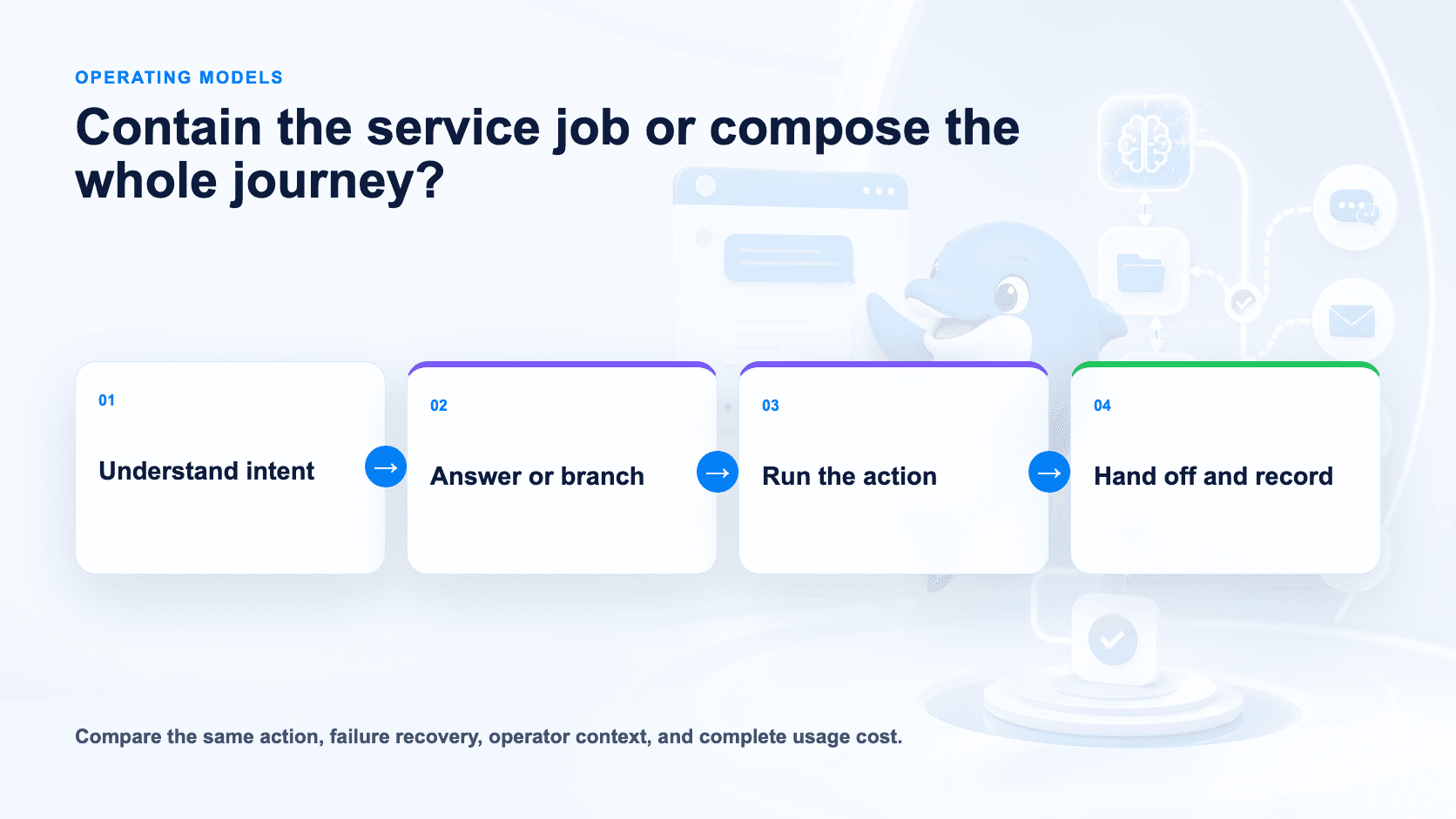
The distinction is not “AI versus automation.” Both have both. It is how much of the operating process you want to compose. ChatBot.com may reduce design work for a contained support Agent. UChat may provide more useful control when AI is one component in a longer customer journey.
Test both with an ambiguous question, missing knowledge, a policy exception and an unavailable downstream service. A confident answer is not a successful Agent if the business action fails silently.
Visual Workflows And Business Actions
ChatBot.com's visual builder includes drag-and-drop blocks, data collection, personalization, AI assistance, built-in preview and A/B testing [S1]. Buyers should not assume UChat is the only product with a visual builder.
UChat's Flow Builder is designed around messages, conditions, actions and integrations across channel journeys [S6][S9]. Combined with AI functions, APIs, webhooks and Mini Apps, it supports a composition model in which conversational and deterministic steps can coexist [S4][S9].
The decisive test is not the canvas screenshot. Build one complete outcome, then deliberately break its knowledge source, API call and human handoff.
Ask who will maintain the flow six months later. A customer-service manager may prefer the tighter ChatBot.com boundary. An automation specialist may value UChat's broader surface. The better tool is the one the actual owner can safely change.
Channels And Human Handoff
ChatBot.com documents connection paths for a website, WhatsApp, Messenger, SMS and mobile applications, with package-dependent capabilities [S1]. It also documents supervision, takeover, inbox and ticketing functions [S1]. Confirm whether your complete operating stack requires other Text products and how that changes cost.
UChat documents channel coverage across web, social, messaging, voice and SMS [S5]. Live Chat supports human handoff, while CRM Boards and Tickets can carry work beyond the immediate conversation [S7][S8].
Broader channel coverage is useful only if the business will operate it. For a website AI Agent with an escalation desk, ChatBot.com may be cleaner. For a campaign that begins in Instagram comments, moves to WhatsApp, calls a business system and creates a ticket, UChat deserves the deeper proof of concept.
Pricing And Total Cost
ChatBot.com lists Essential at $19 per user per month on annual billing and $25 on monthly billing. Growth is $79 per user monthly on annual billing and $99 monthly [S1]. Essential includes one AI Agent and 10 AI resolutions; Growth includes ten AI Agents and 200 resolutions [S1].
Extra AI usage is material. The current page lists a 50-resolution package for $49.50, equivalent to $0.99 per resolution at that package size [S1]. A resolution is a vendor-defined unit, so model realistic conversations before comparing prices.
UChat lists Free $0, Business $15 and Partner $199 as entry prices [S2]. Confirm billing period, bot and user limits, members, channel fees, AI provider usage and add-ons.
Build a monthly model containing seats, AI-resolved conversations, human conversations, channels, integrations, implementation and maintenance. Do not compare ChatBot.com's per-user price with UChat's entry price alone. The units are different, and the cheapest headline is rarely the cheapest deployed workflow.
Both vendors advertise a 14-day trial without requiring a credit card [S1][S11]. Use that period for the same scenario and the same failure cases.
Agency And Multi-Client Delivery
An agency needs more than multiple Agents. It needs client isolation, reusable delivery, controlled access, branding, support workflow and a billing model.
UChat Partner publicly documents white-label domains and interfaces, client plan controls and billing [S3]. That makes branded platform resale a first-class evaluation path.
ChatBot.com can still be a sound agency implementation tool, especially when the agency manages each build as a service. However, buyers should verify account structure, client login experience, brand surfaces, reusable assets, permissions and consolidated billing directly [S1]. Do not treat a multi-Agent allowance as proof of a reseller operating model.
When ChatBot.com May Be A Better Fit
ChatBot.com may be better when a customer-service team owns the project and wants to move quickly from knowledge to AI answers and human takeover [S1]. The visual builder, preview, A/B testing and packaged service actions reduce the number of separate concepts the team must manage.
It may also fit teams already standardizing on the Text ecosystem and willing to assemble the required service stack there. The product's per-user pricing can be straightforward for a small, stable team with predictable resolution volume.
Finally, if the project never needs broad social, voice, lifecycle or white-label delivery, UChat's additional architecture may add options without adding value.
Run A Fair Proof Of Concept
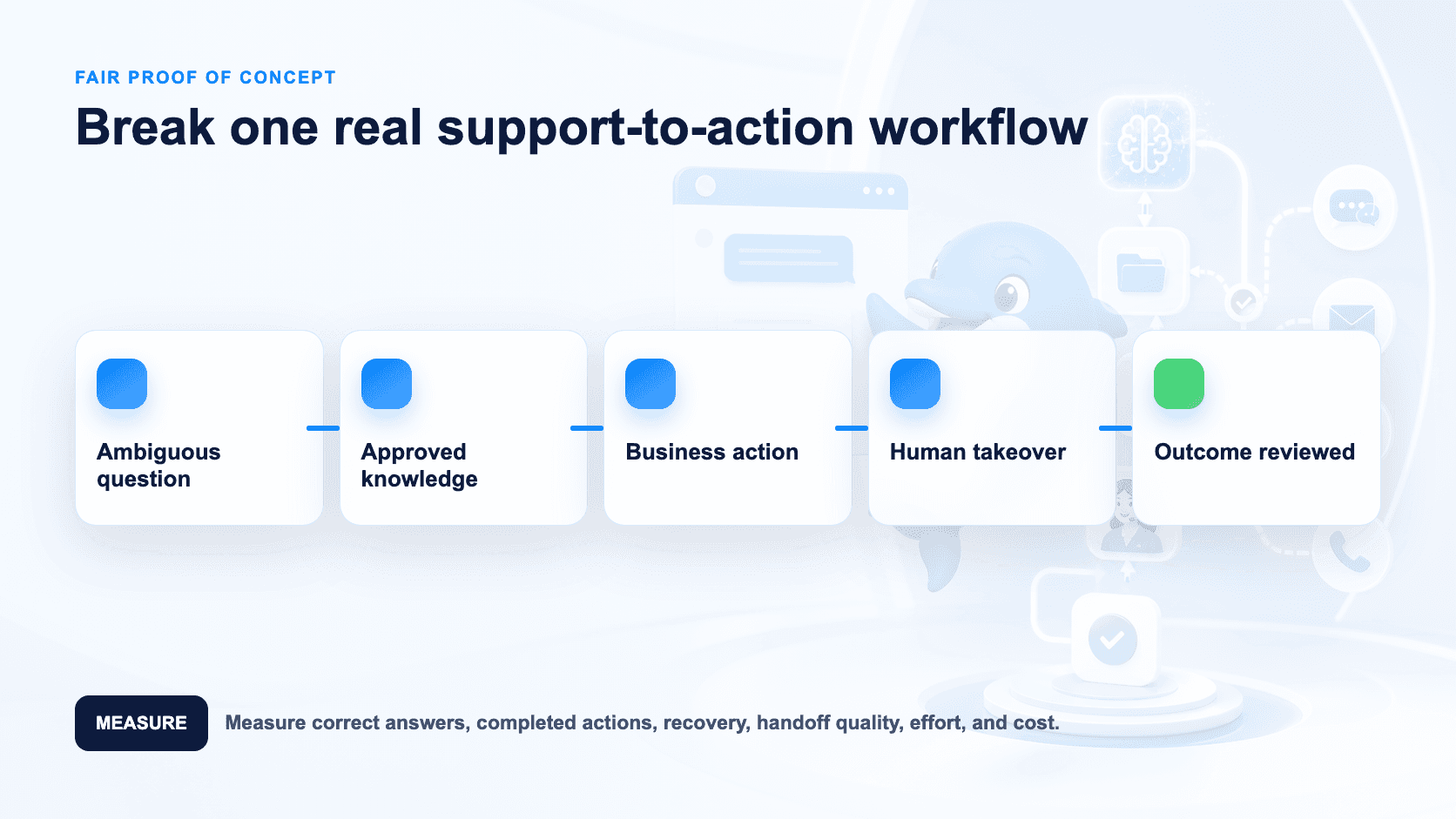
Build one support-to-action journey in both products:
A visitor asks an ambiguous product or policy question.
The Agent uses only approved knowledge.
It collects one required customer field.
It calls or simulates a business action.
A failure triggers a clear recovery path.
A human takes over with full context.
The outcome is recorded for later review.
Measure correct answers, completed actions, setup time, recovery behavior, handoff context, operator effort and full monthly cost. Repeat after changing a policy source to see how safely the team can maintain it.
Decision Checklist
Is the primary owner a support manager or an automation builder?
Which channel families are required now, not someday [S1][S5]?
Must the Agent call business functions or mainly answer and escalate [S1][S4]?
How many operator seats and AI resolutions will a peak month use [S1]?
Does work need CRM Board or Ticket stages after the chat [S8]?
Which API, webhook or integration action must be proven [S1][S9]?
Can the team diagnose a broken action without vendor help?
Do clients need a platform under the agency's brand [S3]?
Have you priced implementation and maintenance as well as subscriptions?
Which product produced the better completed outcome in the same test?
FAQ
Does ChatBot.com have a visual builder? Yes. It documents drag-and-drop building, AI Assist, data collection, personalization, A/B tests and preview [S1].
Does UChat have AI knowledge and functions? Yes. UChat documents knowledge, instructions, model choices and AI functions [S4].
Which supports more channels? UChat documents a broader portfolio across web, social, messaging, voice and SMS [S5]. ChatBot.com documents several important website, messaging and application paths [S1]. Verify the exact channel and package.
Which is better for customer support? ChatBot.com has a focused AI service proposition [S1]. UChat combines Live Chat with CRM Boards and Tickets [S7][S8]. Test the operator shift, not only the bot.
Which is cheaper? It depends on users, AI resolutions, channels and implementation. The vendors price different units [S1][S2].
Which is better for agencies? UChat has the clearer documented white-label, client-plan and billing model [S3]. ChatBot.com may still work well for agency-managed implementations.
Final Verdict And CTA
Choose ChatBot.com for a focused AI Agent and service workflow with a polished visual building experience [S1]. Choose UChat when you need broader channel orchestration, configurable business actions, lifecycle tools or a branded client-delivery platform [S3]–[S9].
Start a 14-day UChat trial with Pro access and no credit card [S11]. Agencies can book a Partner Plan demo [S12].
Related comparisons: UChat vs Tidio · UChat vs Landbot · UChat vs Intercom
Explore UChat's official pages for pricing, AI Agents, channels, Flow Builder, Live Chat, CRM, integrations and the Partner program.
Sources reviewed 12 August 2026.
Quick verdict: Choose ChatBot.com when you want a focused AI Agent with a polished visual builder and a direct path into a human service workflow. Choose UChat when the conversation must span more channel families, deterministic flow logic, business actions, CRM or ticket stages, or a white-label client platform [S1][S3]–[S9].
Table Of Contents
Quick Verdict And Scorecard
Recommendation By Use Case
Feature Comparison
AI Agent And Knowledge Design
Visual Workflows And Business Actions
Channels And Human Handoff
Pricing And Total Cost
Agency And Multi-Client Delivery
When ChatBot.com May Be A Better Fit
Run A Fair Proof Of Concept
Decision Checklist
FAQ
Final Verdict And CTA
Quick Verdict And Scorecard
Dimension | ChatBot.com | UChat | Starting edge |
|---|---|---|---|
Core model | Packaged AI Agent and customer-service workflow [S1] | Multichannel visual automation platform [S10] | Depends on whether the owner is a service team or an automation team |
Visual building | Drag-and-drop builder, AI Assist, tests and preview [S1] | Flow Builder with messages, logic, actions and integrations [S6][S9] | Both are credible; test the required journey |
AI | Knowledge, customer data, ticket, offer and handoff capabilities [S1] | Instructions, knowledge, model choice and functions [S4] | ChatBot.com for packaged service; UChat for configurable action paths |
Channels | Website plus documented WhatsApp, Messenger, SMS and mobile paths [S1] | Web, social, messaging, voice and SMS families [S5] | UChat for broader channel architecture |
Human work | Supervision, takeover, inbox and ticketing by plan [S1] | Live Chat, CRM Boards and Tickets [S7][S8] | Test daily operator work in both |
Entry pricing | Essential from $19 per user monthly on annual billing [S1] | Free $0, Business $15 and Partner $199 listed entry prices [S2] | Compare equivalent users, AI usage and channels |
Agency delivery | Verify account and branding model for each client [S1] | White label, custom domains, client plans and billing [S3] | UChat for a documented reseller platform |
How We Compared
We reviewed ChatBot.com's current homepage, pricing, AI and visual builder pages. We compared them with UChat's public pricing, Partner, AI Agent, Channels, Flow Builder, Live Chat, CRM and Integrations pages. The comparison uses product evidence captured on 12 August 2026, not inherited assumptions about either brand [S1]–[S10].
Recommendation By Use Case
Customer-service team wanting a well-contained AI Agent, visual builder and human takeover: Start with ChatBot.com [S1].
Team already evaluating the wider Text customer-service ecosystem: Put ChatBot.com on the shortlist and confirm which adjacent products are included [S1].
Business coordinating Instagram, WhatsApp, Messenger, Web Chat, voice or SMS journeys: Start with UChat [S5][S6].
Automation team that needs deterministic branches, AI functions, APIs, webhooks and lifecycle stages: Start with UChat [S4][S6][S8][S9].
Agency selling a branded platform with its own domain, plans and billing: Start with UChat Partner [S3].
Small team with a narrow website support requirement: ChatBot.com's focused package may be easier to operate.
Feature Comparison
Capability | ChatBot.com | UChat |
|---|---|---|
Builder | Drag-and-drop, AI Assist, preview and A/B tests [S1] | Visual Flow Builder with reusable journey logic [S6] |
Knowledge AI | Website or document knowledge and service responses [S1] | Knowledge, instructions, model choice and AI functions [S4] |
Data and actions | Data collection, tickets, discounts and integrations [S1] | Integrations, APIs, webhooks and Mini Apps [S9] |
Human takeover | Supervision and takeover on eligible plans [S1] | Live Chat handoff [S7] |
Lifecycle | Inbox and ticketing capabilities by package [S1] | CRM Boards and Tickets [S8] |
Channels | Website, WhatsApp, Messenger, SMS and mobile paths [S1] | Web, social, messaging, voice and SMS [S5] |
Partner model | Confirm multi-client structure and branding [S1] | White label, custom domains, plans and billing [S3] |
AI Agent And Knowledge Design
ChatBot.com documents an AI Agent that learns from approved sources, answers questions, collects customer details, creates tickets, offers discounts and hands conversations to people [S1]. That is a practical service design: the buyer can start with a defined knowledge job and connect escalation.
UChat documents AI Agents with instructions, business knowledge, model choice and functions [S4]. Functions matter when the AI must do more than answer: it may need to query or update a business system, initiate a workflow or hand control to deterministic logic. UChat's Flow Builder provides a separate visual layer for the steps around that AI decision [S6].
The distinction is not “AI versus automation.” Both have both. It is how much of the operating process you want to compose. ChatBot.com may reduce design work for a contained support Agent. UChat may provide more useful control when AI is one component in a longer customer journey.
Test both with an ambiguous question, missing knowledge, a policy exception and an unavailable downstream service. A confident answer is not a successful Agent if the business action fails silently.
Visual Workflows And Business Actions
ChatBot.com's visual builder includes drag-and-drop blocks, data collection, personalization, AI assistance, built-in preview and A/B testing [S1]. Buyers should not assume UChat is the only product with a visual builder.
UChat's Flow Builder is designed around messages, conditions, actions and integrations across channel journeys [S6][S9]. Combined with AI functions, APIs, webhooks and Mini Apps, it supports a composition model in which conversational and deterministic steps can coexist [S4][S9].
The decisive test is not the canvas screenshot. Build one complete outcome, then deliberately break its knowledge source, API call and human handoff.
Ask who will maintain the flow six months later. A customer-service manager may prefer the tighter ChatBot.com boundary. An automation specialist may value UChat's broader surface. The better tool is the one the actual owner can safely change.
Channels And Human Handoff
ChatBot.com documents connection paths for a website, WhatsApp, Messenger, SMS and mobile applications, with package-dependent capabilities [S1]. It also documents supervision, takeover, inbox and ticketing functions [S1]. Confirm whether your complete operating stack requires other Text products and how that changes cost.
UChat documents channel coverage across web, social, messaging, voice and SMS [S5]. Live Chat supports human handoff, while CRM Boards and Tickets can carry work beyond the immediate conversation [S7][S8].
Broader channel coverage is useful only if the business will operate it. For a website AI Agent with an escalation desk, ChatBot.com may be cleaner. For a campaign that begins in Instagram comments, moves to WhatsApp, calls a business system and creates a ticket, UChat deserves the deeper proof of concept.
Pricing And Total Cost
ChatBot.com lists Essential at $19 per user per month on annual billing and $25 on monthly billing. Growth is $79 per user monthly on annual billing and $99 monthly [S1]. Essential includes one AI Agent and 10 AI resolutions; Growth includes ten AI Agents and 200 resolutions [S1].
Extra AI usage is material. The current page lists a 50-resolution package for $49.50, equivalent to $0.99 per resolution at that package size [S1]. A resolution is a vendor-defined unit, so model realistic conversations before comparing prices.
UChat lists Free $0, Business $15 and Partner $199 as entry prices [S2]. Confirm billing period, bot and user limits, members, channel fees, AI provider usage and add-ons.
Build a monthly model containing seats, AI-resolved conversations, human conversations, channels, integrations, implementation and maintenance. Do not compare ChatBot.com's per-user price with UChat's entry price alone. The units are different, and the cheapest headline is rarely the cheapest deployed workflow.
Both vendors advertise a 14-day trial without requiring a credit card [S1][S11]. Use that period for the same scenario and the same failure cases.
Agency And Multi-Client Delivery
An agency needs more than multiple Agents. It needs client isolation, reusable delivery, controlled access, branding, support workflow and a billing model.
UChat Partner publicly documents white-label domains and interfaces, client plan controls and billing [S3]. That makes branded platform resale a first-class evaluation path.
ChatBot.com can still be a sound agency implementation tool, especially when the agency manages each build as a service. However, buyers should verify account structure, client login experience, brand surfaces, reusable assets, permissions and consolidated billing directly [S1]. Do not treat a multi-Agent allowance as proof of a reseller operating model.
When ChatBot.com May Be A Better Fit
ChatBot.com may be better when a customer-service team owns the project and wants to move quickly from knowledge to AI answers and human takeover [S1]. The visual builder, preview, A/B testing and packaged service actions reduce the number of separate concepts the team must manage.
It may also fit teams already standardizing on the Text ecosystem and willing to assemble the required service stack there. The product's per-user pricing can be straightforward for a small, stable team with predictable resolution volume.
Finally, if the project never needs broad social, voice, lifecycle or white-label delivery, UChat's additional architecture may add options without adding value.
Run A Fair Proof Of Concept
Build one support-to-action journey in both products:
A visitor asks an ambiguous product or policy question.
The Agent uses only approved knowledge.
It collects one required customer field.
It calls or simulates a business action.
A failure triggers a clear recovery path.
A human takes over with full context.
The outcome is recorded for later review.
Measure correct answers, completed actions, setup time, recovery behavior, handoff context, operator effort and full monthly cost. Repeat after changing a policy source to see how safely the team can maintain it.
Decision Checklist
Is the primary owner a support manager or an automation builder?
Which channel families are required now, not someday [S1][S5]?
Must the Agent call business functions or mainly answer and escalate [S1][S4]?
How many operator seats and AI resolutions will a peak month use [S1]?
Does work need CRM Board or Ticket stages after the chat [S8]?
Which API, webhook or integration action must be proven [S1][S9]?
Can the team diagnose a broken action without vendor help?
Do clients need a platform under the agency's brand [S3]?
Have you priced implementation and maintenance as well as subscriptions?
Which product produced the better completed outcome in the same test?
FAQ
Does ChatBot.com have a visual builder? Yes. It documents drag-and-drop building, AI Assist, data collection, personalization, A/B tests and preview [S1].
Does UChat have AI knowledge and functions? Yes. UChat documents knowledge, instructions, model choices and AI functions [S4].
Which supports more channels? UChat documents a broader portfolio across web, social, messaging, voice and SMS [S5]. ChatBot.com documents several important website, messaging and application paths [S1]. Verify the exact channel and package.
Which is better for customer support? ChatBot.com has a focused AI service proposition [S1]. UChat combines Live Chat with CRM Boards and Tickets [S7][S8]. Test the operator shift, not only the bot.
Which is cheaper? It depends on users, AI resolutions, channels and implementation. The vendors price different units [S1][S2].
Which is better for agencies? UChat has the clearer documented white-label, client-plan and billing model [S3]. ChatBot.com may still work well for agency-managed implementations.
Final Verdict And CTA
Choose ChatBot.com for a focused AI Agent and service workflow with a polished visual building experience [S1]. Choose UChat when you need broader channel orchestration, configurable business actions, lifecycle tools or a branded client-delivery platform [S3]–[S9].
Start a 14-day UChat trial with Pro access and no credit card [S11]. Agencies can book a Partner Plan demo [S12].
Related comparisons: UChat vs Tidio · UChat vs Landbot · UChat vs Intercom
Explore UChat's official pages for pricing, AI Agents, channels, Flow Builder, Live Chat, CRM, integrations and the Partner program.
Sources reviewed 12 August 2026.