13 minutes
UChat
Posted by
UChat vs LiveChat: Support Inbox or Visual Automation?
13 minutes
Posted by
UChat

Quick Verdict
UChat and LiveChat both combine automated conversations with human support. The practical difference is where each platform starts. LiveChat starts with the human service workspace and adds AI, routing, campaigns, channels and chatbot automation around it. UChat starts with a visual journey and lets human handoff become one stage inside a broader flow.
Choose LiveChat when the support inbox is the operation; choose UChat when the customer journey is the operation.
LiveChat is a credible fit for teams that need chat transfers, smart or manual routing, schedules, staffing visibility, history and agent reporting. Its AI features can suggest replies, summarize conversations, recommend tags, answer common questions and pass context to a person. [S1] [S2]
UChat is the stronger fit when a customer must move through channel triggers, qualification, AI, API actions, CRM stages, human help and follow-up in one visible system. Its Partner Plan also supports branded, multi-client delivery. [S6] [S7] [S9] [S10] [S12]
This comparison was reviewed on 9 August 2026. We used official vendor product, pricing and help pages for current facts, then checked UChat claims against the reviewed local proof route. Pricing and packaging can change.
Table Of Contents
Scorecard
Recommendation By Use Case
Feature Comparison: Support Inbox Versus Journey System
Human Inbox And Support Operations
AI Agents And Human Assistance
Visual Journey Automation
Channels And Entry Points
Integrations APIs And Business Actions
Pricing And Total Operating Cost
Agency And White-Label Delivery
When LiveChat May Be A Better Fit
Decision Checklist
FAQ
Final Verdict And CTA
Scorecard
The scorecard is a buyer-fit guide, not a universal ranking. It asks which product provides the more direct starting point for each operating need.
Decision area | Better starting fit | Why |
|---|---|---|
Human support workspace | LiveChat | Routing, transfers, history, schedules and agent reporting are central product concerns. [S1] |
AI assistance for agents | LiveChat | Reply suggestions, summaries, tagging, text enhancement and sentiment features sit inside the support experience. [S1] [S2] |
Visual end-to-end journeys | UChat | Flow Builder combines triggers, logic, AI, actions, integrations and handoff on one canvas. [S6] [S7] [S9] |
Channel-triggered acquisition | UChat | Documented channel events can begin structured qualification and follow-up flows. [S6] [S8] |
Support workforce reporting | LiveChat | Business packaging includes work scheduling, staffing prediction, on-demand reports and agent performance. [S1] |
CRM-linked automation | UChat | Boards and Tickets can be updated and followed by flow actions. [S10] |
Chatbot automation | Depends | ChatBot.com gives LiveChat a visual bot path; UChat makes visual automation the platform foundation. [S3] [S4] [S6] |
Branded multi-client delivery | UChat | Partner is packaged around white label, client workspaces and partner-controlled offers. [S12] |
Best for | Depends | LiveChat fits inbox-led support teams; UChat fits teams orchestrating broader customer journeys. [S1] [S6] [S9] |
Not ideal when | Depends | LiveChat is less direct when one visual system must control the wider journey; UChat is less proven for specialist workforce-management depth. [S1] [S6] [S10] |
Recommendation By Use Case
Choose LiveChat if your primary question is, “How do we help agents respond, route work, supervise service and understand chat performance?” The official feature table gives that team a direct vocabulary: transfers, queues, routing rules, canned responses, tags, schedules, activity, duration, response and staffing reports. [S1]
Choose UChat if your primary question is, “What should happen before and after a conversation?” A journey can start from a channel event, capture data, branch, call AI or an external service, update lifecycle state, involve a person and continue later. [S6] [S7] [S8] [S9] [S10]
Feature Comparison: Support Inbox Versus Journey System
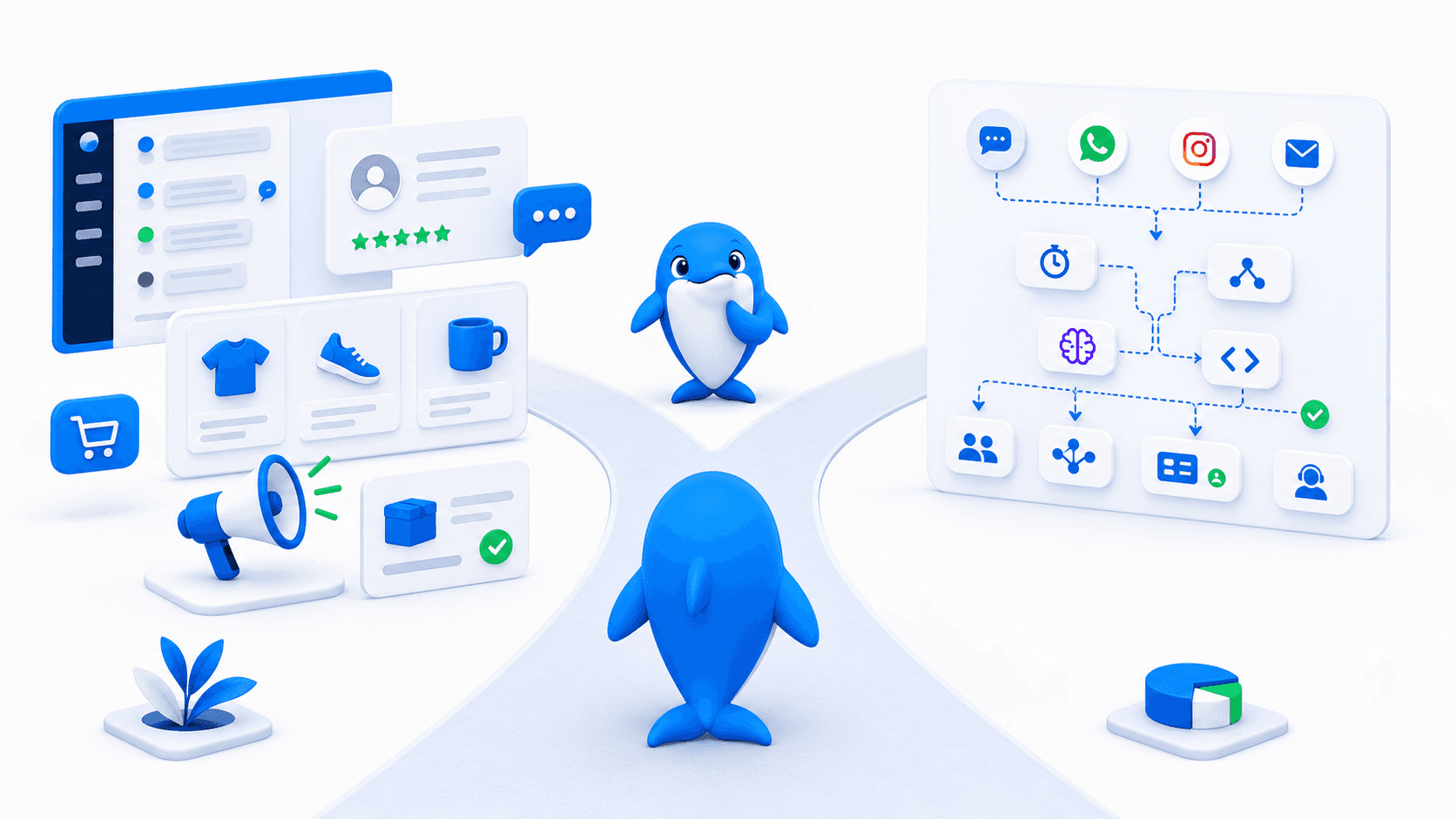
The decisive difference is the operating center. LiveChat organizes work around conversations that arrive in a service environment. Automation helps attract visitors, route chats, assist agents and resolve routine questions. UChat organizes work around flows that can contain a conversation, a business action and a handoff without making the inbox the sole center.
Capability | LiveChat approach | UChat approach |
|---|---|---|
Human conversations | Shared service experience with routing, transfer, queues, history and agent tools. [S1] | Live Chat and handoff connected to automation flows. [S9] |
AI | Agent assistance plus an AI Agent using knowledge and situation-specific skills. [S1] [S2] | AI Agents with instructions, knowledge and callable functions inside Flow Builder. [S7] |
Visual automation | ChatBot.com supplies a visual bot builder and LiveChat handoff path. [S3] [S4] | Flow Builder is the primary composition surface for customer journeys. [S6] |
Lifecycle state | Chat details, tags, segments, history and integrations support service context. [S1] | Fields, Boards, Tickets and flow logic can drive the next step. [S10] |
Extensibility | Marketplace, ChatBot.com, webhooks, Zapier and platform integrations. [S1] [S3] | Visual actions, external requests, integrations and reusable flow logic. [S6] |
In fairness to LiveChat, this is not a comparison between “automation” and “no automation.” LiveChat and ChatBot.com can automate conversations, collect leads, track goals, call webhooks and transfer to humans. The distinction is whether that builder is an adjacent chatbot product or the main environment for orchestrating the wider journey. [S3] [S4]
Human Inbox And Support Operations
LiveChat puts human service operations first. Agents can transfer chats, take over conversations, use private or shared canned responses, tag cases, review history and route work manually or through rules. Business packaging adds scheduling, staffing prediction, agent performance and on-demand reporting. These are concrete advantages for a manager running shifts and measuring a support team. [S1]
UChat includes Live Chat, human handoff, assignments and Tickets. The more distinctive value is what automation can do around that human moment: gather context first, decide an agent group, write contact data, open a Ticket, notify a team and resume follow-up after the person finishes. [S9] [S10]
That does not prove UChat matches every LiveChat workforce feature. Buyers who depend on staffing forecasts, agent reports or a specific queue policy should demonstrate those requirements in both products.
AI Agents And Human Assistance
LiveChat approaches AI from both sides of the desk. Human-facing features include reply suggestions, tag suggestions, summaries, text enhancement and sentiment analysis. Its current AI Agent positioning covers knowledge-based answers, lead capture, product recommendations, situation-specific skills and contextual transfer to people. [S1] [S2]
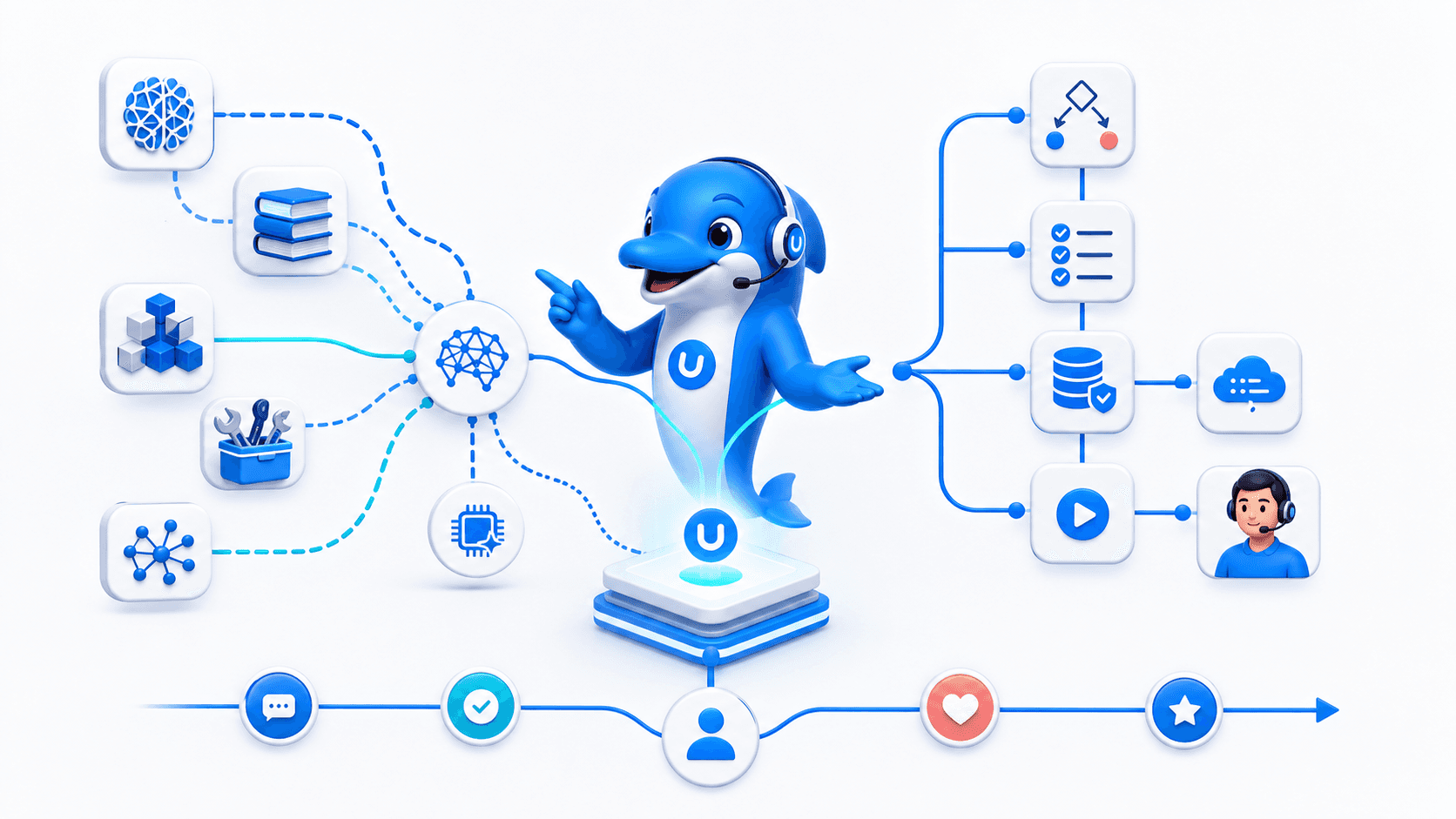
UChat AI Agents use instructions and business knowledge, and they can invoke functions connected to flows. That allows AI interpretation to sit beside deterministic conditions and actions. A team might let AI understand a request, while a flow validates identity, retrieves an order, checks policy, updates a record and decides whether human approval is required. [S7]
AI should inherit a clear boundary. Test what happens when knowledge is missing, a system is unavailable or the customer asks for a person.
LiveChat may be the easier choice when the desired AI outcome is faster service inside an established human workspace. UChat becomes more compelling when AI must participate in a visible sequence of non-AI steps across channels and systems.
Visual Journey Automation
UChat's visual Flow Builder is designed to show the journey: entry trigger, message, question, variable, condition, delay, action, AI step, integration and handoff. A builder can inspect what happens before the chat, what data is required and which follow-up continues afterward. [S6]
UChat makes the journey inspectable. Consider a service-booking flow. It can identify the source channel, collect the requested service and location, ask AI to interpret free text, check availability through an external request, create a CRM record, offer a slot, alert a person for an exception and send a later reminder. The example is a design pattern, not a promise that every external system is prebuilt.
LiveChat can cover meaningful pieces of that path. Campaigns engage visitors, AI handles common questions, routing sends the conversation to the right team, ChatBot.com provides visual stories and integrations connect other tools. [S1] [S2] [S3] The buyer question is how much orchestration should live in the conversation platform and how much will sit in adjacent apps or custom integration code.
Channels And Entry Points
LiveChat's pricing comparison documents website and app chat, direct chat links and Facebook Messenger, plus marketplace or plan paths for Instagram, WhatsApp, SMS, email and X. The support workspace is designed to bring those conversations to agents. Availability and external provider costs should be confirmed for the chosen plan. [S1]
UChat documents Web Chat, Messenger, Instagram, WhatsApp, Telegram, SMS, WeChat, LINE, Viber, TikTok and other channel paths. More importantly for this comparison, channel-specific events can act as workflow inputs. A social comment, direct message or web interaction can begin qualification rather than merely create another conversation to answer. [S8]
Do not decide from channel count alone. Confirm the account type, region, messaging window, template rules, provider fees and trigger for the real use case.
Integrations APIs And Business Actions
LiveChat has a large marketplace, and its official pages describe ChatBot.com webhooks and Zapier connectivity. The AI page also describes skills that can pull order status or route a chat. That is enough evidence to reject a simplistic claim that LiveChat is merely a chat widget. [S2] [S3]
UChat places integrations and external actions in the visual flow. A builder can combine an API request, field update, CRM movement, notification or payment step with conversation logic. This reduces the amount of invisible orchestration a non-developer must reconstruct across separate tools. [S6] [S10]
Pricing And Total Operating Cost
LiveChat has two pricing layers buyers should model separately. Core human support uses Starter, Team and Business; built-in AI uses Essential, Growth and Enterprise for resolution allowances. ChatBot.com remains a separate visual chatbot product. [S1] [S2] [S3]
LiveChat core inbox plan | Annual billing | Monthly billing |
|---|---|---|
Starter | $19 per person/month | $25 per person/month [S1] |
Team | $49 per person/month | $59 per person/month [S1] |
Business | $79 per person/month | $89 per person/month [S1] |
Enterprise | Contact sales | Contact sales [S1] |
The built-in AI Agent is resolution-based: Essential includes 10 monthly resolutions, Growth includes 200, Enterprise uses a custom allowance, and an extra 50-resolution package is listed at $49.50. ChatBot.com is listed separately from $52 per month when billed annually. [S1] [S2] [S3] [S4]
AI automation item | Published packaging |
|---|---|
Essential AI Agent allowance | 10 resolutions per month [S2] |
Growth AI Agent allowance | 200 resolutions per month [S2] |
Enterprise AI Agent allowance | Custom [S2] |
Extra AI Agent usage | $49.50 per 50 resolutions [S2] |
ChatBot.com visual product | From $52/month, billed annually [S1] [S3] [S4] |
UChat lists Free at $0, Business at $15 per month and Partner at $199 per month. Business includes one bot, 1,000 bot users and five members; provider and usage costs can still apply. [S11]
Price the operating model, not the headline. LiveChat's built-in AI Agent scales by resolved conversations and plan allowance, while its human-support subscription and the separate ChatBot.com visual product have distinct packaging. UChat scales around platform resources such as bots, bot users and members. UChat can also incur AI, channel and provider charges. Model the same team, volume, channels, retention, AI usage and workflow scope for twelve months.
Agency And White-Label Delivery
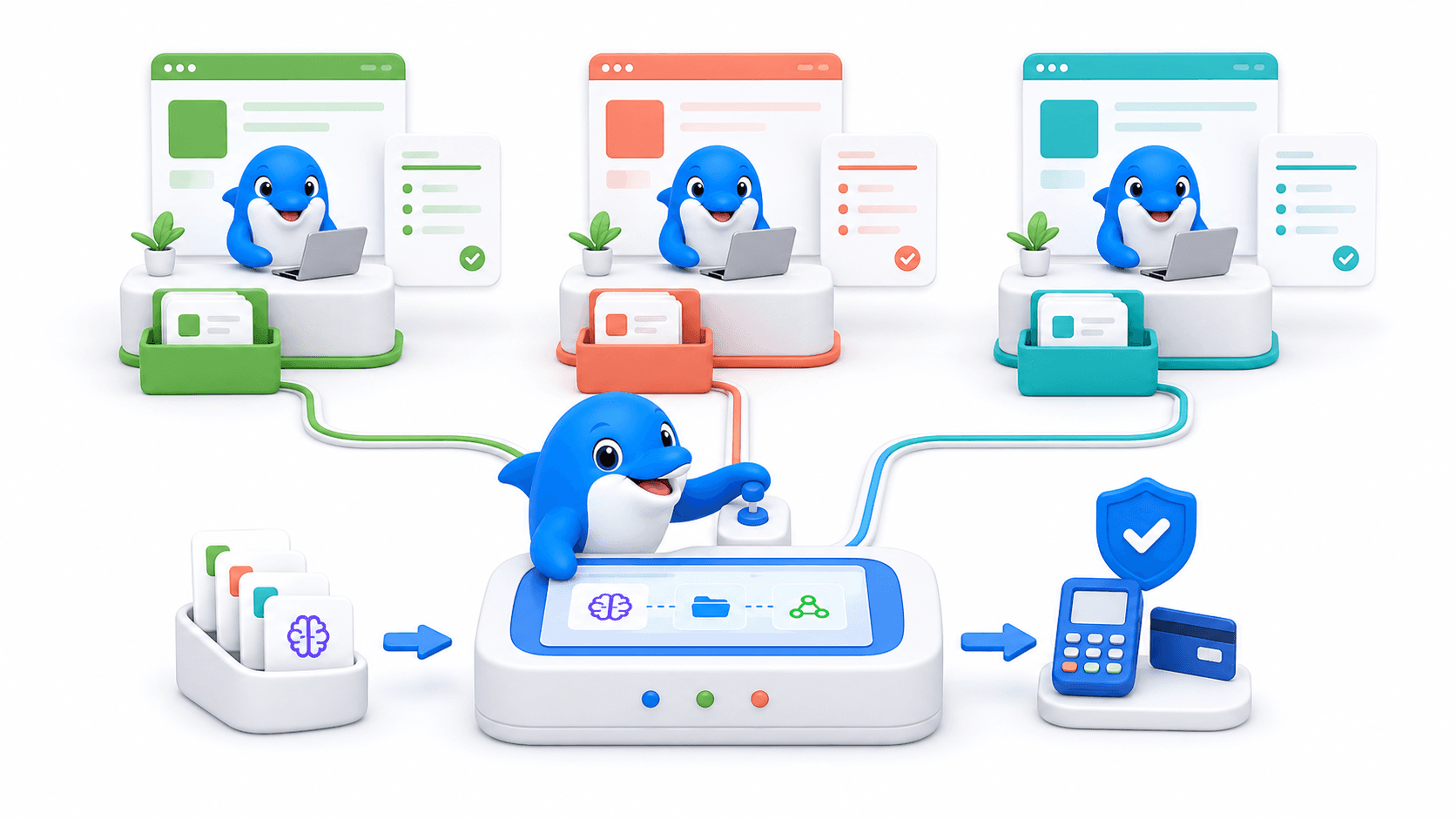
UChat Partner is packaged for agencies and automation consultants operating a branded platform. Public material describes custom branding and domain, client workspaces, partner-controlled client pricing and platform operations under the partner relationship. [S12]
Agency delivery changes the answer. LiveChat may suit agencies that implement and optimize support inboxes. If the offer is “we will provide and manage a branded automation platform across client journeys,” UChat supplies a more direct commercial foundation.
The honest tradeoff: the agency still owns solution design, onboarding, first-line client support and the reliability of its integrations. White label removes visible vendor identity; it does not remove operational responsibility.
When LiveChat May Be A Better Fit
LiveChat may be the better choice when:
the shared inbox is the center of daily work;
managers need documented scheduling, staffing and agent-performance controls;
the team wants AI assistance inside human conversations;
transfers, routing, queues, canned responses, tags and chat history are primary requirements;
per-person pricing is easier to forecast than bot-user and resource capacity;
website service and sales chat matter more than designing a wider cross-channel journey; or
the team prefers to add ChatBot.com and marketplace apps around an established support product.
These are substantive reasons, not edge cases. UChat should win only where its visual orchestration, channel triggers, lifecycle state or agency model creates value the buyer actually needs.
Decision Checklist
Is the main outcome a better agent workspace or a broader automated journey?
Which events must start the journey: website chat, message, comment, ad, form or API?
What information must be collected before a human sees the conversation?
Does AI only answer and assist, or must it invoke controlled business actions?
Which routing, queue, schedule and reporting controls are mandatory?
Must CRM stages, Tickets, payments, bookings or follow-up live in the workflow?
Which exact channel policies and provider costs apply?
Will total cost scale more naturally by people or by bots, users and resources?
Is this for one business or a branded service delivered to multiple clients?
Can each vendor demonstrate one failure, one escalation and one completed outcome?
Run the same test in both products. Use a real entry point, authenticated data lookup, exception, human handoff and follow-up. Score completion, agent effort, observability, maintenance and cost—not merely the quality of the first automated reply.
FAQ
Is UChat better than LiveChat?
UChat is the stronger fit for visual, cross-channel customer journey automation. LiveChat may be better for a support-led team that prioritizes routing, staffing, agent tools and service reporting. The right answer follows the operating model.
Does LiveChat include AI?
Yes. Official pages describe AI Agent capabilities plus reply suggestions, summaries, tag suggestions, text enhancement and sentiment analysis. Exact availability depends on current packaging. [S1] [S2]
Can LiveChat build automated chatbots?
Yes. ChatBot.com integrates with LiveChat and provides a visual builder, automated answers, lead capture, goals, webhooks and transfer to live agents. It is shown as a separate product on LiveChat's pricing page. [S1] [S3] [S4]
Can UChat handle human support?
Yes. UChat includes Live Chat, human handoff and Tickets. Teams with demanding workforce-management or service-reporting requirements should demonstrate those requirements rather than assume parity with a support-centered product. [S9] [S10]
Which is cheaper for a growing team?
UChat has the lower published platform entry price, but the models are different. LiveChat prices paid plans per person; UChat uses bots, bot users and members, with possible channel, AI and provider costs. Compare a complete twelve-month scenario. [S1] [S11]
Which platform is better for an agency?
UChat is the clearer fit for an agency that wants branded multi-client platform delivery. LiveChat may suit an agency whose service centers on implementing and improving human support operations. [S1] [S12]
Final Verdict And CTA
LiveChat deserves its place on the shortlist for human-led service. Its documented routing, transfers, schedules, history, reporting and AI assistance give a support manager practical tools for running conversations at scale. ChatBot.com also provides a legitimate visual automation path.
UChat is the more coherent choice when the business needs to design the entire customer journey visibly: entry trigger, qualification, AI, deterministic action, lifecycle update, human help and follow-up. It is also the more direct foundation for agencies selling branded automation across client workspaces.
The practical recommendation is UChat for journey-led automation and LiveChat for inbox-led support.
Explore UChat AI Agents, channels, Live Chat and CRM, then check current UChat pricing.
Start a 14-day UChat free trial with Pro features and no credit card required. [S11] Agencies can book a UChat Partner meeting to review branding, client workspaces and delivery economics.
Related comparisons: UChat vs Intercom and UChat vs Chatwoot.
Sources And Review Date
Product and pricing details were reviewed on 9 August 2026. Source tags resolve as follows: S1 LiveChat pricing, S2 LiveChat AI, S3 LiveChat with ChatBot.com, S4 LiveChat pricing-model update, S5 UChat, S6 UChat Flow Builder, S7 UChat AI Agent, S8 UChat channels, S9 UChat Live Chat, S10 UChat CRM, S11 UChat pricing and trial, and S12 UChat Partner.
Quick Verdict
UChat and LiveChat both combine automated conversations with human support. The practical difference is where each platform starts. LiveChat starts with the human service workspace and adds AI, routing, campaigns, channels and chatbot automation around it. UChat starts with a visual journey and lets human handoff become one stage inside a broader flow.
Choose LiveChat when the support inbox is the operation; choose UChat when the customer journey is the operation.
LiveChat is a credible fit for teams that need chat transfers, smart or manual routing, schedules, staffing visibility, history and agent reporting. Its AI features can suggest replies, summarize conversations, recommend tags, answer common questions and pass context to a person. [S1] [S2]
UChat is the stronger fit when a customer must move through channel triggers, qualification, AI, API actions, CRM stages, human help and follow-up in one visible system. Its Partner Plan also supports branded, multi-client delivery. [S6] [S7] [S9] [S10] [S12]
This comparison was reviewed on 9 August 2026. We used official vendor product, pricing and help pages for current facts, then checked UChat claims against the reviewed local proof route. Pricing and packaging can change.
Table Of Contents
Scorecard
Recommendation By Use Case
Feature Comparison: Support Inbox Versus Journey System
Human Inbox And Support Operations
AI Agents And Human Assistance
Visual Journey Automation
Channels And Entry Points
Integrations APIs And Business Actions
Pricing And Total Operating Cost
Agency And White-Label Delivery
When LiveChat May Be A Better Fit
Decision Checklist
FAQ
Final Verdict And CTA
Scorecard
The scorecard is a buyer-fit guide, not a universal ranking. It asks which product provides the more direct starting point for each operating need.
Decision area | Better starting fit | Why |
|---|---|---|
Human support workspace | LiveChat | Routing, transfers, history, schedules and agent reporting are central product concerns. [S1] |
AI assistance for agents | LiveChat | Reply suggestions, summaries, tagging, text enhancement and sentiment features sit inside the support experience. [S1] [S2] |
Visual end-to-end journeys | UChat | Flow Builder combines triggers, logic, AI, actions, integrations and handoff on one canvas. [S6] [S7] [S9] |
Channel-triggered acquisition | UChat | Documented channel events can begin structured qualification and follow-up flows. [S6] [S8] |
Support workforce reporting | LiveChat | Business packaging includes work scheduling, staffing prediction, on-demand reports and agent performance. [S1] |
CRM-linked automation | UChat | Boards and Tickets can be updated and followed by flow actions. [S10] |
Chatbot automation | Depends | ChatBot.com gives LiveChat a visual bot path; UChat makes visual automation the platform foundation. [S3] [S4] [S6] |
Branded multi-client delivery | UChat | Partner is packaged around white label, client workspaces and partner-controlled offers. [S12] |
Best for | Depends | LiveChat fits inbox-led support teams; UChat fits teams orchestrating broader customer journeys. [S1] [S6] [S9] |
Not ideal when | Depends | LiveChat is less direct when one visual system must control the wider journey; UChat is less proven for specialist workforce-management depth. [S1] [S6] [S10] |
Recommendation By Use Case
Choose LiveChat if your primary question is, “How do we help agents respond, route work, supervise service and understand chat performance?” The official feature table gives that team a direct vocabulary: transfers, queues, routing rules, canned responses, tags, schedules, activity, duration, response and staffing reports. [S1]
Choose UChat if your primary question is, “What should happen before and after a conversation?” A journey can start from a channel event, capture data, branch, call AI or an external service, update lifecycle state, involve a person and continue later. [S6] [S7] [S8] [S9] [S10]
Feature Comparison: Support Inbox Versus Journey System
The decisive difference is the operating center. LiveChat organizes work around conversations that arrive in a service environment. Automation helps attract visitors, route chats, assist agents and resolve routine questions. UChat organizes work around flows that can contain a conversation, a business action and a handoff without making the inbox the sole center.
Capability | LiveChat approach | UChat approach |
|---|---|---|
Human conversations | Shared service experience with routing, transfer, queues, history and agent tools. [S1] | Live Chat and handoff connected to automation flows. [S9] |
AI | Agent assistance plus an AI Agent using knowledge and situation-specific skills. [S1] [S2] | AI Agents with instructions, knowledge and callable functions inside Flow Builder. [S7] |
Visual automation | ChatBot.com supplies a visual bot builder and LiveChat handoff path. [S3] [S4] | Flow Builder is the primary composition surface for customer journeys. [S6] |
Lifecycle state | Chat details, tags, segments, history and integrations support service context. [S1] | Fields, Boards, Tickets and flow logic can drive the next step. [S10] |
Extensibility | Marketplace, ChatBot.com, webhooks, Zapier and platform integrations. [S1] [S3] | Visual actions, external requests, integrations and reusable flow logic. [S6] |
In fairness to LiveChat, this is not a comparison between “automation” and “no automation.” LiveChat and ChatBot.com can automate conversations, collect leads, track goals, call webhooks and transfer to humans. The distinction is whether that builder is an adjacent chatbot product or the main environment for orchestrating the wider journey. [S3] [S4]
Human Inbox And Support Operations
LiveChat puts human service operations first. Agents can transfer chats, take over conversations, use private or shared canned responses, tag cases, review history and route work manually or through rules. Business packaging adds scheduling, staffing prediction, agent performance and on-demand reporting. These are concrete advantages for a manager running shifts and measuring a support team. [S1]
UChat includes Live Chat, human handoff, assignments and Tickets. The more distinctive value is what automation can do around that human moment: gather context first, decide an agent group, write contact data, open a Ticket, notify a team and resume follow-up after the person finishes. [S9] [S10]
That does not prove UChat matches every LiveChat workforce feature. Buyers who depend on staffing forecasts, agent reports or a specific queue policy should demonstrate those requirements in both products.
AI Agents And Human Assistance
LiveChat approaches AI from both sides of the desk. Human-facing features include reply suggestions, tag suggestions, summaries, text enhancement and sentiment analysis. Its current AI Agent positioning covers knowledge-based answers, lead capture, product recommendations, situation-specific skills and contextual transfer to people. [S1] [S2]
UChat AI Agents use instructions and business knowledge, and they can invoke functions connected to flows. That allows AI interpretation to sit beside deterministic conditions and actions. A team might let AI understand a request, while a flow validates identity, retrieves an order, checks policy, updates a record and decides whether human approval is required. [S7]
AI should inherit a clear boundary. Test what happens when knowledge is missing, a system is unavailable or the customer asks for a person.
LiveChat may be the easier choice when the desired AI outcome is faster service inside an established human workspace. UChat becomes more compelling when AI must participate in a visible sequence of non-AI steps across channels and systems.
Visual Journey Automation
UChat's visual Flow Builder is designed to show the journey: entry trigger, message, question, variable, condition, delay, action, AI step, integration and handoff. A builder can inspect what happens before the chat, what data is required and which follow-up continues afterward. [S6]
UChat makes the journey inspectable. Consider a service-booking flow. It can identify the source channel, collect the requested service and location, ask AI to interpret free text, check availability through an external request, create a CRM record, offer a slot, alert a person for an exception and send a later reminder. The example is a design pattern, not a promise that every external system is prebuilt.
LiveChat can cover meaningful pieces of that path. Campaigns engage visitors, AI handles common questions, routing sends the conversation to the right team, ChatBot.com provides visual stories and integrations connect other tools. [S1] [S2] [S3] The buyer question is how much orchestration should live in the conversation platform and how much will sit in adjacent apps or custom integration code.
Channels And Entry Points
LiveChat's pricing comparison documents website and app chat, direct chat links and Facebook Messenger, plus marketplace or plan paths for Instagram, WhatsApp, SMS, email and X. The support workspace is designed to bring those conversations to agents. Availability and external provider costs should be confirmed for the chosen plan. [S1]
UChat documents Web Chat, Messenger, Instagram, WhatsApp, Telegram, SMS, WeChat, LINE, Viber, TikTok and other channel paths. More importantly for this comparison, channel-specific events can act as workflow inputs. A social comment, direct message or web interaction can begin qualification rather than merely create another conversation to answer. [S8]
Do not decide from channel count alone. Confirm the account type, region, messaging window, template rules, provider fees and trigger for the real use case.
Integrations APIs And Business Actions
LiveChat has a large marketplace, and its official pages describe ChatBot.com webhooks and Zapier connectivity. The AI page also describes skills that can pull order status or route a chat. That is enough evidence to reject a simplistic claim that LiveChat is merely a chat widget. [S2] [S3]
UChat places integrations and external actions in the visual flow. A builder can combine an API request, field update, CRM movement, notification or payment step with conversation logic. This reduces the amount of invisible orchestration a non-developer must reconstruct across separate tools. [S6] [S10]
Pricing And Total Operating Cost
LiveChat has two pricing layers buyers should model separately. Core human support uses Starter, Team and Business; built-in AI uses Essential, Growth and Enterprise for resolution allowances. ChatBot.com remains a separate visual chatbot product. [S1] [S2] [S3]
LiveChat core inbox plan | Annual billing | Monthly billing |
|---|---|---|
Starter | $19 per person/month | $25 per person/month [S1] |
Team | $49 per person/month | $59 per person/month [S1] |
Business | $79 per person/month | $89 per person/month [S1] |
Enterprise | Contact sales | Contact sales [S1] |
The built-in AI Agent is resolution-based: Essential includes 10 monthly resolutions, Growth includes 200, Enterprise uses a custom allowance, and an extra 50-resolution package is listed at $49.50. ChatBot.com is listed separately from $52 per month when billed annually. [S1] [S2] [S3] [S4]
AI automation item | Published packaging |
|---|---|
Essential AI Agent allowance | 10 resolutions per month [S2] |
Growth AI Agent allowance | 200 resolutions per month [S2] |
Enterprise AI Agent allowance | Custom [S2] |
Extra AI Agent usage | $49.50 per 50 resolutions [S2] |
ChatBot.com visual product | From $52/month, billed annually [S1] [S3] [S4] |
UChat lists Free at $0, Business at $15 per month and Partner at $199 per month. Business includes one bot, 1,000 bot users and five members; provider and usage costs can still apply. [S11]
Price the operating model, not the headline. LiveChat's built-in AI Agent scales by resolved conversations and plan allowance, while its human-support subscription and the separate ChatBot.com visual product have distinct packaging. UChat scales around platform resources such as bots, bot users and members. UChat can also incur AI, channel and provider charges. Model the same team, volume, channels, retention, AI usage and workflow scope for twelve months.
Agency And White-Label Delivery
UChat Partner is packaged for agencies and automation consultants operating a branded platform. Public material describes custom branding and domain, client workspaces, partner-controlled client pricing and platform operations under the partner relationship. [S12]
Agency delivery changes the answer. LiveChat may suit agencies that implement and optimize support inboxes. If the offer is “we will provide and manage a branded automation platform across client journeys,” UChat supplies a more direct commercial foundation.
The honest tradeoff: the agency still owns solution design, onboarding, first-line client support and the reliability of its integrations. White label removes visible vendor identity; it does not remove operational responsibility.
When LiveChat May Be A Better Fit
LiveChat may be the better choice when:
the shared inbox is the center of daily work;
managers need documented scheduling, staffing and agent-performance controls;
the team wants AI assistance inside human conversations;
transfers, routing, queues, canned responses, tags and chat history are primary requirements;
per-person pricing is easier to forecast than bot-user and resource capacity;
website service and sales chat matter more than designing a wider cross-channel journey; or
the team prefers to add ChatBot.com and marketplace apps around an established support product.
These are substantive reasons, not edge cases. UChat should win only where its visual orchestration, channel triggers, lifecycle state or agency model creates value the buyer actually needs.
Decision Checklist
Is the main outcome a better agent workspace or a broader automated journey?
Which events must start the journey: website chat, message, comment, ad, form or API?
What information must be collected before a human sees the conversation?
Does AI only answer and assist, or must it invoke controlled business actions?
Which routing, queue, schedule and reporting controls are mandatory?
Must CRM stages, Tickets, payments, bookings or follow-up live in the workflow?
Which exact channel policies and provider costs apply?
Will total cost scale more naturally by people or by bots, users and resources?
Is this for one business or a branded service delivered to multiple clients?
Can each vendor demonstrate one failure, one escalation and one completed outcome?
Run the same test in both products. Use a real entry point, authenticated data lookup, exception, human handoff and follow-up. Score completion, agent effort, observability, maintenance and cost—not merely the quality of the first automated reply.
FAQ
Is UChat better than LiveChat?
UChat is the stronger fit for visual, cross-channel customer journey automation. LiveChat may be better for a support-led team that prioritizes routing, staffing, agent tools and service reporting. The right answer follows the operating model.
Does LiveChat include AI?
Yes. Official pages describe AI Agent capabilities plus reply suggestions, summaries, tag suggestions, text enhancement and sentiment analysis. Exact availability depends on current packaging. [S1] [S2]
Can LiveChat build automated chatbots?
Yes. ChatBot.com integrates with LiveChat and provides a visual builder, automated answers, lead capture, goals, webhooks and transfer to live agents. It is shown as a separate product on LiveChat's pricing page. [S1] [S3] [S4]
Can UChat handle human support?
Yes. UChat includes Live Chat, human handoff and Tickets. Teams with demanding workforce-management or service-reporting requirements should demonstrate those requirements rather than assume parity with a support-centered product. [S9] [S10]
Which is cheaper for a growing team?
UChat has the lower published platform entry price, but the models are different. LiveChat prices paid plans per person; UChat uses bots, bot users and members, with possible channel, AI and provider costs. Compare a complete twelve-month scenario. [S1] [S11]
Which platform is better for an agency?
UChat is the clearer fit for an agency that wants branded multi-client platform delivery. LiveChat may suit an agency whose service centers on implementing and improving human support operations. [S1] [S12]
Final Verdict And CTA
LiveChat deserves its place on the shortlist for human-led service. Its documented routing, transfers, schedules, history, reporting and AI assistance give a support manager practical tools for running conversations at scale. ChatBot.com also provides a legitimate visual automation path.
UChat is the more coherent choice when the business needs to design the entire customer journey visibly: entry trigger, qualification, AI, deterministic action, lifecycle update, human help and follow-up. It is also the more direct foundation for agencies selling branded automation across client workspaces.
The practical recommendation is UChat for journey-led automation and LiveChat for inbox-led support.
Explore UChat AI Agents, channels, Live Chat and CRM, then check current UChat pricing.
Start a 14-day UChat free trial with Pro features and no credit card required. [S11] Agencies can book a UChat Partner meeting to review branding, client workspaces and delivery economics.
Related comparisons: UChat vs Intercom and UChat vs Chatwoot.
Sources And Review Date
Product and pricing details were reviewed on 9 August 2026. Source tags resolve as follows: S1 LiveChat pricing, S2 LiveChat AI, S3 LiveChat with ChatBot.com, S4 LiveChat pricing-model update, S5 UChat, S6 UChat Flow Builder, S7 UChat AI Agent, S8 UChat channels, S9 UChat Live Chat, S10 UChat CRM, S11 UChat pricing and trial, and S12 UChat Partner.