13 minutes
UChat
Posted by
UChat vs tawk.to: Free Live Chat or Visual Automation?
13 minutes
Posted by
UChat

Quick Verdict
UChat and tawk.to overlap more than their starting positions suggest. Both address customer conversations, AI, human handoff, multiple channels, integrations and customer context. The practical difference is the operating model: tawk.to starts with a connected customer-service workspace spanning inbox, CRM, pipeline, knowledge and automations, with its core product free and paid AI and service add-ons available; UChat starts with a visual automation journey that can include support as one stage. [S1] [S2] [S5]
Bottom line: Choose tawk.to when the support inbox is the immediate job; choose UChat when the whole customer journey is the job.
tawk.to suits businesses that want website chat, tickets, knowledge and a shared service environment without paying for the core software. AI Assist adds automated answers, integrations and escalation on applicable plans; Hired Agents adds a staffing option. [S1] [S2] [S3] [S5]
UChat is the stronger fit when a conversation must trigger qualification, conditions, AI interpretation, API calls, CRM changes, human help and follow-up in one inspectable flow. It also offers a Partner plan for branded delivery across client workspaces. [S6] [S7] [S8] [S9] [S10] [S12]
This comparison was reviewed on 9 August 2026 using current official vendor pages, including UChat's official feature and pricing pages. Prices and packaging can change.
Table Of Contents
Scorecard
Recommendation By Use Case
Feature Comparison: Support Workspace Versus Journey Builder
Live Chat And Human Support
AI Agents And Controlled Automation
Visual Workflows And Business Actions
Channels And Entry Points
CRM Tickets Integrations And Follow-Up
Pricing And Total Operating Cost
Agency Branding And Multi-Client Delivery
When tawk.to May Be A Better Fit
Decision Checklist
FAQ
Final Verdict And CTA
Scorecard
This scorecard is a buyer-fit guide, not a universal ranking.
Decision area | Better starting fit | Why |
|---|---|---|
Free live-chat foundation | tawk.to | The core product is positioned as 100% free, with the paid model centered on add-ons and services. [S1] [S5] |
Visual multi-step journeys | UChat | Flow Builder combines triggers, logic, AI, actions, integrations and handoff on one canvas. [S6] [S7] [S9] |
Human support outsourcing | tawk.to | Hired Agents is an official service with published coverage-based pricing. [S5] |
AI for support conversations | Depends | tawk.to AI Assist emphasizes answers and agent assistance; UChat combines AI with callable functions and flow logic. [S2] [S7] |
Broad channel-triggered automation | UChat | UChat documents channel events as inputs to structured workflows across a broad channel set. [S8] |
Knowledge and ticket operations | tawk.to | Knowledge Base and Tickets sit prominently in its support-centered product model. [S1] |
CRM-linked journey state | UChat | Boards and Tickets can participate in flow-based lifecycle automation. [S10] |
Branded multi-client platform | UChat | Partner is packaged for custom branding, domain, workspaces and partner-controlled offers. [S12] |
Recommendation By Use Case
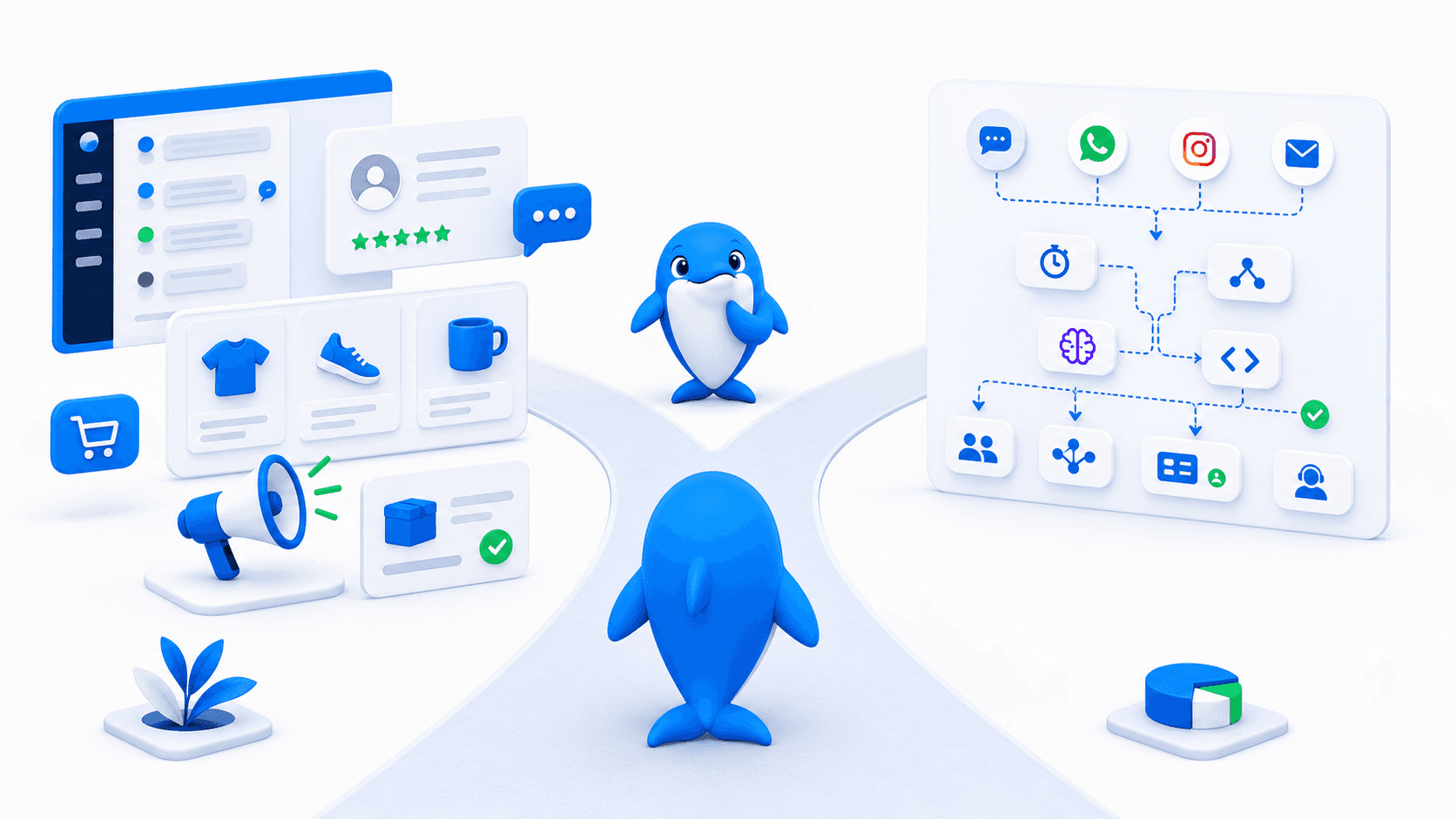
Choose tawk.to for a support-first launch. A small business can begin with free live chat and organize conversations, tickets, knowledge and customer context before deciding whether it needs AI Assist, branding removal, voice/video features or hired staffing. That is a meaningful advantage when the first requirement is simply to let people reach a human and keep service work together. [S1] [S5]
Choose UChat when the conversation is one part of the outcome. A lead can enter from a channel, answer qualifying questions, branch by intent, call an external service, move on a CRM Board, involve an agent and receive follow-up. [S6] [S7] [S8] [S9] [S10]
For a support manager, tawk.to may feel more direct. For an automation, growth or operations owner, UChat offers a clearer place to model a repeatable journey.
Feature Comparison: Support Workspace Versus Journey Builder
The center of gravity matters more than the checklist. Both products now cover inboxes, AI, channels, integrations and customer records. Their difference becomes clearer when you ask where the team designs and governs the work.
Capability | tawk.to approach | UChat approach |
|---|---|---|
Human conversations | Shared inbox, chat, tickets and support tooling in the core product. [S1] | Live Chat and handoff connected to automation flows. [S9] |
AI | AI Assist automates answers and supports agents with Smart Reply and AI Commands. [S2] | AI Agents use knowledge, instructions and callable functions inside Flow Builder. [S7] |
Workflow composition | Automations and AI operate around the customer-service workspace. [S1] [S2] | Flow Builder is the primary surface for triggers, logic, actions and follow-up. [S6] |
Customer state | CRM, pipeline, tickets and knowledge are presented in the connected workspace. [S1] | Fields, Boards and Tickets can drive the next automated step. [S10] |
Commercial expansion | AI, Remove Branding, communication features and Hired Agents are add-ons. [S3] [S5] | Business and Partner plans expand bot resources and branded delivery. [S11] [S12] |
In fairness to tawk.to, it should not be described as merely a website widget. Its current official homepage presents an inbox, CRM, pipeline, automations, knowledge base, activities and feedback, while AI Assist supports integrations and multiple messaging channels. [S1] [S2]
Live Chat And Human Support
tawk.to's clearest advantage is straightforward: its core live-chat offer is free. That makes it attractive to teams that need to receive website questions, collaborate around service work and establish a searchable knowledge path without a per-agent software subscription. Tickets and customer context reinforce the support-first model. [S1]
Paid add-ons extend that foundation. Remove Branding covers customer-facing support surfaces; video, voice and screensharing is separate; Hired Agents offers outsourced coverage. [S5]
UChat connects support to automation. Its Live Chat capability supports human handoff and agent handling, but the distinctive value is the flow around the handoff. A journey can collect context, classify intent, assign the right path, update a record, notify a person and continue after the manual interaction. [S6] [S9] [S10]
This does not prove UChat matches every tawk.to inbox, knowledge or hired-agent requirement. A support-led buyer should demonstrate queue behavior, ticket handling, reporting and staffing needs in both products.
AI Agents And Controlled Automation
tawk.to AI Assist is a substantive product. Official documentation describes automated support, custom agents trained on business knowledge and data, multilingual responses, Smart Reply, AI Commands, human escalation and API integrations. It supports Live Chat, Tickets, Facebook Messenger, SMS, Telegram and WhatsApp. [S2] [S3] [S5]
UChat AI Agents use instructions, knowledge and callable functions inside visual flows. AI can interpret a request while explicit steps validate data, call a system, update a field, branch and require human approval. [S7]
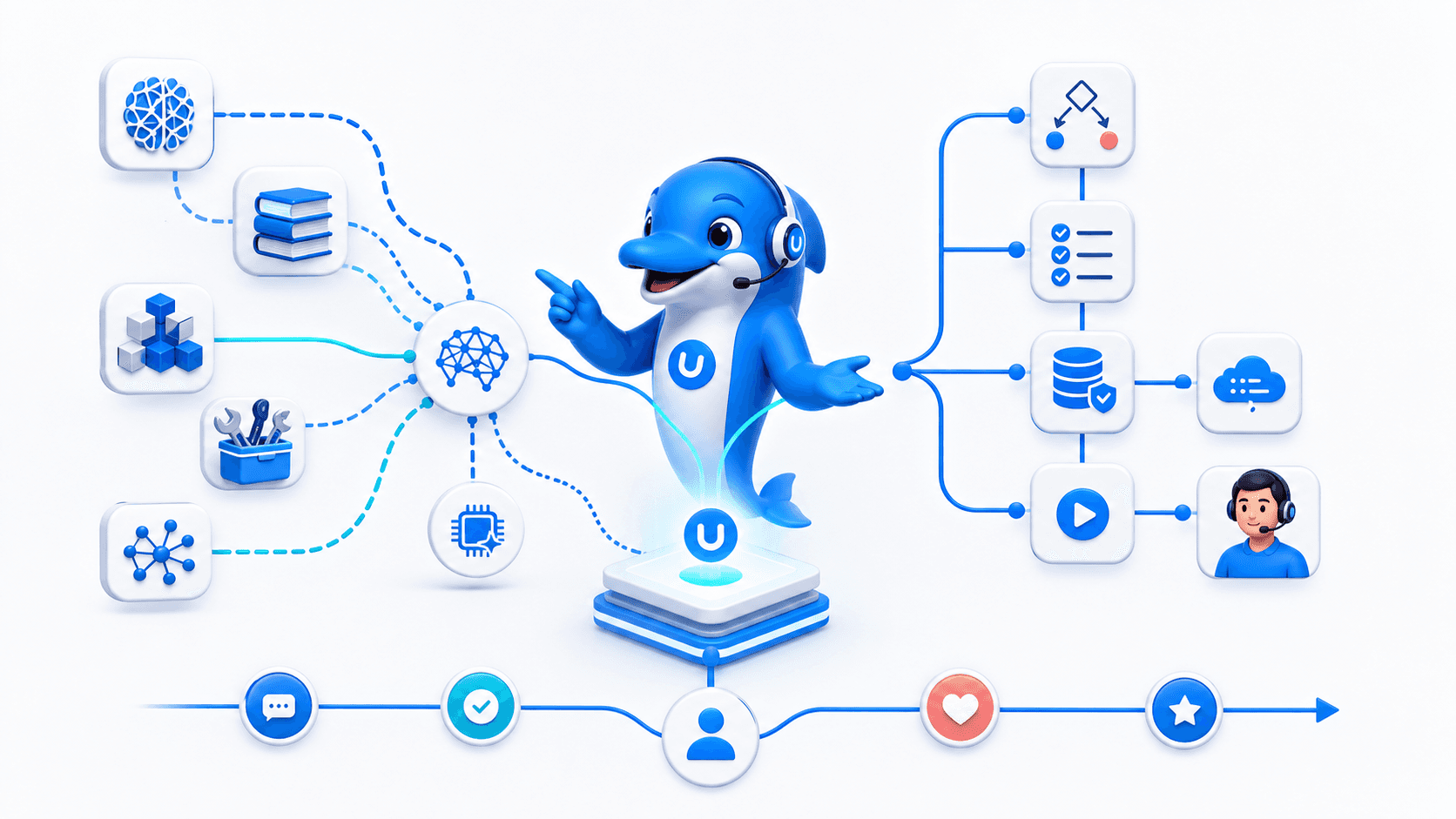
Why it matters: An AI answer and a completed business outcome are different deliverables; test the actions, exceptions and handoff as carefully as the response quality.
Test AI at its boundaries. Try missing knowledge, an unavailable API, ambiguity, a restricted request and a request for a person. Confirm the customer experience, agent context and recovery path.
Visual Workflows And Business Actions
UChat's visual Flow Builder displays triggers, messages, questions, variables, conditions, delays, AI, actions, integrations and handoff. Business owners can inspect the sequence without reconstructing integration code. [S6]
Consider an appointment journey. A customer enters from a channel and describes the request. AI interprets the text while the flow checks required fields, requests availability, writes lifecycle state and routes an exception to a person. This is a design pattern; each external system still requires verification.
tawk.to can automate support answers and connect AI Assist to real-time inventory, order or CRM data. Its homepage also presents broader automations. [S1] [S5]
UChat makes sequencing visible. It is the more natural candidate when the team needs to inspect conditions, reuse logic and govern what happens before and after AI. tawk.to remains attractive when automation primarily exists to improve service availability and agent productivity around the inbox.
Channels And Entry Points
tawk.to's AI Assist documentation names Live Chat, Tickets, Facebook Messenger, SMS, Telegram and WhatsApp. This is a useful spread for support teams consolidating customer questions, and it means a fair comparison cannot reduce tawk.to to website chat alone. [S2]
UChat documents Web Chat, Messenger, Instagram, WhatsApp, Telegram, SMS, WeChat, LINE, Viber, TikTok and other channel paths. Its stronger argument is not a raw count but how channel-specific events can start structured automation. A direct message, comment or web interaction can become the first step in qualification, segmentation and follow-up. [S8]
Verify the real entry event. Test the exact account type, region, trigger, template rule, provider fee and handoff behavior needed in production.
CRM Tickets Integrations And Follow-Up
tawk.to links conversations with CRM, pipeline, tickets, activities, knowledge and feedback. AI Assist can use real-time API data and escalate to humans. [S1] [S5]
UChat's CRM Boards and Tickets can hold lifecycle state around a flow. A contact can move through qualification, an operational exception can become a Ticket, and later automation can react to the stored state. External requests and integrations can sit alongside messages and conditions in the same journey model. [S6] [S10]
The important tradeoff: neither vendor page proves that every external system is a one-click integration or that every failure mode is automatically handled. A proof of concept should include authentication, a successful request, a failed request, retries or fallback, duplicate protection, field ownership, logging and a human recovery path.
Pricing And Total Operating Cost
Pricing below was captured in USD on 9 August 2026. tawk.to's core live-chat product is presented as free. AI Assist then uses plan-based monthly message credits, agent counts, crawl limits, API-call allowances and support packaging. [S1] [S3] [S4]
tawk.to item | Published price | Important packaging note |
|---|---|---|
Core product | Free | tawk.to presents the core customer-service product as 100% free. [S1] |
AI Assist Hobby | Free | 100 monthly message credits and one AI agent. [S3] [S4] |
AI Assist Growth | $29 monthly or $290 annually | 1,000 monthly credits, three AI agents and up to 1,000 API calls. [S3] |
AI Assist Business | $99 monthly or $990 annually | 5,000 credits, five AI agents and up to 5,000 API calls. [S3] |
AI Assist Enterprise | $399 monthly or $3,990 annually | 20,000 credits, ten AI agents and up to 10,000 API calls. [S3] |
Extra AI credits | $30 per 1,000 | Purchased credits do not expire; plan credits reset monthly. [S4] |
Remove Branding | $39 monthly or $348 annually | Annual price is described as equivalent to $29 monthly. [S5] |
Hired Agents | From $1 per hour | Final price varies by coverage, language and business requirements. [S5] |
UChat pricing captured on the same date lists Free at $0, Business at $15 per month and Partner at $199 per month. Business includes one bot, 1,000 bot users and five members. Additional bot capacity, user volume, AI models, messaging providers, phone services and external integrations can affect the total. [S11]
Model the complete workload. tawk.to's free core can be extremely economical for human chat, but AI credits, branding and hired coverage are separate decisions. UChat's low Business starting price does not eliminate usage and provider costs. Compare the same monthly conversations, AI messages, team members, channels, retention needs, integration calls and support coverage for twelve months.
If a current page does not publish the exact capacity or commercial term needed, treat it as quote-required.
Agency Branding And Multi-Client Delivery
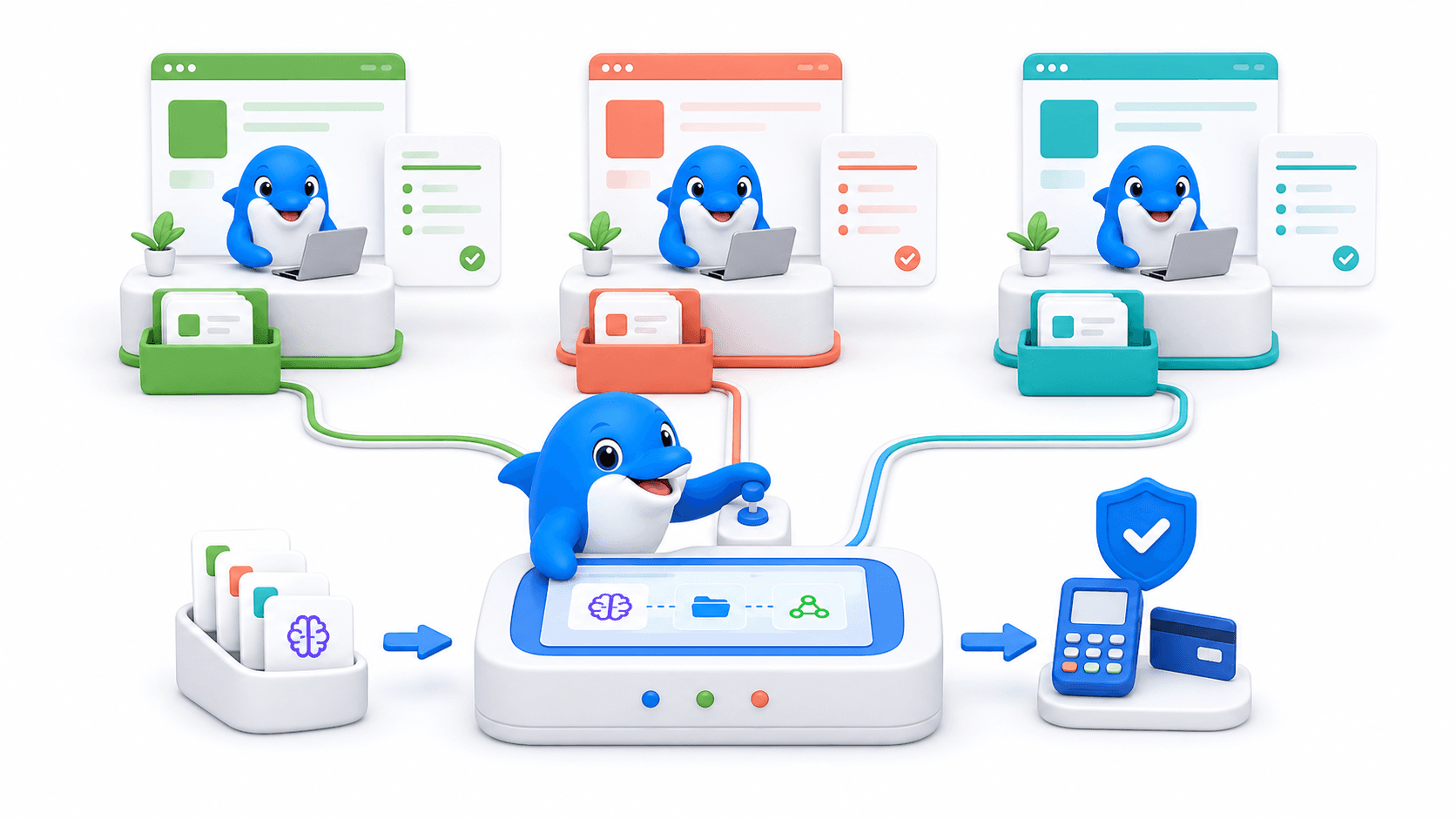
tawk.to's Remove Branding add-on is valuable for a business that wants its own identity on the widget, ticketing email, transcripts, knowledge base, chat page and related surfaces. That is a meaningful capability for consultants delivering a branded customer-service experience. [S5]
UChat Partner is a different commercial proposition. Public material packages custom branding and domain, client workspaces, partner-controlled client pricing and platform operations for agencies delivering automation under their own brand. [S12]
Agency delivery changes the decision. If the agency sells implementation and support around a client-facing tawk.to workspace, tawk.to's free core and branding add-on can be attractive. If the agency sells access to its own branded automation platform across multiple clients, UChat Partner offers the more direct foundation.
White label does not remove operational responsibility. The agency still owns design, onboarding, first-line support, channel compliance and integration maintenance. Advanced or unpublished requirements are quote-required.
When tawk.to May Be A Better Fit
tawk.to may be the better choice when:
the immediate requirement is free website live chat;
the daily operation revolves around a support inbox, tickets and a knowledge base;
the team wants AI answers and agent assistance without designing broader journeys;
outsourced chat coverage is preferable to building an internal response team;
removing vendor branding from customer-facing support surfaces is sufficient;
the documented Live Chat, Tickets, Messenger, SMS, Telegram and WhatsApp set covers the required AI support channels; or
the team values a support-centered CRM and pipeline more than visual flow orchestration.
These are central buying reasons. UChat should win only when its workflow depth, lifecycle automation or partner model solves a requirement the buyer genuinely has.
Decision Checklist
Is the main outcome a better support inbox or a broader automated customer journey?
Which exact events must start work: website chat, ticket, direct message, comment, form or API call?
What data must be collected before AI or a human responds?
Does AI only answer, or must it invoke controlled business actions?
Which channels, account types, policy windows and provider charges apply?
Must CRM stages, Tickets, bookings, payments or follow-up drive the next step?
What happens when knowledge is missing or an integration fails?
How many AI messages, agents, bot users, members and API calls are expected?
Is outsourced human coverage part of the requirement?
Does branding mean removing a vendor mark or operating a branded multi-client platform?
Run the same proof of concept in both tools: a real entry point, qualification, data lookup, exception, handoff and follow-up. Score completion, effort, maintenance and twelve-month cost.
FAQ
Is UChat better than tawk.to?
UChat is the stronger fit for visual, multi-step customer automation across channels and systems. tawk.to may be better when a free support workspace, knowledge base, tickets or hired-agent coverage is the priority.
Is tawk.to really free?
Its official site presents the core product as 100% free. AI Assist, Remove Branding, communication features and Hired Agents have separate plans or prices, so model the complete deployment. [S1] [S3] [S5]
Does tawk.to have an AI chatbot?
Yes. AI Assist supports automated answers, custom agents, business knowledge, multiple channels, Smart Reply, AI Commands, integrations and escalation, with capability and usage varying by plan. [S2] [S3]
Can UChat handle live human support?
Yes. UChat includes Live Chat and human handoff connected to flows. Teams with specialized inbox, knowledge or outsourced staffing requirements should demonstrate those needs rather than assume parity. [S9]
Which platform is cheaper?
tawk.to has the stronger headline for core live chat because it is free. UChat Business starts at $15 monthly. The lower total depends on AI credits, users, channels, provider fees, branding, integrations and staffing. [S1] [S3] [S5] [S11]
Which platform is better for an agency?
UChat is the clearer fit when the agency wants a branded, multi-client automation platform with partner-controlled offers. tawk.to can suit consultants deploying support workspaces or businesses that only need customer-facing branding removed. [S5] [S12]
Final Verdict And CTA
tawk.to earns its place for support-led buyers. A free core product, connected service workspace, AI Assist and optional hired staffing make it a practical route when the inbox is the operation.
Choose UChat for orchestrated journeys. It is the stronger fit when channel events, qualification, AI, deterministic business actions, CRM state, human handoff and follow-up need to live in one visual system—or when an agency needs branded multi-client delivery.
Explore UChat pricing to choose a suitable starting plan. Agencies can review the UChat Partner plan and book a conversation about branded delivery. For adjacent decisions, read UChat vs LiveChat and UChat vs Chatwoot. [S11] [S12]
Sources And Review Date
Product and pricing details were reviewed on 9 August 2026. Primary sources: tawk.to product, tawk.to AI Assist setup, tawk.to AI Assist billing, tawk.to AI Assist message-credit overages, tawk.to add-on pricing, UChat Flow Builder, UChat AI Agent, UChat channels, UChat Live Chat, UChat CRM, UChat pricing, and UChat Partner.
Quick Verdict
UChat and tawk.to overlap more than their starting positions suggest. Both address customer conversations, AI, human handoff, multiple channels, integrations and customer context. The practical difference is the operating model: tawk.to starts with a connected customer-service workspace spanning inbox, CRM, pipeline, knowledge and automations, with its core product free and paid AI and service add-ons available; UChat starts with a visual automation journey that can include support as one stage. [S1] [S2] [S5]
Bottom line: Choose tawk.to when the support inbox is the immediate job; choose UChat when the whole customer journey is the job.
tawk.to suits businesses that want website chat, tickets, knowledge and a shared service environment without paying for the core software. AI Assist adds automated answers, integrations and escalation on applicable plans; Hired Agents adds a staffing option. [S1] [S2] [S3] [S5]
UChat is the stronger fit when a conversation must trigger qualification, conditions, AI interpretation, API calls, CRM changes, human help and follow-up in one inspectable flow. It also offers a Partner plan for branded delivery across client workspaces. [S6] [S7] [S8] [S9] [S10] [S12]
This comparison was reviewed on 9 August 2026 using current official vendor pages, including UChat's official feature and pricing pages. Prices and packaging can change.
Table Of Contents
Scorecard
Recommendation By Use Case
Feature Comparison: Support Workspace Versus Journey Builder
Live Chat And Human Support
AI Agents And Controlled Automation
Visual Workflows And Business Actions
Channels And Entry Points
CRM Tickets Integrations And Follow-Up
Pricing And Total Operating Cost
Agency Branding And Multi-Client Delivery
When tawk.to May Be A Better Fit
Decision Checklist
FAQ
Final Verdict And CTA
Scorecard
This scorecard is a buyer-fit guide, not a universal ranking.
Decision area | Better starting fit | Why |
|---|---|---|
Free live-chat foundation | tawk.to | The core product is positioned as 100% free, with the paid model centered on add-ons and services. [S1] [S5] |
Visual multi-step journeys | UChat | Flow Builder combines triggers, logic, AI, actions, integrations and handoff on one canvas. [S6] [S7] [S9] |
Human support outsourcing | tawk.to | Hired Agents is an official service with published coverage-based pricing. [S5] |
AI for support conversations | Depends | tawk.to AI Assist emphasizes answers and agent assistance; UChat combines AI with callable functions and flow logic. [S2] [S7] |
Broad channel-triggered automation | UChat | UChat documents channel events as inputs to structured workflows across a broad channel set. [S8] |
Knowledge and ticket operations | tawk.to | Knowledge Base and Tickets sit prominently in its support-centered product model. [S1] |
CRM-linked journey state | UChat | Boards and Tickets can participate in flow-based lifecycle automation. [S10] |
Branded multi-client platform | UChat | Partner is packaged for custom branding, domain, workspaces and partner-controlled offers. [S12] |
Recommendation By Use Case
Choose tawk.to for a support-first launch. A small business can begin with free live chat and organize conversations, tickets, knowledge and customer context before deciding whether it needs AI Assist, branding removal, voice/video features or hired staffing. That is a meaningful advantage when the first requirement is simply to let people reach a human and keep service work together. [S1] [S5]
Choose UChat when the conversation is one part of the outcome. A lead can enter from a channel, answer qualifying questions, branch by intent, call an external service, move on a CRM Board, involve an agent and receive follow-up. [S6] [S7] [S8] [S9] [S10]
For a support manager, tawk.to may feel more direct. For an automation, growth or operations owner, UChat offers a clearer place to model a repeatable journey.
Feature Comparison: Support Workspace Versus Journey Builder
The center of gravity matters more than the checklist. Both products now cover inboxes, AI, channels, integrations and customer records. Their difference becomes clearer when you ask where the team designs and governs the work.
Capability | tawk.to approach | UChat approach |
|---|---|---|
Human conversations | Shared inbox, chat, tickets and support tooling in the core product. [S1] | Live Chat and handoff connected to automation flows. [S9] |
AI | AI Assist automates answers and supports agents with Smart Reply and AI Commands. [S2] | AI Agents use knowledge, instructions and callable functions inside Flow Builder. [S7] |
Workflow composition | Automations and AI operate around the customer-service workspace. [S1] [S2] | Flow Builder is the primary surface for triggers, logic, actions and follow-up. [S6] |
Customer state | CRM, pipeline, tickets and knowledge are presented in the connected workspace. [S1] | Fields, Boards and Tickets can drive the next automated step. [S10] |
Commercial expansion | AI, Remove Branding, communication features and Hired Agents are add-ons. [S3] [S5] | Business and Partner plans expand bot resources and branded delivery. [S11] [S12] |
In fairness to tawk.to, it should not be described as merely a website widget. Its current official homepage presents an inbox, CRM, pipeline, automations, knowledge base, activities and feedback, while AI Assist supports integrations and multiple messaging channels. [S1] [S2]
Live Chat And Human Support
tawk.to's clearest advantage is straightforward: its core live-chat offer is free. That makes it attractive to teams that need to receive website questions, collaborate around service work and establish a searchable knowledge path without a per-agent software subscription. Tickets and customer context reinforce the support-first model. [S1]
Paid add-ons extend that foundation. Remove Branding covers customer-facing support surfaces; video, voice and screensharing is separate; Hired Agents offers outsourced coverage. [S5]
UChat connects support to automation. Its Live Chat capability supports human handoff and agent handling, but the distinctive value is the flow around the handoff. A journey can collect context, classify intent, assign the right path, update a record, notify a person and continue after the manual interaction. [S6] [S9] [S10]
This does not prove UChat matches every tawk.to inbox, knowledge or hired-agent requirement. A support-led buyer should demonstrate queue behavior, ticket handling, reporting and staffing needs in both products.
AI Agents And Controlled Automation
tawk.to AI Assist is a substantive product. Official documentation describes automated support, custom agents trained on business knowledge and data, multilingual responses, Smart Reply, AI Commands, human escalation and API integrations. It supports Live Chat, Tickets, Facebook Messenger, SMS, Telegram and WhatsApp. [S2] [S3] [S5]
UChat AI Agents use instructions, knowledge and callable functions inside visual flows. AI can interpret a request while explicit steps validate data, call a system, update a field, branch and require human approval. [S7]
Why it matters: An AI answer and a completed business outcome are different deliverables; test the actions, exceptions and handoff as carefully as the response quality.
Test AI at its boundaries. Try missing knowledge, an unavailable API, ambiguity, a restricted request and a request for a person. Confirm the customer experience, agent context and recovery path.
Visual Workflows And Business Actions
UChat's visual Flow Builder displays triggers, messages, questions, variables, conditions, delays, AI, actions, integrations and handoff. Business owners can inspect the sequence without reconstructing integration code. [S6]
Consider an appointment journey. A customer enters from a channel and describes the request. AI interprets the text while the flow checks required fields, requests availability, writes lifecycle state and routes an exception to a person. This is a design pattern; each external system still requires verification.
tawk.to can automate support answers and connect AI Assist to real-time inventory, order or CRM data. Its homepage also presents broader automations. [S1] [S5]
UChat makes sequencing visible. It is the more natural candidate when the team needs to inspect conditions, reuse logic and govern what happens before and after AI. tawk.to remains attractive when automation primarily exists to improve service availability and agent productivity around the inbox.
Channels And Entry Points
tawk.to's AI Assist documentation names Live Chat, Tickets, Facebook Messenger, SMS, Telegram and WhatsApp. This is a useful spread for support teams consolidating customer questions, and it means a fair comparison cannot reduce tawk.to to website chat alone. [S2]
UChat documents Web Chat, Messenger, Instagram, WhatsApp, Telegram, SMS, WeChat, LINE, Viber, TikTok and other channel paths. Its stronger argument is not a raw count but how channel-specific events can start structured automation. A direct message, comment or web interaction can become the first step in qualification, segmentation and follow-up. [S8]
Verify the real entry event. Test the exact account type, region, trigger, template rule, provider fee and handoff behavior needed in production.
CRM Tickets Integrations And Follow-Up
tawk.to links conversations with CRM, pipeline, tickets, activities, knowledge and feedback. AI Assist can use real-time API data and escalate to humans. [S1] [S5]
UChat's CRM Boards and Tickets can hold lifecycle state around a flow. A contact can move through qualification, an operational exception can become a Ticket, and later automation can react to the stored state. External requests and integrations can sit alongside messages and conditions in the same journey model. [S6] [S10]
The important tradeoff: neither vendor page proves that every external system is a one-click integration or that every failure mode is automatically handled. A proof of concept should include authentication, a successful request, a failed request, retries or fallback, duplicate protection, field ownership, logging and a human recovery path.
Pricing And Total Operating Cost
Pricing below was captured in USD on 9 August 2026. tawk.to's core live-chat product is presented as free. AI Assist then uses plan-based monthly message credits, agent counts, crawl limits, API-call allowances and support packaging. [S1] [S3] [S4]
tawk.to item | Published price | Important packaging note |
|---|---|---|
Core product | Free | tawk.to presents the core customer-service product as 100% free. [S1] |
AI Assist Hobby | Free | 100 monthly message credits and one AI agent. [S3] [S4] |
AI Assist Growth | $29 monthly or $290 annually | 1,000 monthly credits, three AI agents and up to 1,000 API calls. [S3] |
AI Assist Business | $99 monthly or $990 annually | 5,000 credits, five AI agents and up to 5,000 API calls. [S3] |
AI Assist Enterprise | $399 monthly or $3,990 annually | 20,000 credits, ten AI agents and up to 10,000 API calls. [S3] |
Extra AI credits | $30 per 1,000 | Purchased credits do not expire; plan credits reset monthly. [S4] |
Remove Branding | $39 monthly or $348 annually | Annual price is described as equivalent to $29 monthly. [S5] |
Hired Agents | From $1 per hour | Final price varies by coverage, language and business requirements. [S5] |
UChat pricing captured on the same date lists Free at $0, Business at $15 per month and Partner at $199 per month. Business includes one bot, 1,000 bot users and five members. Additional bot capacity, user volume, AI models, messaging providers, phone services and external integrations can affect the total. [S11]
Model the complete workload. tawk.to's free core can be extremely economical for human chat, but AI credits, branding and hired coverage are separate decisions. UChat's low Business starting price does not eliminate usage and provider costs. Compare the same monthly conversations, AI messages, team members, channels, retention needs, integration calls and support coverage for twelve months.
If a current page does not publish the exact capacity or commercial term needed, treat it as quote-required.
Agency Branding And Multi-Client Delivery
tawk.to's Remove Branding add-on is valuable for a business that wants its own identity on the widget, ticketing email, transcripts, knowledge base, chat page and related surfaces. That is a meaningful capability for consultants delivering a branded customer-service experience. [S5]
UChat Partner is a different commercial proposition. Public material packages custom branding and domain, client workspaces, partner-controlled client pricing and platform operations for agencies delivering automation under their own brand. [S12]
Agency delivery changes the decision. If the agency sells implementation and support around a client-facing tawk.to workspace, tawk.to's free core and branding add-on can be attractive. If the agency sells access to its own branded automation platform across multiple clients, UChat Partner offers the more direct foundation.
White label does not remove operational responsibility. The agency still owns design, onboarding, first-line support, channel compliance and integration maintenance. Advanced or unpublished requirements are quote-required.
When tawk.to May Be A Better Fit
tawk.to may be the better choice when:
the immediate requirement is free website live chat;
the daily operation revolves around a support inbox, tickets and a knowledge base;
the team wants AI answers and agent assistance without designing broader journeys;
outsourced chat coverage is preferable to building an internal response team;
removing vendor branding from customer-facing support surfaces is sufficient;
the documented Live Chat, Tickets, Messenger, SMS, Telegram and WhatsApp set covers the required AI support channels; or
the team values a support-centered CRM and pipeline more than visual flow orchestration.
These are central buying reasons. UChat should win only when its workflow depth, lifecycle automation or partner model solves a requirement the buyer genuinely has.
Decision Checklist
Is the main outcome a better support inbox or a broader automated customer journey?
Which exact events must start work: website chat, ticket, direct message, comment, form or API call?
What data must be collected before AI or a human responds?
Does AI only answer, or must it invoke controlled business actions?
Which channels, account types, policy windows and provider charges apply?
Must CRM stages, Tickets, bookings, payments or follow-up drive the next step?
What happens when knowledge is missing or an integration fails?
How many AI messages, agents, bot users, members and API calls are expected?
Is outsourced human coverage part of the requirement?
Does branding mean removing a vendor mark or operating a branded multi-client platform?
Run the same proof of concept in both tools: a real entry point, qualification, data lookup, exception, handoff and follow-up. Score completion, effort, maintenance and twelve-month cost.
FAQ
Is UChat better than tawk.to?
UChat is the stronger fit for visual, multi-step customer automation across channels and systems. tawk.to may be better when a free support workspace, knowledge base, tickets or hired-agent coverage is the priority.
Is tawk.to really free?
Its official site presents the core product as 100% free. AI Assist, Remove Branding, communication features and Hired Agents have separate plans or prices, so model the complete deployment. [S1] [S3] [S5]
Does tawk.to have an AI chatbot?
Yes. AI Assist supports automated answers, custom agents, business knowledge, multiple channels, Smart Reply, AI Commands, integrations and escalation, with capability and usage varying by plan. [S2] [S3]
Can UChat handle live human support?
Yes. UChat includes Live Chat and human handoff connected to flows. Teams with specialized inbox, knowledge or outsourced staffing requirements should demonstrate those needs rather than assume parity. [S9]
Which platform is cheaper?
tawk.to has the stronger headline for core live chat because it is free. UChat Business starts at $15 monthly. The lower total depends on AI credits, users, channels, provider fees, branding, integrations and staffing. [S1] [S3] [S5] [S11]
Which platform is better for an agency?
UChat is the clearer fit when the agency wants a branded, multi-client automation platform with partner-controlled offers. tawk.to can suit consultants deploying support workspaces or businesses that only need customer-facing branding removed. [S5] [S12]
Final Verdict And CTA
tawk.to earns its place for support-led buyers. A free core product, connected service workspace, AI Assist and optional hired staffing make it a practical route when the inbox is the operation.
Choose UChat for orchestrated journeys. It is the stronger fit when channel events, qualification, AI, deterministic business actions, CRM state, human handoff and follow-up need to live in one visual system—or when an agency needs branded multi-client delivery.
Explore UChat pricing to choose a suitable starting plan. Agencies can review the UChat Partner plan and book a conversation about branded delivery. For adjacent decisions, read UChat vs LiveChat and UChat vs Chatwoot. [S11] [S12]
Sources And Review Date
Product and pricing details were reviewed on 9 August 2026. Primary sources: tawk.to product, tawk.to AI Assist setup, tawk.to AI Assist billing, tawk.to AI Assist message-credit overages, tawk.to add-on pricing, UChat Flow Builder, UChat AI Agent, UChat channels, UChat Live Chat, UChat CRM, UChat pricing, and UChat Partner.