13 minutes
UChat
Posted by
UChat vs Zoho SalesIQ: Automation Platform or Customer Engagement Suite?
13 minutes
Posted by
UChat

Quick verdict: Zoho SalesIQ suits teams that want visitor engagement, operator routing, live chat, calls, bots and named BYOK AI vendors inside the Zoho ecosystem [S1]. UChat suits teams whose criteria include a visual Flow Builder, AI Agents, lifecycle tools and documented white-label delivery [S3][S4][S6][S7][S8]. Both handle bots and AI-assisted conversations; compare the operating model around them.
Table Of Contents
Quick Verdict And Scorecard
Recommendation By Use Case
Feature Comparison
AI Agent Design And Control
Channels And Entry Points
Workflow Integrations And APIs
Human Handoff And Operations
When Zoho SalesIQ May Be A Better Fit
Pricing And Total Cost
Agency And Multi-Client Delivery
Run A Fair Proof Of Concept
Decision Checklist
FAQ
Final Verdict And CTA
Quick Verdict And Scorecard
Dimension | Zoho SalesIQ | UChat | Edge |
|---|---|---|---|
Entry pricing | Free plan for three operators; Basic is listed from $7 per month billed annually on an official small-business page [S1] | Free at $0, Business at $15, Partner at $199 — listed entry prices with different packaging [S2] | Not directly comparable; confirm currency, billing terms, seats, allowances and add-ons |
Pricing structure | Free, Basic, Professional, and Enterprise plans are priced per operator [S1] | Free, Business, and Partner entry prices use different packaging [S2] | Depends — confirm plan terms, workload, seats, and add-ons before comparing totals |
Bot building approach | Codeless and programmable bots, Answer Bot, hybrid bots, workflows, and bot execution logs [S1] | Visual drag-and-drop Flow Builder [S6] | Depends — codeless plus programmable paths vs. UChat's documented visual builder |
AI agent depth | Zia Agents with BYOK AI vendors including Claude, Gemini, and DeepSeek, plus knowledge sources and system actions [S1] | AI Agents with instructions, knowledge, functions, and model choice [S4] | Depends — SalesIQ names specific BYOK model vendors directly; confirm which models UChat supports before comparing |
Channel coverage | WhatsApp, Instagram, Messenger, Telegram, LINE, and WeChat, plus audio/video and mobile SDK calling [S1] | Web, social, messaging, voice, and SMS channels [S5] | Depends — SalesIQ itemizes specific messaging apps and native calling; UChat's list is broader by category but less itemized |
Operator and support tooling | Visitor tracking and routing, live chat, operator tools and calls; Zoho Desk can add ticket conversion [S1] | Live Chat plus CRM Boards and Tickets [S7][S8] | Depends — SalesIQ emphasizes visitor/operator operations; UChat names lifecycle boards and tickets |
Agency/white-label features | Not detailed in the sources reviewed — confirm directly | White label, custom domain, client plans, and billing [S3] | UChat — explicit agency tooling stated in official sources |
Integrations & extensibility | Official integrations include Zoho CRM and Zoho Desk; connections can integrate third-party services [S1] | Integrations, APIs, webhooks, and Mini Apps [S9] | Depends on required systems and extension model |
How We Compared
We reviewed current official SalesIQ pricing, AI, bot, channel, integration, visitor-routing and brand documentation, then compared it with UChat's public pricing, AI Agent, channel, Flow Builder, Live Chat, CRM, integration and Partner pages. We evaluated visitor operations, bot control, channels, ecosystem fit, lifecycle tools, pricing units and agency delivery. Unmentioned capabilities remain questions, not product gaps. [S1]–[S10]
Recommendation By Use Case
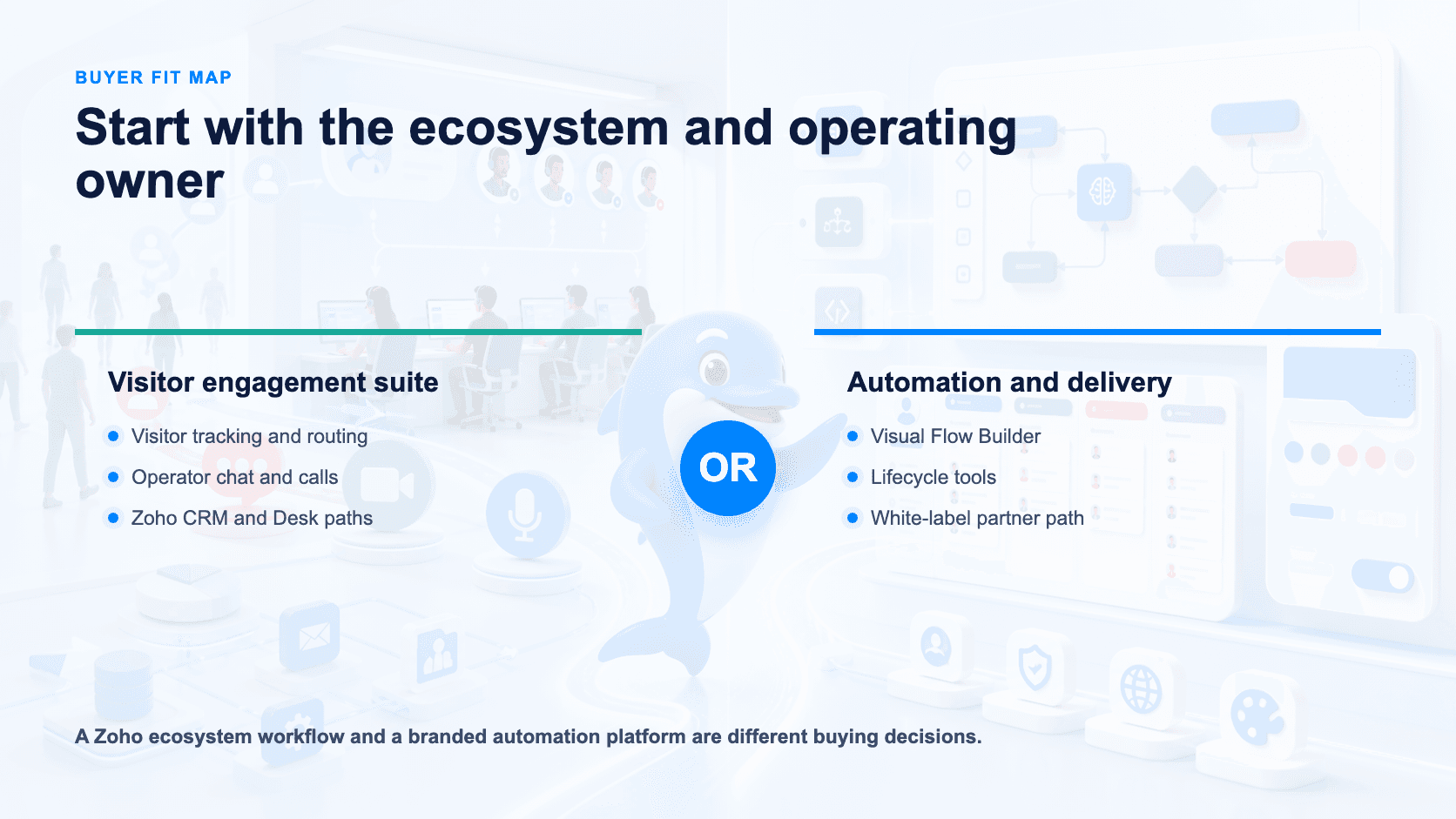
Teams already running on Zoho: SalesIQ puts visitor engagement, live chat, operator tools, bots, calls, and messaging in that ecosystem [S1].
Teams that want a named, BYOK choice of AI model vendor for their support bot: SalesIQ. Zia Agents document BYOK support for Claude, Gemini, and DeepSeek alongside knowledge sources and system actions [S1].
Support teams that want a coded escalation path beyond drag-and-drop bots: SalesIQ. Programmable bots and bot execution logs sit alongside the codeless option [S1].
Agencies or resellers managing bots for multiple clients under one brand: UChat. White label, custom domain, and client plans/billing are purpose-built for this [S3].
Teams that prefer visual flow design: Start with UChat's Flow Builder, then test the real journey [S6]. SalesIQ also documents codeless bots, so no-code availability alone is not the deciding factor [S1].
Businesses that want named lifecycle tools beside automation: Start with UChat's Live Chat, Boards and Tickets [S7][S8]. Teams already using Zoho Desk should test SalesIQ's ticket conversion and shared ecosystem workflow [S1].
Teams evaluating AI Agents with instructions, knowledge, functions and model choice: UChat documents that configuration model [S4]; validate implementation effort in the trial.
Startups testing before committing: Both offer free entry points, but SalesIQ specifies three operators [S1], while UChat lists a $0 Free plan [S2]. Confirm current inclusions.
Feature Comparison
Capability | Zoho SalesIQ | UChat |
|---|---|---|
Core model | Visitor engagement, live chat, operator tools, bots, calls, and messaging channels bundled together [S1] | Visual, no-code automation builder [S6] |
Bot building | Codeless and programmable bots, Answer Bot, hybrid bots, workflows, bot execution logs [S1] | Visual Flow Builder is the primary interface [S6] |
AI configuration | Zia Agents, BYOK AI vendors (Claude, Gemini, DeepSeek), knowledge sources, system actions [S1] | AI Agents with knowledge sources, functions, model choice [S4] |
Channels | WhatsApp, Instagram, Messenger, Telegram, LINE, WeChat, audio/video, mobile SDK calling [S1] | Web, social, messaging, voice, and SMS channels [S5] |
Live support | Live chat and operator tools [S1] | Live Chat [S7] |
Ticketing/CRM-lite | Zoho Desk integration can convert chats into tickets; separate Desk account applies [S1] | Boards/Tickets [S8] |
Agency features | Not detailed in sources reviewed | White label, custom domain, client plans, billing [S3] |
Integrations | Zoho CRM, Zoho Desk and third-party connections [S1] | Integrations, APIs, webhooks, Mini Apps [S9] |
Positioning | Visitor engagement and operator-run support suite [S1] | Visual multichannel automation platform [S10] |
Pricing | Free plan (3 operators); Basic, Professional, Enterprise priced per operator; Basic listed from $7/month billed annually [S1] | Free $0, Business $15, Partner $199 — listed entry prices; confirm billing period, usage limits, and add-ons [S2] |

AI Agent Design And Control
SalesIQ's Zia Agents support bring-your-own-key access to named AI vendors — Claude, Gemini, and DeepSeek — plus knowledge sources and system actions [S1]. That directly documented choice matters to teams with an existing vendor relationship.
UChat configures AI Agents through instructions, knowledge sources, functions, and model choice [S4]. The reviewed sources don't provide a model list suitable for a like-for-like comparison with SalesIQ's named vendors.
SalesIQ documents codeless and programmable bots, with execution logs [S1]. UChat's primary interface is the visual Flow Builder [S6]. The reviewed UChat sources don't detail a coded extension path.
The practical split: SalesIQ names its AI model vendors directly and offers a coded bot path beside its codeless options [S1]. UChat documents AI Agent configuration through knowledge, functions and model choice, plus a visual Flow Builder [S4][S6].
Channels And Entry Points
SalesIQ names WhatsApp, Instagram, Messenger, Telegram, LINE, and WeChat, plus audio/video and mobile SDK calling [S1]. That specificity helps buyers check required apps directly.
UChat lists channel categories — web, social, messaging, voice, and SMS [S5] — built through its visual Flow Builder [S6]. If a particular app matters, confirm current coverage rather than inferring it from a category.
Workflow Integrations And APIs
UChat combines Live Chat handoff [S7], CRM Boards and Tickets [S8], and integrations, APIs, webhooks, and Mini Apps [S9]. It also documents white labeling, custom domains, client plans, and billing for multi-client delivery [S3].
SalesIQ's official integration pages document Zoho CRM and Zoho Desk workflows. CRM can receive visitor and transcript context, while Desk can convert chats into tickets automatically or manually; SalesIQ connections also provide a path to third-party services [S1]. This is a meaningful advantage for a buyer already operating the Zoho suite. Ask each vendor to map required objects, permissions and failure handling before judging integration depth.
Human Handoff And Operations
SalesIQ bundles visitor engagement, live chat, operator tools, and calls [S1]. That gives a support desk a clear day-to-day workspace.
UChat names Live Chat for escalations [S7] and CRM Boards/Tickets for lifecycle follow-through [S8]. SalesIQ brings visitor tracking and rule-based routing to the operator workflow and can hand chats into Zoho Desk tickets [S1]. The tradeoff is therefore not “ticketing or none”; it is built-in UChat lifecycle tooling versus SalesIQ plus the surrounding Zoho operating model.
When Zoho SalesIQ May Be A Better Fit
SalesIQ may fit best when the buyer already runs on Zoho and wants visitor engagement, live chat, operator tools, bots, calls, and messaging in that stack [S1].
It also deserves the shortlist when named AI model choice matters: Zia Agents document BYOK support for Claude, Gemini, and DeepSeek [S1]. Programmable bots and execution logs provide a coded path alongside no-code building [S1].
Its named channel list — WhatsApp, Instagram, Messenger, Telegram, LINE, WeChat, plus audio/video and mobile SDK calling [S1] — makes SalesIQ easier to shortlist when those exact entry points are required. Confirm equivalent UChat app and provider coverage rather than treating category wording as proof either way [S5].
Pricing And Total Cost
The pricing units differ. SalesIQ's Free plan covers three operators; Basic, Professional, and Enterprise are priced per operator [S1]. An official small-business page lists Basic from $7 per month billed annually [S1], so headcount changes the total.
Treat any published starting price — from either vendor — as a floor, not a ceiling. SalesIQ pricing varies by region, billing, seats, and usage, and add-ons can change the total further [S1]. Always verify the current regional quote and currency before budgeting against the listed $7/month figure.
UChat lists Free at $0, Business at $15, and Partner at $199 [S2]. These are entry prices, not confirmed flat totals. Confirm the billing cycle, seats, allowances, add-ons, provider fees, and taxes. Compare written quotes for the same operator count and workload.
Agency And Multi-Client Delivery
UChat's Partner plan combines white-label branding, custom domains, and client plan/billing management [S3]. Agencies can pair that layer with the Flow Builder [S6], integrations and webhooks [S9], and configurable AI Agents [S4].
SalesIQ documents brands for managing distinct business, product or service touchpoints inside an organization [S1]. Agencies should ask Zoho to demonstrate whether that structure fits their client ownership, branding, access and billing model; do not equate multi-brand operations with a reseller program.
Run A Fair Proof Of Concept
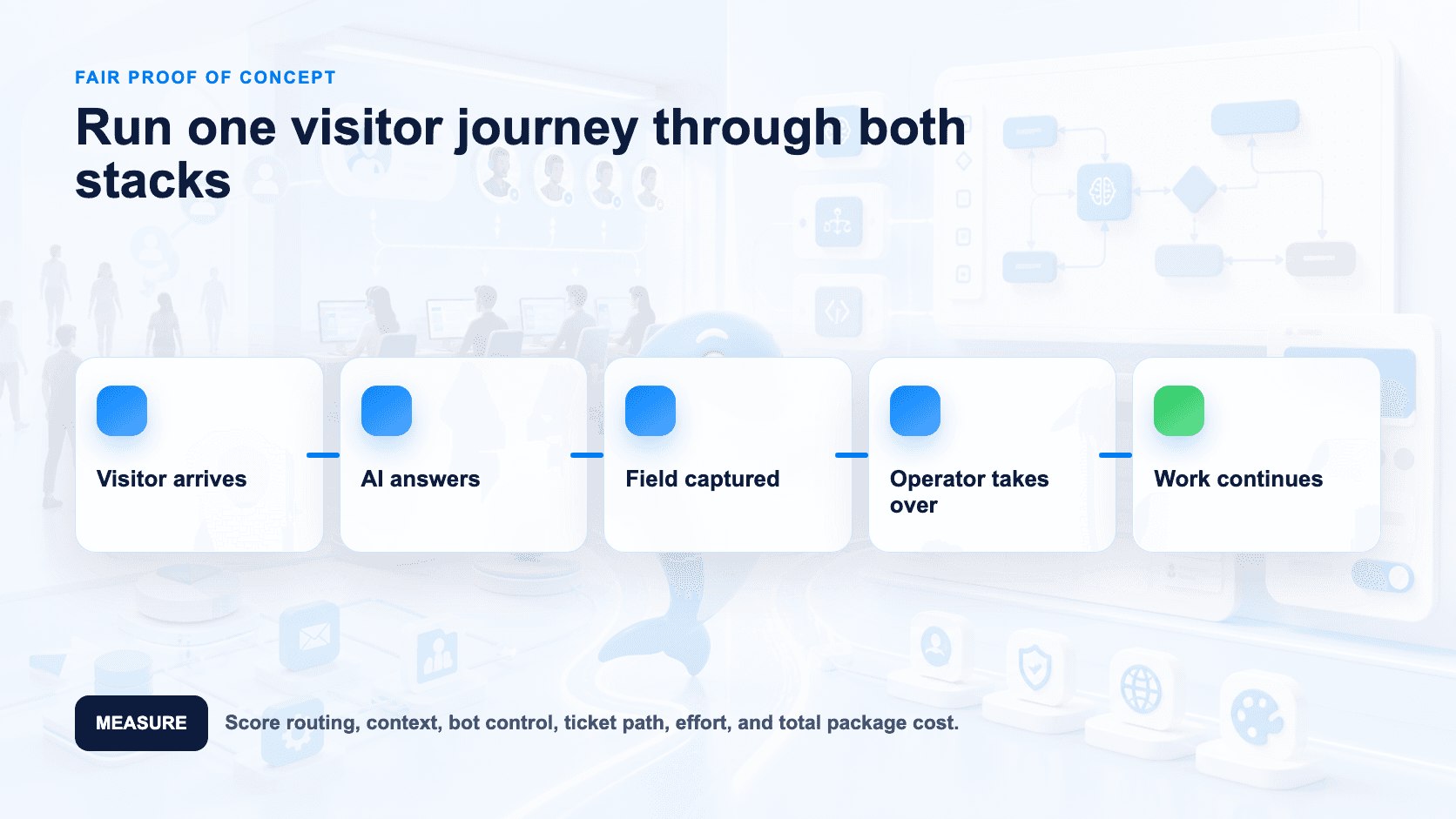
Run both platforms against the same support scenario. On SalesIQ, use the free plan's three operators [S1] and test codeless and programmable paths. If model choice matters, test a Zia Agent with your preferred documented BYOK vendor [S1].
On UChat, use the Free plan [S2], Flow Builder [S6], and an AI Agent [S4], then route an escalation into Live Chat [S7] and Boards/Tickets [S8]. Score setup time, handoff experience, and answers from your real knowledge base.
Use one scripted journey on both platforms: a customer asks a product question, the AI consults approved knowledge, the workflow captures a field, and an operator takes over when the request exceeds the bot's scope. Keep the knowledge, test messages, operator roster, and success criteria identical. Then record where configuration happens, what context reaches the operator, how the work is tracked after handoff, and which charges appear at the tested volume [S1][S2][S4][S6][S7][S8]. For SalesIQ, note whether the codeless or programmable route was required and whether BYOK model choice affected the result [S1]. For UChat, note whether the visual Flow, AI functions, and Boards/Tickets covered the journey without extra tooling [S4][S6][S8]. This exposes operating differences that a feature checklist hides while keeping the comparison tied to documented capabilities.
Decision Checklist
Do you already run on Zoho for CRM, helpdesk, or other tools, and want live chat consolidated into that ecosystem? That favors SalesIQ [S1].
Do you need a named, BYOK choice of AI model vendor (Claude, Gemini, DeepSeek) for your bot? SalesIQ documents this directly [S1]; confirm UChat's supported models before assuming parity [S4].
Do you need both a no-code bot builder and a coded escalation path in the same product? SalesIQ offers codeless and programmable bots with execution logs [S1].
Do you need specific messaging apps (WhatsApp, Instagram, Messenger, Telegram, LINE, WeChat) and native call handling? SalesIQ names these directly [S1]; confirm which specific apps sit inside UChat's channel categories [S5].
How does operator headcount affect cost? SalesIQ is priced per operator [S1]; UChat's listed entry prices still require plan and add-on confirmation [S2].
Do you need lifecycle tools in the automation product or ticketing through a help desk? UChat names Boards/Tickets [S8]; SalesIQ can convert chats into Zoho Desk tickets [S1].
Will you resell or white-label this under your own brand for multiple clients? UChat has white label, custom domain, and client plans/billing [S3]; no equivalent is detailed for SalesIQ in the sources reviewed.
Which ecosystem must own the data? UChat provides integrations, APIs, webhooks, and Mini Apps [S9]; SalesIQ documents Zoho CRM, Zoho Desk and third-party connections [S1].
What's your actual monthly budget at your real operator count? Get a written per-operator quote from SalesIQ [S1] and a written total from UChat covering the same workload [S2] before comparing.
Which editing model fits your team? Test SalesIQ's codeless and programmable bot paths [S1] against UChat's AI Agent configuration and visual Flow Builder [S4][S6].
FAQ
Is UChat or Zoho SalesIQ cheaper to start with? Both have free entry points. SalesIQ covers three operators, and an official regional small-business page lists Basic from $7/month billed annually; paid plans are priced per operator [S1]. UChat lists Free $0, Business $15 and Partner $199 as entry prices [S2]. Verify region, currency and current terms, then compare written quotes for the same workload.
Does SalesIQ support specific AI models like Claude or Gemini? Yes — Zia Agents document BYOK support for AI vendors including Claude, Gemini, and DeepSeek, alongside knowledge sources and system actions [S1].
Does UChat offer the same named messaging channels as SalesIQ (WhatsApp, Instagram, Telegram, LINE, WeChat)? SalesIQ names these apps directly plus audio/video and mobile SDK calling [S1]. UChat's public sources list channel categories — web, social, messaging, voice, and SMS [S5] — without itemizing every app by name; confirm specific app coverage with UChat directly.
Can I white-label and resell on either platform? UChat documents white label, custom domain, and client plans/billing built for this [S3]. No equivalent agency or reseller feature is detailed for SalesIQ in the sources reviewed here — ask the vendor directly if multi-client delivery is a requirement.
Which platform gives a coded path for complex bot logic? SalesIQ documents both codeless and programmable bots with execution logs [S1]. A coded extension path for UChat's Flow Builder isn't detailed in the sources reviewed.
Does SalesIQ have ticketing like UChat's Boards/Tickets? SalesIQ can convert chats into tickets through its Zoho Desk integration [S1], while UChat documents Boards and Tickets as its own lifecycle tools [S8]. Compare the required Desk account and workflow with UChat's built-in approach.
Final Verdict And CTA
Choose SalesIQ for a consolidated engagement and live chat suite with named BYOK vendors, specific channels, and a programmable bot path, especially in a Zoho stack [S1]. Choose UChat for visual multichannel automation, AI Agents, live chat plus ticketing, and white-label client delivery [S2]–[S10]. Test real workflows and confirm current quotes before deciding.
Start a free UChat trial: https://www.uchat.com.au/login
Book a partner demo: https://link.uchat.au/partner-meeting
Related comparisons: UChat vs Chatfuel · UChat vs ManyChat · UChat vs Rasa
Sources reviewed 12 August 2026.
Quick verdict: Zoho SalesIQ suits teams that want visitor engagement, operator routing, live chat, calls, bots and named BYOK AI vendors inside the Zoho ecosystem [S1]. UChat suits teams whose criteria include a visual Flow Builder, AI Agents, lifecycle tools and documented white-label delivery [S3][S4][S6][S7][S8]. Both handle bots and AI-assisted conversations; compare the operating model around them.
Table Of Contents
Quick Verdict And Scorecard
Recommendation By Use Case
Feature Comparison
AI Agent Design And Control
Channels And Entry Points
Workflow Integrations And APIs
Human Handoff And Operations
When Zoho SalesIQ May Be A Better Fit
Pricing And Total Cost
Agency And Multi-Client Delivery
Run A Fair Proof Of Concept
Decision Checklist
FAQ
Final Verdict And CTA
Quick Verdict And Scorecard
Dimension | Zoho SalesIQ | UChat | Edge |
|---|---|---|---|
Entry pricing | Free plan for three operators; Basic is listed from $7 per month billed annually on an official small-business page [S1] | Free at $0, Business at $15, Partner at $199 — listed entry prices with different packaging [S2] | Not directly comparable; confirm currency, billing terms, seats, allowances and add-ons |
Pricing structure | Free, Basic, Professional, and Enterprise plans are priced per operator [S1] | Free, Business, and Partner entry prices use different packaging [S2] | Depends — confirm plan terms, workload, seats, and add-ons before comparing totals |
Bot building approach | Codeless and programmable bots, Answer Bot, hybrid bots, workflows, and bot execution logs [S1] | Visual drag-and-drop Flow Builder [S6] | Depends — codeless plus programmable paths vs. UChat's documented visual builder |
AI agent depth | Zia Agents with BYOK AI vendors including Claude, Gemini, and DeepSeek, plus knowledge sources and system actions [S1] | AI Agents with instructions, knowledge, functions, and model choice [S4] | Depends — SalesIQ names specific BYOK model vendors directly; confirm which models UChat supports before comparing |
Channel coverage | WhatsApp, Instagram, Messenger, Telegram, LINE, and WeChat, plus audio/video and mobile SDK calling [S1] | Web, social, messaging, voice, and SMS channels [S5] | Depends — SalesIQ itemizes specific messaging apps and native calling; UChat's list is broader by category but less itemized |
Operator and support tooling | Visitor tracking and routing, live chat, operator tools and calls; Zoho Desk can add ticket conversion [S1] | Live Chat plus CRM Boards and Tickets [S7][S8] | Depends — SalesIQ emphasizes visitor/operator operations; UChat names lifecycle boards and tickets |
Agency/white-label features | Not detailed in the sources reviewed — confirm directly | White label, custom domain, client plans, and billing [S3] | UChat — explicit agency tooling stated in official sources |
Integrations & extensibility | Official integrations include Zoho CRM and Zoho Desk; connections can integrate third-party services [S1] | Integrations, APIs, webhooks, and Mini Apps [S9] | Depends on required systems and extension model |
How We Compared
We reviewed current official SalesIQ pricing, AI, bot, channel, integration, visitor-routing and brand documentation, then compared it with UChat's public pricing, AI Agent, channel, Flow Builder, Live Chat, CRM, integration and Partner pages. We evaluated visitor operations, bot control, channels, ecosystem fit, lifecycle tools, pricing units and agency delivery. Unmentioned capabilities remain questions, not product gaps. [S1]–[S10]
Recommendation By Use Case
Teams already running on Zoho: SalesIQ puts visitor engagement, live chat, operator tools, bots, calls, and messaging in that ecosystem [S1].
Teams that want a named, BYOK choice of AI model vendor for their support bot: SalesIQ. Zia Agents document BYOK support for Claude, Gemini, and DeepSeek alongside knowledge sources and system actions [S1].
Support teams that want a coded escalation path beyond drag-and-drop bots: SalesIQ. Programmable bots and bot execution logs sit alongside the codeless option [S1].
Agencies or resellers managing bots for multiple clients under one brand: UChat. White label, custom domain, and client plans/billing are purpose-built for this [S3].
Teams that prefer visual flow design: Start with UChat's Flow Builder, then test the real journey [S6]. SalesIQ also documents codeless bots, so no-code availability alone is not the deciding factor [S1].
Businesses that want named lifecycle tools beside automation: Start with UChat's Live Chat, Boards and Tickets [S7][S8]. Teams already using Zoho Desk should test SalesIQ's ticket conversion and shared ecosystem workflow [S1].
Teams evaluating AI Agents with instructions, knowledge, functions and model choice: UChat documents that configuration model [S4]; validate implementation effort in the trial.
Startups testing before committing: Both offer free entry points, but SalesIQ specifies three operators [S1], while UChat lists a $0 Free plan [S2]. Confirm current inclusions.
Feature Comparison
Capability | Zoho SalesIQ | UChat |
|---|---|---|
Core model | Visitor engagement, live chat, operator tools, bots, calls, and messaging channels bundled together [S1] | Visual, no-code automation builder [S6] |
Bot building | Codeless and programmable bots, Answer Bot, hybrid bots, workflows, bot execution logs [S1] | Visual Flow Builder is the primary interface [S6] |
AI configuration | Zia Agents, BYOK AI vendors (Claude, Gemini, DeepSeek), knowledge sources, system actions [S1] | AI Agents with knowledge sources, functions, model choice [S4] |
Channels | WhatsApp, Instagram, Messenger, Telegram, LINE, WeChat, audio/video, mobile SDK calling [S1] | Web, social, messaging, voice, and SMS channels [S5] |
Live support | Live chat and operator tools [S1] | Live Chat [S7] |
Ticketing/CRM-lite | Zoho Desk integration can convert chats into tickets; separate Desk account applies [S1] | Boards/Tickets [S8] |
Agency features | Not detailed in sources reviewed | White label, custom domain, client plans, billing [S3] |
Integrations | Zoho CRM, Zoho Desk and third-party connections [S1] | Integrations, APIs, webhooks, Mini Apps [S9] |
Positioning | Visitor engagement and operator-run support suite [S1] | Visual multichannel automation platform [S10] |
Pricing | Free plan (3 operators); Basic, Professional, Enterprise priced per operator; Basic listed from $7/month billed annually [S1] | Free $0, Business $15, Partner $199 — listed entry prices; confirm billing period, usage limits, and add-ons [S2] |
AI Agent Design And Control
SalesIQ's Zia Agents support bring-your-own-key access to named AI vendors — Claude, Gemini, and DeepSeek — plus knowledge sources and system actions [S1]. That directly documented choice matters to teams with an existing vendor relationship.
UChat configures AI Agents through instructions, knowledge sources, functions, and model choice [S4]. The reviewed sources don't provide a model list suitable for a like-for-like comparison with SalesIQ's named vendors.
SalesIQ documents codeless and programmable bots, with execution logs [S1]. UChat's primary interface is the visual Flow Builder [S6]. The reviewed UChat sources don't detail a coded extension path.
The practical split: SalesIQ names its AI model vendors directly and offers a coded bot path beside its codeless options [S1]. UChat documents AI Agent configuration through knowledge, functions and model choice, plus a visual Flow Builder [S4][S6].
Channels And Entry Points
SalesIQ names WhatsApp, Instagram, Messenger, Telegram, LINE, and WeChat, plus audio/video and mobile SDK calling [S1]. That specificity helps buyers check required apps directly.
UChat lists channel categories — web, social, messaging, voice, and SMS [S5] — built through its visual Flow Builder [S6]. If a particular app matters, confirm current coverage rather than inferring it from a category.
Workflow Integrations And APIs
UChat combines Live Chat handoff [S7], CRM Boards and Tickets [S8], and integrations, APIs, webhooks, and Mini Apps [S9]. It also documents white labeling, custom domains, client plans, and billing for multi-client delivery [S3].
SalesIQ's official integration pages document Zoho CRM and Zoho Desk workflows. CRM can receive visitor and transcript context, while Desk can convert chats into tickets automatically or manually; SalesIQ connections also provide a path to third-party services [S1]. This is a meaningful advantage for a buyer already operating the Zoho suite. Ask each vendor to map required objects, permissions and failure handling before judging integration depth.
Human Handoff And Operations
SalesIQ bundles visitor engagement, live chat, operator tools, and calls [S1]. That gives a support desk a clear day-to-day workspace.
UChat names Live Chat for escalations [S7] and CRM Boards/Tickets for lifecycle follow-through [S8]. SalesIQ brings visitor tracking and rule-based routing to the operator workflow and can hand chats into Zoho Desk tickets [S1]. The tradeoff is therefore not “ticketing or none”; it is built-in UChat lifecycle tooling versus SalesIQ plus the surrounding Zoho operating model.
When Zoho SalesIQ May Be A Better Fit
SalesIQ may fit best when the buyer already runs on Zoho and wants visitor engagement, live chat, operator tools, bots, calls, and messaging in that stack [S1].
It also deserves the shortlist when named AI model choice matters: Zia Agents document BYOK support for Claude, Gemini, and DeepSeek [S1]. Programmable bots and execution logs provide a coded path alongside no-code building [S1].
Its named channel list — WhatsApp, Instagram, Messenger, Telegram, LINE, WeChat, plus audio/video and mobile SDK calling [S1] — makes SalesIQ easier to shortlist when those exact entry points are required. Confirm equivalent UChat app and provider coverage rather than treating category wording as proof either way [S5].
Pricing And Total Cost
The pricing units differ. SalesIQ's Free plan covers three operators; Basic, Professional, and Enterprise are priced per operator [S1]. An official small-business page lists Basic from $7 per month billed annually [S1], so headcount changes the total.
Treat any published starting price — from either vendor — as a floor, not a ceiling. SalesIQ pricing varies by region, billing, seats, and usage, and add-ons can change the total further [S1]. Always verify the current regional quote and currency before budgeting against the listed $7/month figure.
UChat lists Free at $0, Business at $15, and Partner at $199 [S2]. These are entry prices, not confirmed flat totals. Confirm the billing cycle, seats, allowances, add-ons, provider fees, and taxes. Compare written quotes for the same operator count and workload.
Agency And Multi-Client Delivery
UChat's Partner plan combines white-label branding, custom domains, and client plan/billing management [S3]. Agencies can pair that layer with the Flow Builder [S6], integrations and webhooks [S9], and configurable AI Agents [S4].
SalesIQ documents brands for managing distinct business, product or service touchpoints inside an organization [S1]. Agencies should ask Zoho to demonstrate whether that structure fits their client ownership, branding, access and billing model; do not equate multi-brand operations with a reseller program.
Run A Fair Proof Of Concept
Run both platforms against the same support scenario. On SalesIQ, use the free plan's three operators [S1] and test codeless and programmable paths. If model choice matters, test a Zia Agent with your preferred documented BYOK vendor [S1].
On UChat, use the Free plan [S2], Flow Builder [S6], and an AI Agent [S4], then route an escalation into Live Chat [S7] and Boards/Tickets [S8]. Score setup time, handoff experience, and answers from your real knowledge base.
Use one scripted journey on both platforms: a customer asks a product question, the AI consults approved knowledge, the workflow captures a field, and an operator takes over when the request exceeds the bot's scope. Keep the knowledge, test messages, operator roster, and success criteria identical. Then record where configuration happens, what context reaches the operator, how the work is tracked after handoff, and which charges appear at the tested volume [S1][S2][S4][S6][S7][S8]. For SalesIQ, note whether the codeless or programmable route was required and whether BYOK model choice affected the result [S1]. For UChat, note whether the visual Flow, AI functions, and Boards/Tickets covered the journey without extra tooling [S4][S6][S8]. This exposes operating differences that a feature checklist hides while keeping the comparison tied to documented capabilities.
Decision Checklist
Do you already run on Zoho for CRM, helpdesk, or other tools, and want live chat consolidated into that ecosystem? That favors SalesIQ [S1].
Do you need a named, BYOK choice of AI model vendor (Claude, Gemini, DeepSeek) for your bot? SalesIQ documents this directly [S1]; confirm UChat's supported models before assuming parity [S4].
Do you need both a no-code bot builder and a coded escalation path in the same product? SalesIQ offers codeless and programmable bots with execution logs [S1].
Do you need specific messaging apps (WhatsApp, Instagram, Messenger, Telegram, LINE, WeChat) and native call handling? SalesIQ names these directly [S1]; confirm which specific apps sit inside UChat's channel categories [S5].
How does operator headcount affect cost? SalesIQ is priced per operator [S1]; UChat's listed entry prices still require plan and add-on confirmation [S2].
Do you need lifecycle tools in the automation product or ticketing through a help desk? UChat names Boards/Tickets [S8]; SalesIQ can convert chats into Zoho Desk tickets [S1].
Will you resell or white-label this under your own brand for multiple clients? UChat has white label, custom domain, and client plans/billing [S3]; no equivalent is detailed for SalesIQ in the sources reviewed.
Which ecosystem must own the data? UChat provides integrations, APIs, webhooks, and Mini Apps [S9]; SalesIQ documents Zoho CRM, Zoho Desk and third-party connections [S1].
What's your actual monthly budget at your real operator count? Get a written per-operator quote from SalesIQ [S1] and a written total from UChat covering the same workload [S2] before comparing.
Which editing model fits your team? Test SalesIQ's codeless and programmable bot paths [S1] against UChat's AI Agent configuration and visual Flow Builder [S4][S6].
FAQ
Is UChat or Zoho SalesIQ cheaper to start with? Both have free entry points. SalesIQ covers three operators, and an official regional small-business page lists Basic from $7/month billed annually; paid plans are priced per operator [S1]. UChat lists Free $0, Business $15 and Partner $199 as entry prices [S2]. Verify region, currency and current terms, then compare written quotes for the same workload.
Does SalesIQ support specific AI models like Claude or Gemini? Yes — Zia Agents document BYOK support for AI vendors including Claude, Gemini, and DeepSeek, alongside knowledge sources and system actions [S1].
Does UChat offer the same named messaging channels as SalesIQ (WhatsApp, Instagram, Telegram, LINE, WeChat)? SalesIQ names these apps directly plus audio/video and mobile SDK calling [S1]. UChat's public sources list channel categories — web, social, messaging, voice, and SMS [S5] — without itemizing every app by name; confirm specific app coverage with UChat directly.
Can I white-label and resell on either platform? UChat documents white label, custom domain, and client plans/billing built for this [S3]. No equivalent agency or reseller feature is detailed for SalesIQ in the sources reviewed here — ask the vendor directly if multi-client delivery is a requirement.
Which platform gives a coded path for complex bot logic? SalesIQ documents both codeless and programmable bots with execution logs [S1]. A coded extension path for UChat's Flow Builder isn't detailed in the sources reviewed.
Does SalesIQ have ticketing like UChat's Boards/Tickets? SalesIQ can convert chats into tickets through its Zoho Desk integration [S1], while UChat documents Boards and Tickets as its own lifecycle tools [S8]. Compare the required Desk account and workflow with UChat's built-in approach.
Final Verdict And CTA
Choose SalesIQ for a consolidated engagement and live chat suite with named BYOK vendors, specific channels, and a programmable bot path, especially in a Zoho stack [S1]. Choose UChat for visual multichannel automation, AI Agents, live chat plus ticketing, and white-label client delivery [S2]–[S10]. Test real workflows and confirm current quotes before deciding.
Start a free UChat trial: https://www.uchat.com.au/login
Book a partner demo: https://link.uchat.au/partner-meeting
Related comparisons: UChat vs Chatfuel · UChat vs ManyChat · UChat vs Rasa
Sources reviewed 12 August 2026.