10 minutes
UChat
Posted by
UChat vs Chatling: Which AI Support Platform Fits?
10 minutes
Posted by
UChat

Quick verdict: Choose Chatling when a support team wants a fast knowledge-grounded AI Agent, broad model choice, transparent credit pricing and modern human handoff. Choose UChat when AI support must become part of wider social, messaging, voice or SMS journeys, continue through CRM or Tickets, or be delivered as a branded client platform [S1][S3]–[S9].
Table Of Contents
Quick Verdict And Scorecard
Recommendation By Use Case
Feature Comparison
Knowledge, Models And AI Actions
Visual Building And Business Workflows
Channels And Human Handoff
Pricing And AI Credit Economics
Lifecycle And Agency Delivery
When Chatling May Be A Better Fit
Run A Knowledge Regression Test
Decision Checklist
FAQ
Final Verdict And CTA
Quick Verdict And Scorecard
Dimension | Chatling | UChat | Starting edge |
|---|---|---|---|
Core model | AI support platform focused on resolution [S1] | Multichannel conversation automation platform [S10] | Support Agent versus journey platform |
Knowledge | Websites, documents and help-center auto-sync [S1] | Knowledge, instructions and configurable Agent context [S4] | Chatling for focused knowledge onboarding |
Model choice | Broad published AI-model list with credit rates [S1] | Multiple AI providers and model choices [S4] | Compare quality, cost and governance |
Builder | Visual chatbot blocks and AI actions [S1] | Visual Flow Builder plus AI functions [S4][S6] | UChat for longer deterministic journeys |
Channels | Web, WhatsApp, Instagram, Messenger and Telegram [S1] | Web, social, messaging, voice and SMS families [S5] | UChat for broader architecture |
Human service | Live Chat, AI summary, priority and notes [S1] | Live Chat, CRM Boards and Tickets [S7][S8] | Chatling for focused handoff; UChat for lifecycle |
Agency model | Branding removal and custom domain add-ons [S1] | Full white-label Partner plan, client plans and billing [S3] | UChat for platform resale |
How We Compared
We reviewed Chatling's current homepage, pricing, integrations and Live Chat documentation. We compared them with UChat's public pricing, Partner, AI Agent, Channels, Flow Builder, Live Chat, CRM and Integrations pages. Evidence was captured on 13 August 2026, including Chatling's recently launched human-handoff capabilities [S1]–[S12].
Recommendation By Use Case
Support team wanting to train an Agent from existing documentation and launch quickly: Start with Chatling [S1].
Buyer wanting visible model choice and published per-response credit consumption: Put Chatling first in the cost POC [S1].
Business coordinating social acquisition, messaging follow-up, voice or SMS automation in one architecture: Start with UChat [S5][S6].
Team that needs support conversations to continue through Boards or Tickets: Start with UChat [S7][S8].
Agency selling an entire platform under its own domain, plans and billing: Start with UChat Partner [S3].
Small team needing unlimited ordinary chats and a free knowledge-AI evaluation: Try Chatling Free [S1].
Feature Comparison
Capability | Chatling | UChat |
|---|---|---|
Knowledge ingestion | Websites, documents, help centers and scheduled sync [S1] | Agent knowledge and business context [S4] |
AI models | Large published catalog with credit rates [S1] | Multiple model providers and configurable models [S4] |
Actions | Per-Agent actions plus integrations [S1] | AI functions, integrations, APIs, webhooks and Mini Apps [S4][S9] |
Visual logic | Message, response, AI, condition and action blocks [S1] | Messages, questions, conditions, actions and integrations [S6][S9] |
Human takeover | Automatic handoff, summary, priority, notes and office hours [S1] | Live Chat handoff [S7] |
Lifecycle | Conversations, leads, exports and service analytics [S1] | CRM Boards and Tickets [S8] |
Branding | Remove branding and custom-domain add-ons [S1] | Full white-label Partner interface and commercial controls [S3] |
Knowledge, Models And AI Actions
Chatling is designed to turn existing business content into an AI support Agent. It can ingest websites, documents and help-center content, auto-sync sources, respond in more than 80 languages and let the buyer choose among a broad set of published AI models [S1]. That creates a direct path from documentation to customer answers.
Its credit system reflects model choice. Different models consume different credits per AI response, so a team can trade speed, capability and cost [S1]. This is more transparent than treating all AI messages as identical, but it requires workload modeling.
UChat AI Agents also use instructions, business knowledge, multiple model options and functions [S4]. Functions can connect the Agent to business actions, while the Flow Builder can wrap that AI decision in explicit data capture, conditions, channel messages and recovery [S6][S9].
If the job is “answer accurately, then hand off,” Chatling has a clean center. If the job is “interpret, act, branch, update and continue,” test UChat's broader composition model.
Knowledge systems fail in predictable ways: stale pages, conflicting policies, missing context and unsupported exceptions. Test each one. The useful metric is not how often the Agent answers, but how often the answer or action is correct and recoverable.
Visual Building And Business Workflows
Chatling includes a visual builder with blocks for messages, captured responses, AI, conditions and actions [S1]. Paid plans expand action limits and integrations. Buyers should not assume Chatling is a single prompt box without workflow control.
UChat's Flow Builder supports message types, questions, conditions, basic and advanced actions and third-party integrations [S6][S9]. AI Agents and functions can participate within a wider deterministic journey [S4].
The difference is one of depth and scope, not presence. Chatling's builder supports a focused customer-service Agent. UChat's builder is designed to coordinate a broader set of channel events and business stages.
Build a real outcome in both. Ask the Agent to collect fields, update a test system, recover from failure and transfer to a person. A feature table cannot show whether the next maintainer will understand the automation.
Channels And Human Handoff
Chatling documents deployment on web, WhatsApp, Instagram, Telegram and Messenger [S1]. Its unified support proposition includes human handoff when the AI cannot resolve the issue [S1].
Its current Live Chat documentation describes automatic handoff rules, office hours, response-time expectations, AI-generated conversation summaries, automatic priority, internal notes and email notifications [S1]. These are important recent capabilities and should be included in a current evaluation.
UChat documents a broader channel portfolio across web, social, messaging, voice and SMS [S5]. Live Chat supports handoff, while CRM Boards and Tickets carry work after the conversation [S7][S8].
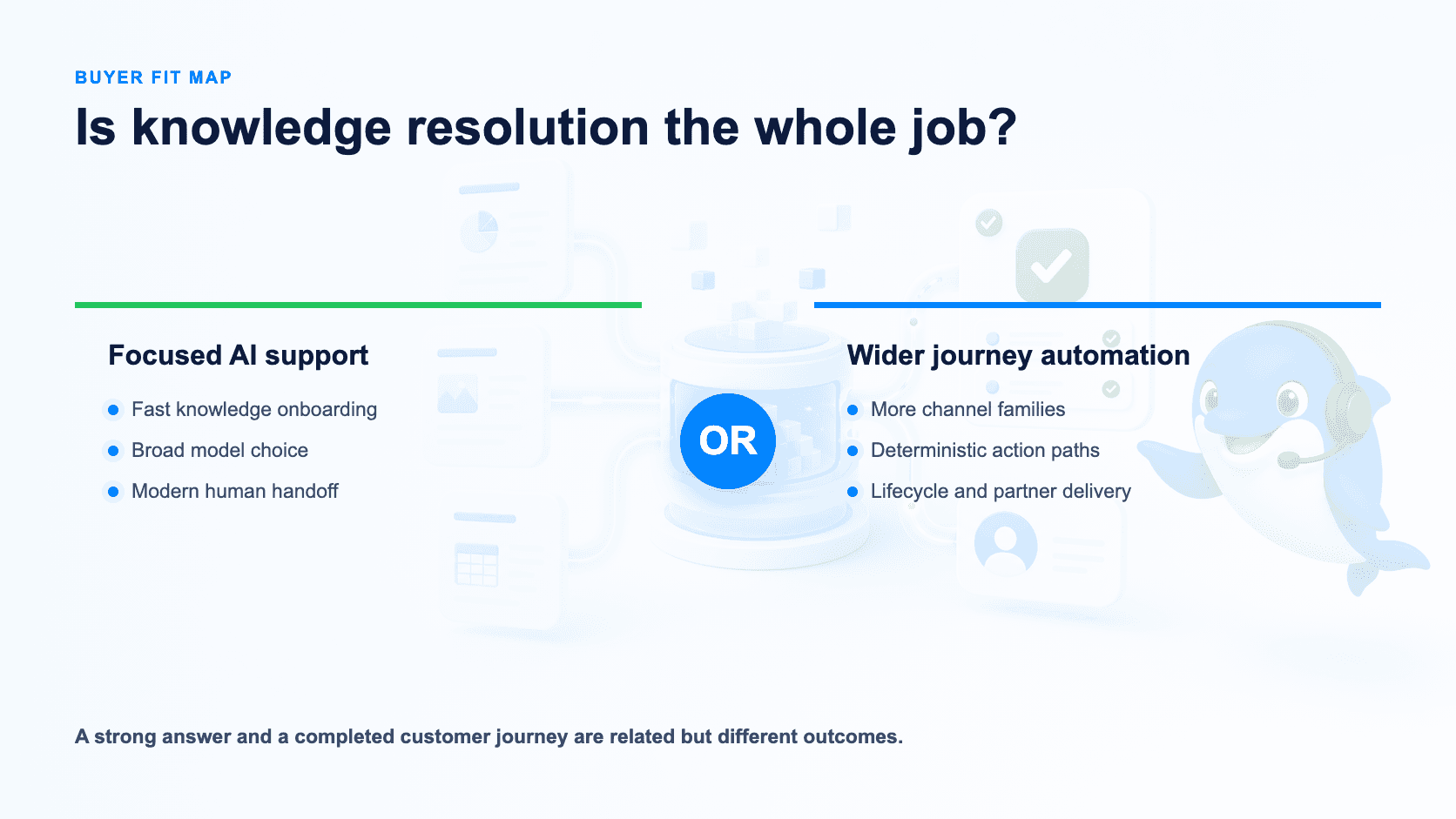
Chatling may be the cleaner fit for a knowledge-support team operating its listed channels. UChat may be better when the same customer journey begins with a social trigger, moves between channels, calls business systems and creates lifecycle work.
Pricing And AI Credit Economics
Chatling's current public pricing lists:
Free: $0 monthly, unlimited ordinary chats, 100 AI credits, one seat, two Agents, 500,000 knowledge characters and two actions per Agent [S1].
Standard: $40 monthly or $32 on annual billing, 3,000 AI credits, two seats, three Agents, 30 million knowledge characters, five actions per Agent, periodic auto-sync, full customization and API access [S1].
Plus: $140 monthly or $112 on annual billing, 15,000 AI credits, three seats, five Agents, 100 million knowledge characters, eight actions per Agent, daily sync, satisfaction surveys and branding removal [S1].
Add-ons include 1,000 AI credits for $10, one million knowledge characters for $2, an Agent for $3, a seat for $10, branding removal for $35 and custom domain for $10 monthly [S1]. AI responses consume different credits depending on the model [S1].
UChat lists Free $0, Business $15 and Partner $199 as entry prices [S2]. Full cost can include platform limits, add-ons, AI-provider usage and channel-provider fees.
Model the actual response mix. A premium model can consume many more Chatling credits than a lightweight one; a UChat model can create separate provider costs. Include non-AI chats, human seats, knowledge refresh, integrations and lifecycle work. A monthly credit allowance has no meaning until it is converted into your expected answer mix.
Turn Credits Into A Support Forecast
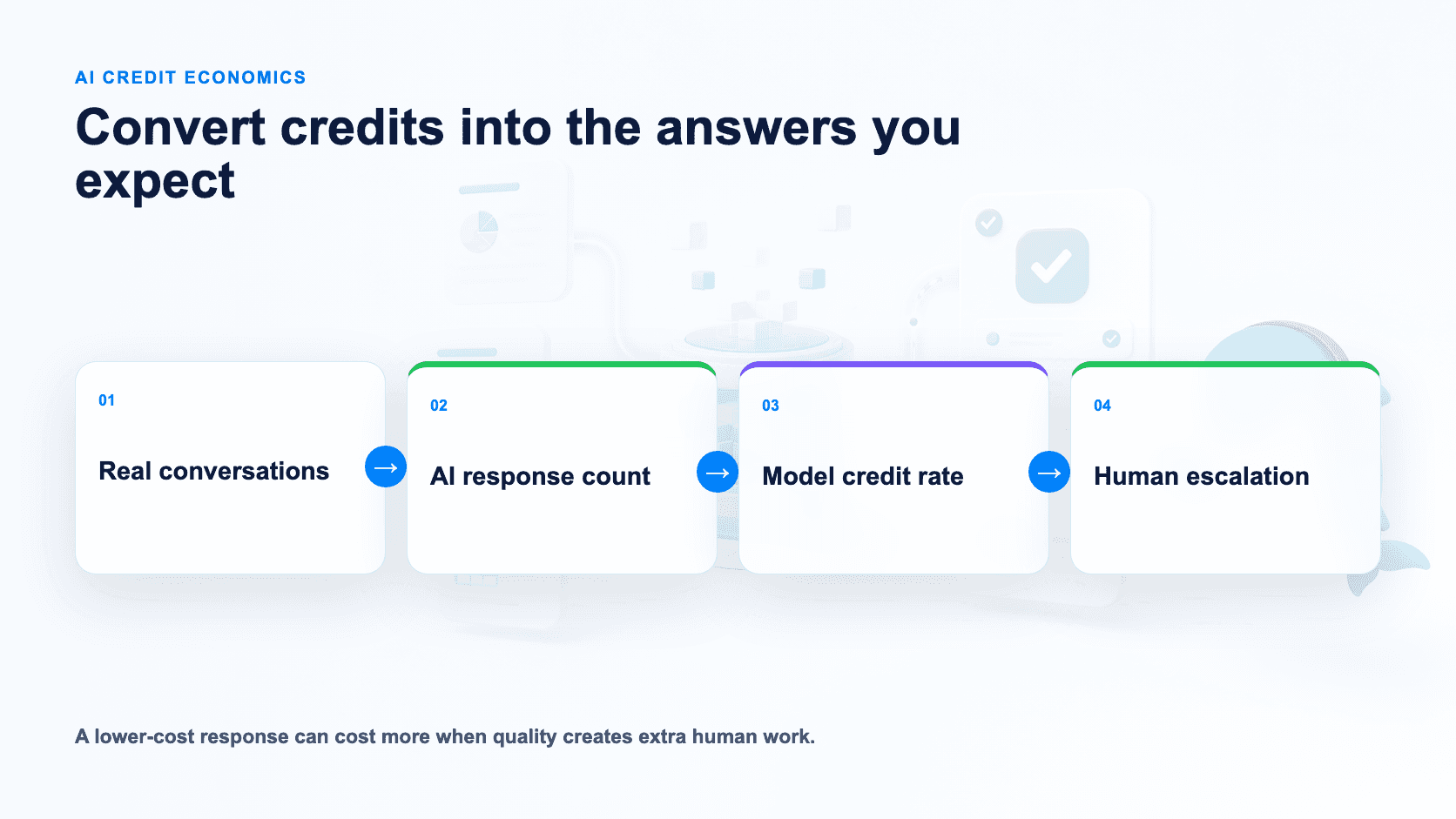
Do not divide 3,000 Standard credits by one and call that 3,000 answers. Chatling's current table assigns different credit rates by model [S1]. If a chosen model uses three credits per response, 3,000 credits represent about 1,000 AI responses; a 12-credit model represents about 250. A 20-message conversation may therefore consume very different totals depending on which turns invoke AI and which model answers them.
Take 100 real anonymized support conversations, count the AI responses needed, then replay the set with two candidate models. For UChat, record the corresponding AI-provider consumption, usage charges and platform limits [S2][S4]. Model quality and escalation rate belong in the cost calculation, because a cheaper answer that creates more human work is not cheaper.
Lifecycle And Agency Delivery
Chatling provides conversations, lead capture, exports, analytics and a more complete human-handoff environment than older comparisons may describe [S1]. That can cover a focused service operation.
UChat adds CRM Boards and Tickets within the platform [S8]. It also documents a white-label Partner model with custom domain and UI, client workspaces, configurable plans, billing and Partner API automation [S3].
Chatling offers branding removal and custom-domain options [S1]. Those are useful brand controls, but they are not the same commercial contract as a full reseller platform. An agency should compare client signup, dashboard ownership, plan controls, billing, reusable templates, account isolation and support responsibility.
Choose Chatling when the agency is delivering a branded support Agent as a managed project. Choose UChat when the agency is building its own customer automation platform and recurring plan catalog.
When Chatling May Be A Better Fit
Chatling may be better when the primary job is to answer support questions from an existing knowledge base, with a clear route to human intervention [S1]. Its product story and pricing are easy to map to that outcome.
It may also be a better evaluation choice for teams that want to switch among many published AI models and see the credit consequence of each response [S1]. The Free plan makes early accuracy testing accessible.
Finally, a small support team operating only web and the listed messaging channels may prefer Chatling's tighter boundary. UChat's additional channel and lifecycle architecture may be unnecessary for that scope.
Run A Knowledge Regression Test
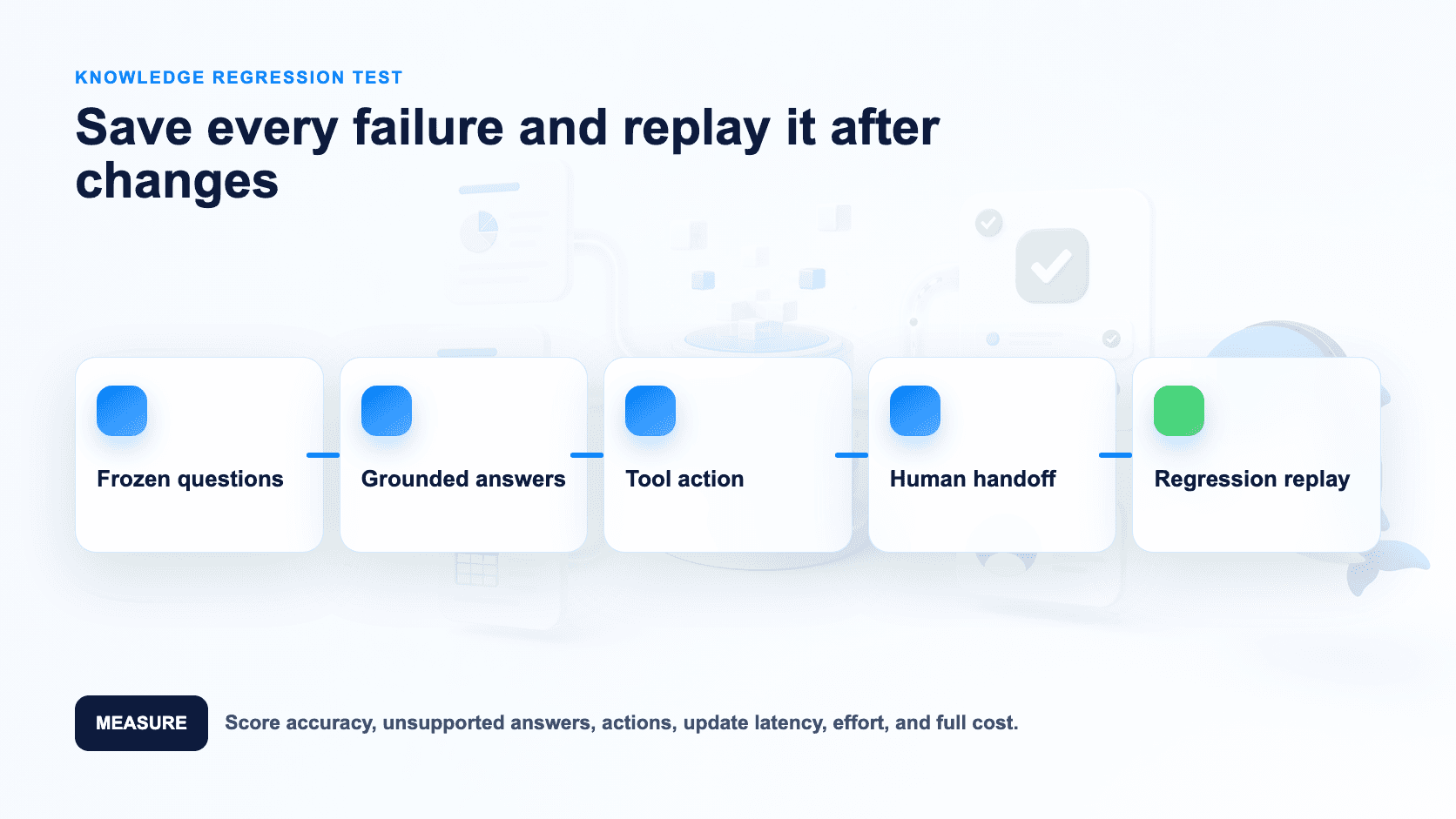
Use a frozen set of questions so the test can be repeated after every knowledge change:
Import the same approved help content.
Ask ten normal and five ambiguous questions.
Change one source and measure refresh behavior.
Execute one calendar, CRM or spreadsheet action.
Break that integration deliberately.
Hand off with customer details and full context.
Track the outcome and monthly usage.
Score grounded accuracy, unsupported-answer rate, action completion, handoff context, update latency, operator effort, maintenance time and full monthly cost. Save every failed question as a regression case and run the set again after changing the knowledge source.
Decision Checklist
Is knowledge resolution the entire job or one step in a wider journey?
Which channels are required [S1][S5]?
How frequently must knowledge sources resync [S1]?
Which model mix meets quality and budget?
Which business action must be proven [S1][S4][S9]?
What context and priority must reach the human operator [S1][S7]?
Does work continue in CRM Boards or Tickets [S8]?
What is the expected AI-credit or provider cost at peak?
Does an agency need complete client-plan and billing control [S3]?
Which system remains understandable after the knowledge and process change?
FAQ
Does Chatling have human handoff? Yes. Current documentation includes automatic handoff, AI summaries, priority, notes, office hours and notifications [S1].
Does Chatling have a visual builder? Yes. It lists message, response, AI, condition and action blocks [S1].
Which channels does Chatling support? Its current public positioning lists web, WhatsApp, Instagram, Telegram and Messenger [S1].
Which is better for knowledge support? Chatling offers a focused path from knowledge sources to AI resolution and handoff [S1]. UChat is stronger when that support job is part of a broader automation architecture [S4]–[S9].
Which is better for agencies? UChat has the clearer documented full white-label Partner model [S3]. Chatling can suit branded, managed Agent projects.
Final Verdict And CTA
Choose Chatling for a focused, knowledge-first AI support operation with transparent model credits and modern handoff [S1]. Choose UChat when AI support must become a broader multichannel journey, lifecycle process or white-label client platform [S3]–[S9].
Use a 14-day UChat trial to replay the same knowledge regression set with Pro access and no credit card [S11]. Agencies evaluating a managed Agent versus a complete client platform can book a Partner Plan demo [S12].
Related comparisons: UChat vs Chatbase · UChat vs ChatBot.com · UChat vs Tidio
Explore UChat's official pages for pricing, AI Agents, channels, Flow Builder, Live Chat, CRM, integrations and the Partner program.
Sources reviewed 13 August 2026.
Quick verdict: Choose Chatling when a support team wants a fast knowledge-grounded AI Agent, broad model choice, transparent credit pricing and modern human handoff. Choose UChat when AI support must become part of wider social, messaging, voice or SMS journeys, continue through CRM or Tickets, or be delivered as a branded client platform [S1][S3]–[S9].
Table Of Contents
Quick Verdict And Scorecard
Recommendation By Use Case
Feature Comparison
Knowledge, Models And AI Actions
Visual Building And Business Workflows
Channels And Human Handoff
Pricing And AI Credit Economics
Lifecycle And Agency Delivery
When Chatling May Be A Better Fit
Run A Knowledge Regression Test
Decision Checklist
FAQ
Final Verdict And CTA
Quick Verdict And Scorecard
Dimension | Chatling | UChat | Starting edge |
|---|---|---|---|
Core model | AI support platform focused on resolution [S1] | Multichannel conversation automation platform [S10] | Support Agent versus journey platform |
Knowledge | Websites, documents and help-center auto-sync [S1] | Knowledge, instructions and configurable Agent context [S4] | Chatling for focused knowledge onboarding |
Model choice | Broad published AI-model list with credit rates [S1] | Multiple AI providers and model choices [S4] | Compare quality, cost and governance |
Builder | Visual chatbot blocks and AI actions [S1] | Visual Flow Builder plus AI functions [S4][S6] | UChat for longer deterministic journeys |
Channels | Web, WhatsApp, Instagram, Messenger and Telegram [S1] | Web, social, messaging, voice and SMS families [S5] | UChat for broader architecture |
Human service | Live Chat, AI summary, priority and notes [S1] | Live Chat, CRM Boards and Tickets [S7][S8] | Chatling for focused handoff; UChat for lifecycle |
Agency model | Branding removal and custom domain add-ons [S1] | Full white-label Partner plan, client plans and billing [S3] | UChat for platform resale |
How We Compared
We reviewed Chatling's current homepage, pricing, integrations and Live Chat documentation. We compared them with UChat's public pricing, Partner, AI Agent, Channels, Flow Builder, Live Chat, CRM and Integrations pages. Evidence was captured on 13 August 2026, including Chatling's recently launched human-handoff capabilities [S1]–[S12].
Recommendation By Use Case
Support team wanting to train an Agent from existing documentation and launch quickly: Start with Chatling [S1].
Buyer wanting visible model choice and published per-response credit consumption: Put Chatling first in the cost POC [S1].
Business coordinating social acquisition, messaging follow-up, voice or SMS automation in one architecture: Start with UChat [S5][S6].
Team that needs support conversations to continue through Boards or Tickets: Start with UChat [S7][S8].
Agency selling an entire platform under its own domain, plans and billing: Start with UChat Partner [S3].
Small team needing unlimited ordinary chats and a free knowledge-AI evaluation: Try Chatling Free [S1].
Feature Comparison
Capability | Chatling | UChat |
|---|---|---|
Knowledge ingestion | Websites, documents, help centers and scheduled sync [S1] | Agent knowledge and business context [S4] |
AI models | Large published catalog with credit rates [S1] | Multiple model providers and configurable models [S4] |
Actions | Per-Agent actions plus integrations [S1] | AI functions, integrations, APIs, webhooks and Mini Apps [S4][S9] |
Visual logic | Message, response, AI, condition and action blocks [S1] | Messages, questions, conditions, actions and integrations [S6][S9] |
Human takeover | Automatic handoff, summary, priority, notes and office hours [S1] | Live Chat handoff [S7] |
Lifecycle | Conversations, leads, exports and service analytics [S1] | CRM Boards and Tickets [S8] |
Branding | Remove branding and custom-domain add-ons [S1] | Full white-label Partner interface and commercial controls [S3] |
Knowledge, Models And AI Actions
Chatling is designed to turn existing business content into an AI support Agent. It can ingest websites, documents and help-center content, auto-sync sources, respond in more than 80 languages and let the buyer choose among a broad set of published AI models [S1]. That creates a direct path from documentation to customer answers.
Its credit system reflects model choice. Different models consume different credits per AI response, so a team can trade speed, capability and cost [S1]. This is more transparent than treating all AI messages as identical, but it requires workload modeling.
UChat AI Agents also use instructions, business knowledge, multiple model options and functions [S4]. Functions can connect the Agent to business actions, while the Flow Builder can wrap that AI decision in explicit data capture, conditions, channel messages and recovery [S6][S9].
If the job is “answer accurately, then hand off,” Chatling has a clean center. If the job is “interpret, act, branch, update and continue,” test UChat's broader composition model.
Knowledge systems fail in predictable ways: stale pages, conflicting policies, missing context and unsupported exceptions. Test each one. The useful metric is not how often the Agent answers, but how often the answer or action is correct and recoverable.
Visual Building And Business Workflows
Chatling includes a visual builder with blocks for messages, captured responses, AI, conditions and actions [S1]. Paid plans expand action limits and integrations. Buyers should not assume Chatling is a single prompt box without workflow control.
UChat's Flow Builder supports message types, questions, conditions, basic and advanced actions and third-party integrations [S6][S9]. AI Agents and functions can participate within a wider deterministic journey [S4].
The difference is one of depth and scope, not presence. Chatling's builder supports a focused customer-service Agent. UChat's builder is designed to coordinate a broader set of channel events and business stages.
Build a real outcome in both. Ask the Agent to collect fields, update a test system, recover from failure and transfer to a person. A feature table cannot show whether the next maintainer will understand the automation.
Channels And Human Handoff
Chatling documents deployment on web, WhatsApp, Instagram, Telegram and Messenger [S1]. Its unified support proposition includes human handoff when the AI cannot resolve the issue [S1].
Its current Live Chat documentation describes automatic handoff rules, office hours, response-time expectations, AI-generated conversation summaries, automatic priority, internal notes and email notifications [S1]. These are important recent capabilities and should be included in a current evaluation.
UChat documents a broader channel portfolio across web, social, messaging, voice and SMS [S5]. Live Chat supports handoff, while CRM Boards and Tickets carry work after the conversation [S7][S8].
Chatling may be the cleaner fit for a knowledge-support team operating its listed channels. UChat may be better when the same customer journey begins with a social trigger, moves between channels, calls business systems and creates lifecycle work.
Pricing And AI Credit Economics
Chatling's current public pricing lists:
Free: $0 monthly, unlimited ordinary chats, 100 AI credits, one seat, two Agents, 500,000 knowledge characters and two actions per Agent [S1].
Standard: $40 monthly or $32 on annual billing, 3,000 AI credits, two seats, three Agents, 30 million knowledge characters, five actions per Agent, periodic auto-sync, full customization and API access [S1].
Plus: $140 monthly or $112 on annual billing, 15,000 AI credits, three seats, five Agents, 100 million knowledge characters, eight actions per Agent, daily sync, satisfaction surveys and branding removal [S1].
Add-ons include 1,000 AI credits for $10, one million knowledge characters for $2, an Agent for $3, a seat for $10, branding removal for $35 and custom domain for $10 monthly [S1]. AI responses consume different credits depending on the model [S1].
UChat lists Free $0, Business $15 and Partner $199 as entry prices [S2]. Full cost can include platform limits, add-ons, AI-provider usage and channel-provider fees.
Model the actual response mix. A premium model can consume many more Chatling credits than a lightweight one; a UChat model can create separate provider costs. Include non-AI chats, human seats, knowledge refresh, integrations and lifecycle work. A monthly credit allowance has no meaning until it is converted into your expected answer mix.
Turn Credits Into A Support Forecast
Do not divide 3,000 Standard credits by one and call that 3,000 answers. Chatling's current table assigns different credit rates by model [S1]. If a chosen model uses three credits per response, 3,000 credits represent about 1,000 AI responses; a 12-credit model represents about 250. A 20-message conversation may therefore consume very different totals depending on which turns invoke AI and which model answers them.
Take 100 real anonymized support conversations, count the AI responses needed, then replay the set with two candidate models. For UChat, record the corresponding AI-provider consumption, usage charges and platform limits [S2][S4]. Model quality and escalation rate belong in the cost calculation, because a cheaper answer that creates more human work is not cheaper.
Lifecycle And Agency Delivery
Chatling provides conversations, lead capture, exports, analytics and a more complete human-handoff environment than older comparisons may describe [S1]. That can cover a focused service operation.
UChat adds CRM Boards and Tickets within the platform [S8]. It also documents a white-label Partner model with custom domain and UI, client workspaces, configurable plans, billing and Partner API automation [S3].
Chatling offers branding removal and custom-domain options [S1]. Those are useful brand controls, but they are not the same commercial contract as a full reseller platform. An agency should compare client signup, dashboard ownership, plan controls, billing, reusable templates, account isolation and support responsibility.
Choose Chatling when the agency is delivering a branded support Agent as a managed project. Choose UChat when the agency is building its own customer automation platform and recurring plan catalog.
When Chatling May Be A Better Fit
Chatling may be better when the primary job is to answer support questions from an existing knowledge base, with a clear route to human intervention [S1]. Its product story and pricing are easy to map to that outcome.
It may also be a better evaluation choice for teams that want to switch among many published AI models and see the credit consequence of each response [S1]. The Free plan makes early accuracy testing accessible.
Finally, a small support team operating only web and the listed messaging channels may prefer Chatling's tighter boundary. UChat's additional channel and lifecycle architecture may be unnecessary for that scope.
Run A Knowledge Regression Test
Use a frozen set of questions so the test can be repeated after every knowledge change:
Import the same approved help content.
Ask ten normal and five ambiguous questions.
Change one source and measure refresh behavior.
Execute one calendar, CRM or spreadsheet action.
Break that integration deliberately.
Hand off with customer details and full context.
Track the outcome and monthly usage.
Score grounded accuracy, unsupported-answer rate, action completion, handoff context, update latency, operator effort, maintenance time and full monthly cost. Save every failed question as a regression case and run the set again after changing the knowledge source.
Decision Checklist
Is knowledge resolution the entire job or one step in a wider journey?
Which channels are required [S1][S5]?
How frequently must knowledge sources resync [S1]?
Which model mix meets quality and budget?
Which business action must be proven [S1][S4][S9]?
What context and priority must reach the human operator [S1][S7]?
Does work continue in CRM Boards or Tickets [S8]?
What is the expected AI-credit or provider cost at peak?
Does an agency need complete client-plan and billing control [S3]?
Which system remains understandable after the knowledge and process change?
FAQ
Does Chatling have human handoff? Yes. Current documentation includes automatic handoff, AI summaries, priority, notes, office hours and notifications [S1].
Does Chatling have a visual builder? Yes. It lists message, response, AI, condition and action blocks [S1].
Which channels does Chatling support? Its current public positioning lists web, WhatsApp, Instagram, Telegram and Messenger [S1].
Which is better for knowledge support? Chatling offers a focused path from knowledge sources to AI resolution and handoff [S1]. UChat is stronger when that support job is part of a broader automation architecture [S4]–[S9].
Which is better for agencies? UChat has the clearer documented full white-label Partner model [S3]. Chatling can suit branded, managed Agent projects.
Final Verdict And CTA
Choose Chatling for a focused, knowledge-first AI support operation with transparent model credits and modern handoff [S1]. Choose UChat when AI support must become a broader multichannel journey, lifecycle process or white-label client platform [S3]–[S9].
Use a 14-day UChat trial to replay the same knowledge regression set with Pro access and no credit card [S11]. Agencies evaluating a managed Agent versus a complete client platform can book a Partner Plan demo [S12].
Related comparisons: UChat vs Chatbase · UChat vs ChatBot.com · UChat vs Tidio
Explore UChat's official pages for pricing, AI Agents, channels, Flow Builder, Live Chat, CRM, integrations and the Partner program.
Sources reviewed 13 August 2026.